Limit Reset Chibi Sticker
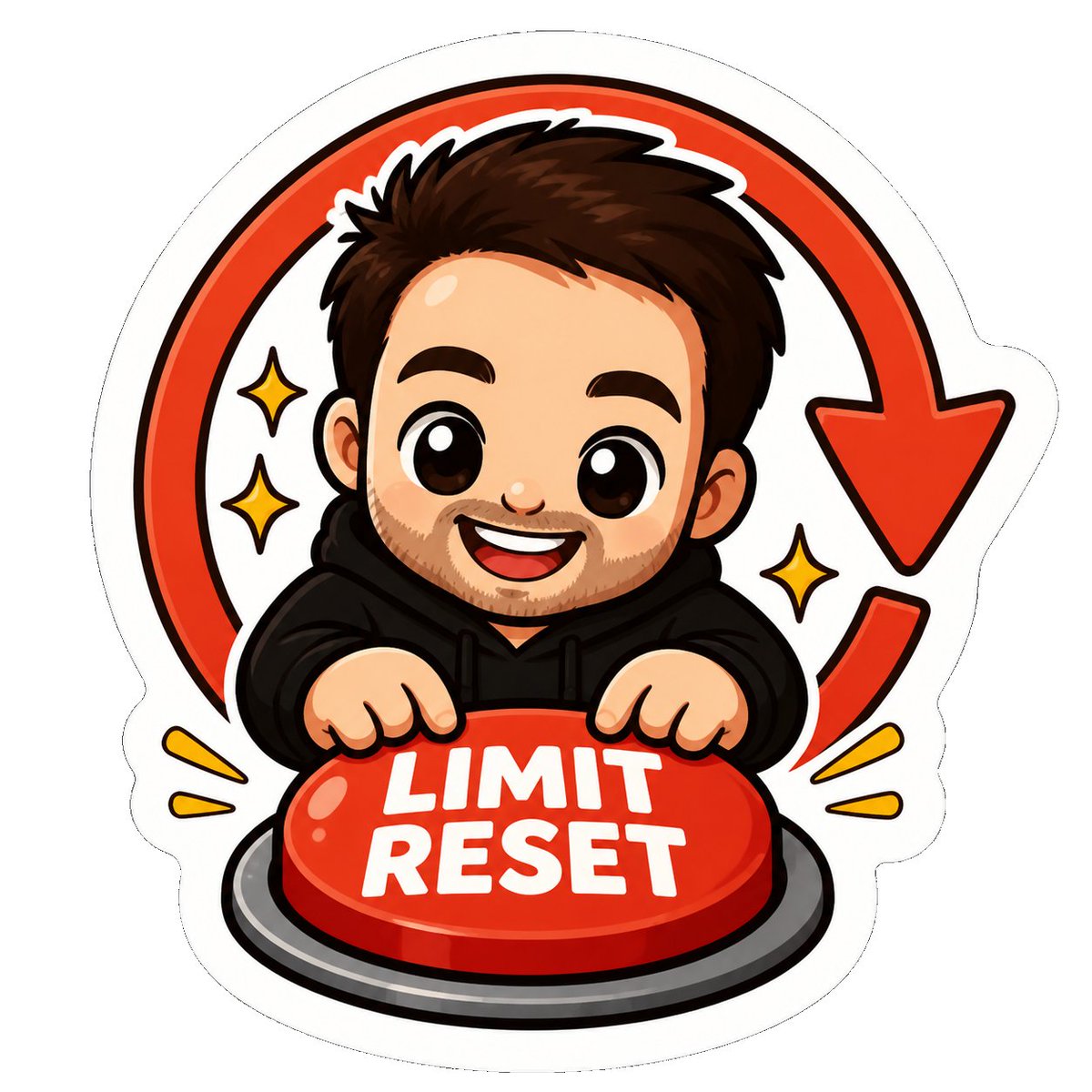
Limit Reset Chibi Sticker

Eingabeaufforderung

Create a cute die-cut laptop sticker illustration on a white background with a thick white sticker border and bold black cartoon outlines. Center one chibi-style smiling man with dark brown spiky hair, large glossy brown eyes, thick eyebrows, light stubble, rosy cheeks, and an excited open-mouth smile, wearing a black hoodie. He leans forward with both hands pressing a huge glossy red emergency push button labeled in large bold white uppercase text LIMIT RESET; the button sits on a dark gray oval base with highlights and shadows. Behind him, place one thick red circular reset arrow forming an almost complete loop, ending in a large downward arrowhead on the right. Add exactly 3 yellow sparkle stars around the character: 2 on the left side and 1 on the right side. Add exactly 4 small yellow emphasis rays near the lower sides of the button: 2 on the left and 2 on the right. Use a vibrant kawaii vector sticker style, high contrast, glossy highlights, clean shading, centered composition, no extra text, no watermark.

Läuft auf 21 Modellen

  • Flux
  • Flux 2
  • Flux Kontext
  • GPT-4o Image
  • GPT Image
  • GPT Image 2
  • GPT Image 2.5
  • GPT Image 2.6
  • Grok Imagine
  • Ideogram V3
  • Imagen 4
  • Kling
  • +9 mehr

Was dieser Prompt erzeugt

Seedream 5 prompt: male Nicht angegeben v2
FLUX prompt: witch characher Nicht angegeben flux-2-pro
FLUX prompt: comic Nicht angegeben flux-2-pro
Hero prompt: woman with man in head lock Nicht angegeben 1.0
Seedream 5 prompt: Yoga in a sunlit studio, a woman in a sports bra a... Nicht angegeben seedream-5-pro
Seedream 5 prompt: master prompt for a man in suit Nicht angegeben v2

Führen Sie diese Eingabeaufforderung mit der API aus

Die folgende Anforderung sendet diese Eingabeaufforderung mit den ausgefüllten Standardwerten an das erste Modell, auf dem sie ausgeführt wird. Tauschen Sie den Modellnamen gegen ein anderes oben aufgeführtes Modell aus.

Prompt API-Dokumente
/api/v1/gpt_image_2/text_to_image
curl -X POST https://runapi.ai/api/v1/gpt_image_2/text_to_image \
  -H "Authorization: Bearer $RUNAPI_API_KEY" \
  -H "Content-Type: application/json" \
  --data-binary @- <<'JSON'
{
  "model": "gpt-image-2",
  "prompt": "Create a cute die-cut laptop sticker illustration on a white background with a thick white sticker border and bold black cartoon outlines. Center one chibi-style smiling man with dark brown spiky hair, large glossy brown eyes, thick eyebrows, light stubble, rosy cheeks, and an excited open-mouth smile, wearing a black hoodie. He leans forward with both hands pressing a huge glossy red emergency push button labeled in large bold white uppercase text LIMIT RESET; the button sits on a dark gray oval base with highlights and shadows. Behind him, place one thick red circular reset arrow forming an almost complete loop, ending in a large downward arrowhead on the right. Add exactly 3 yellow sparkle stars around the character: 2 on the left side and 1 on the right side. Add exactly 4 small yellow emphasis rays near the lower sides of the button: 2 on the left and 2 on the right. Use a vibrant kawaii vector sticker style, high contrast, glossy highlights, clean shading, centered composition, no extra text, no watermark."
}
JSON

Probier‘s mal mit einer Anfrage