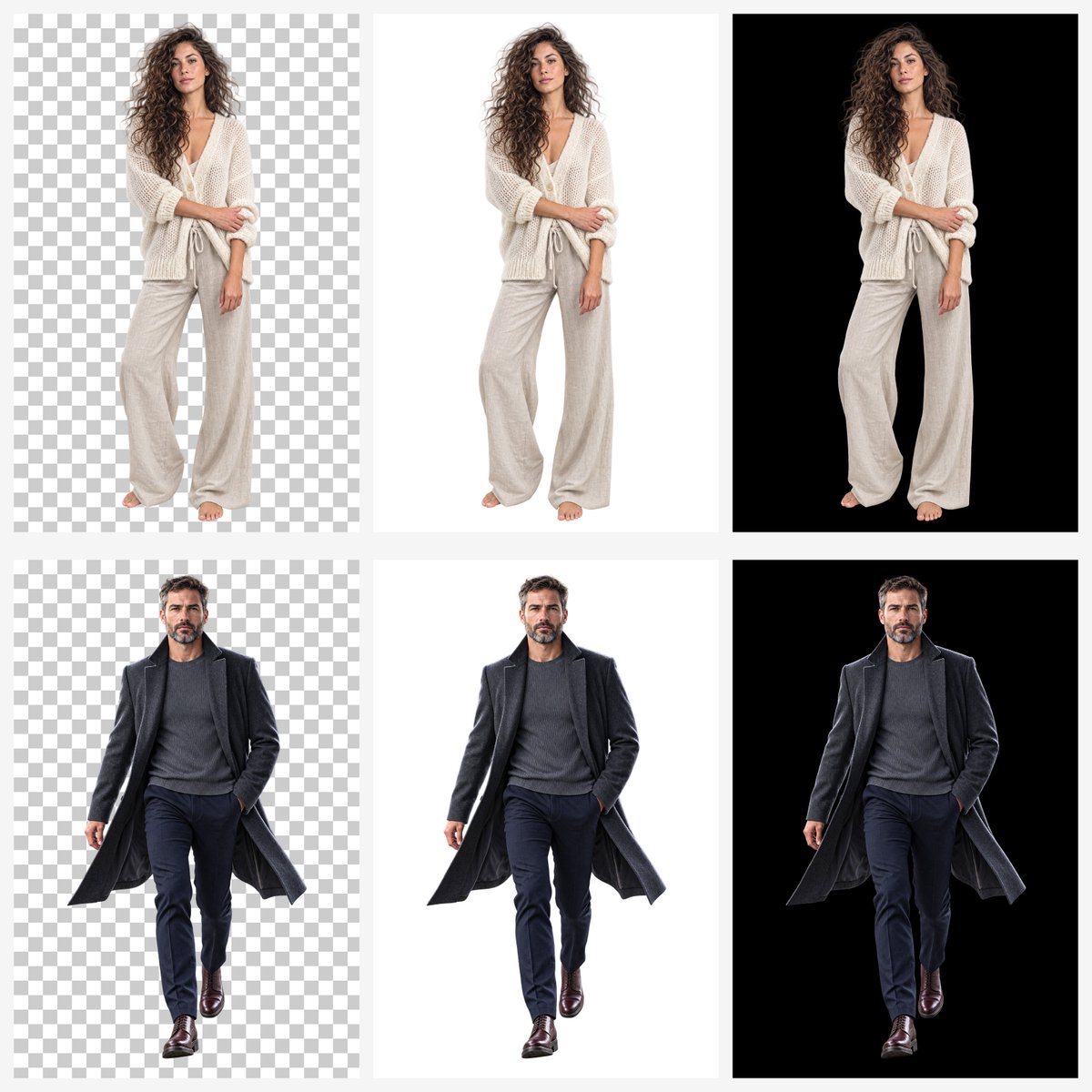
Transparent Background Comparison Grid
Transparent Background Comparison Grid

翻訳: Prompt

Goal: Create a clean comparison grid demonstrating background handling for cutout portrait images generated by GPT Image 2. Canvas: Square 1:1 canvas, approximately 1200 x 1200 px, with a very light gray page background and narrow gutters between panels. Layout: Use exactly 6 rectangular panels arranged in a 2-row by 3-column grid. Each panel contains one full-body studio cutout subject centered vertically and horizontally with ample margin. The three columns compare background types: left column shows a gray-and-white checkerboard transparency pattern, middle column shows a plain white background, right column shows a solid black background. No captions, no logos, no text. Subjects: Use exactly 2 human models. Top row: a young woman with long voluminous curly brown hair, neutral expression, barefoot, wearing a loose cream chunky-knit cardigan over a light camisole and wide beige lounge pants. She stands front-facing in a relaxed fashion pose, one arm folded across her body and the other hanging down, soft studio lighting, realistic photographic detail. Bottom row: a middle-aged man with short dark hair and salt-and-pepper beard, serious expression, walking toward camera, wearing a long dark charcoal overcoat, gray knit sweater, navy trousers, and polished dark brown dress shoes. He appears mid-stride with one hand in his trouser pocket and the coat slightly flaring outward. Panel details: Count of repeated elements is exactly 6 panels: 1) woman on checkerboard transparent-style background, 2) woman on white background, 3) woman on black background, 4) man on checkerboard transparent-style background, 5) man on white background, 6) man on black background. Keep the same subject pose, scale, lighting, and crop consistent across each row so only the background changes. Visual style: Hyperrealistic studio product-demo photography, crisp full-body cutouts, clean edges around hair and clothing, neutral soft shadows only if subtle, high contrast on black backgrounds, bright clean white backgrounds, and a standard transparency checkerboard pattern made of evenly sized alternating light gray and white squares. Constraints: Do not include any visible text, labels, watermark, interface chrome, decorative icons, or extra objects. Maintain realistic proportions, full bodies visible from head to feet, centered composition, and consistent spacing between all grid cells.

翻訳: Runs on 20 models

  • Flux
  • Flux 2
  • Flux Kontext
  • GPT-4o Image
  • GPT Image
  • GPT Image 2
  • GPT Image 2.5
  • GPT Image 2.6
  • Grok Imagine
  • Ideogram V3
  • Imagen 4
  • Kling
  • 翻訳: +8 more

このプロンプトの生成結果

Split-Page Coffee Shop Travel Journal 未指定 gpt-image-2
Cute Chibi Characters in a Sweet Playful Moment 未指定 gpt-image-2
Underground Train Yard Clash Anime Development Board 未指定 gpt-image-2
Realistic Group Selfie with Smartphone Flash Effect 未指定 nano-banana-pro
Exploded-View Structural Cutaway for Food Photography 未指定 nano-banana-pro
Four Seasons Portrait Collage 未指定 nano-banana-pro

翻訳: Run this prompt with the API

翻訳: The request below sends this prompt, with its default values filled in, to the first model it runs on. Swap the model name for any other model listed above.

翻訳: Prompt API docs
/api/v1/gpt_image_2/text_to_image
curl -X POST https://runapi.ai/api/v1/gpt_image_2/text_to_image \
  -H "Authorization: Bearer $RUNAPI_API_KEY" \
  -H "Content-Type: application/json" \
  --data-binary @- <<'JSON'
{
  "model": "gpt-image-2",
  "prompt": "Goal: Create a clean comparison grid demonstrating background handling for cutout portrait images generated by GPT Image 2.\n\nCanvas: Square 1:1 canvas, approximately 1200 x 1200 px, with a very light gray page background and narrow gutters between panels.\n\nLayout: Use exactly 6 rectangular panels arranged in a 2-row by 3-column grid. Each panel contains one full-body studio cutout subject centered vertically and horizontally with ample margin. The three columns compare background types: left column shows a gray-and-white checkerboard transparency pattern, middle column shows a plain white background, right column shows a solid black background. No captions, no logos, no text.\n\nSubjects: Use exactly 2 human models. Top row: a young woman with long voluminous curly brown hair, neutral expression, barefoot, wearing a loose cream chunky-knit cardigan over a light camisole and wide beige lounge pants. She stands front-facing in a relaxed fashion pose, one arm folded across her body and the other hanging down, soft studio lighting, realistic photographic detail. Bottom row: a middle-aged man with short dark hair and salt-and-pepper beard, serious expression, walking toward camera, wearing a long dark charcoal overcoat, gray knit sweater, navy trousers, and polished dark brown dress shoes. He appears mid-stride with one hand in his trouser pocket and the coat slightly flaring outward.\n\nPanel details: Count of repeated elements is exactly 6 panels: 1) woman on checkerboard transparent-style background, 2) woman on white background, 3) woman on black background, 4) man on checkerboard transparent-style background, 5) man on white background, 6) man on black background. Keep the same subject pose, scale, lighting, and crop consistent across each row so only the background changes.\n\nVisual style: Hyperrealistic studio product-demo photography, crisp full-body cutouts, clean edges around hair and clothing, neutral soft shadows only if subtle, high contrast on black backgrounds, bright clean white backgrounds, and a standard transparency checkerboard pattern made of evenly sized alternating light gray and white squares.\n\nConstraints: Do not include any visible text, labels, watermark, interface chrome, decorative icons, or extra objects. Maintain realistic proportions, full bodies visible from head to feet, centered composition, and consistent spacing between all grid cells."
}
JSON

翻訳: Try a prompt

概算: $0.04 / 枚

RunAPI で生成するにはサインインしてください。

ログインして生成

ログインして、利用可能な言語モデルで生成を開始してください。