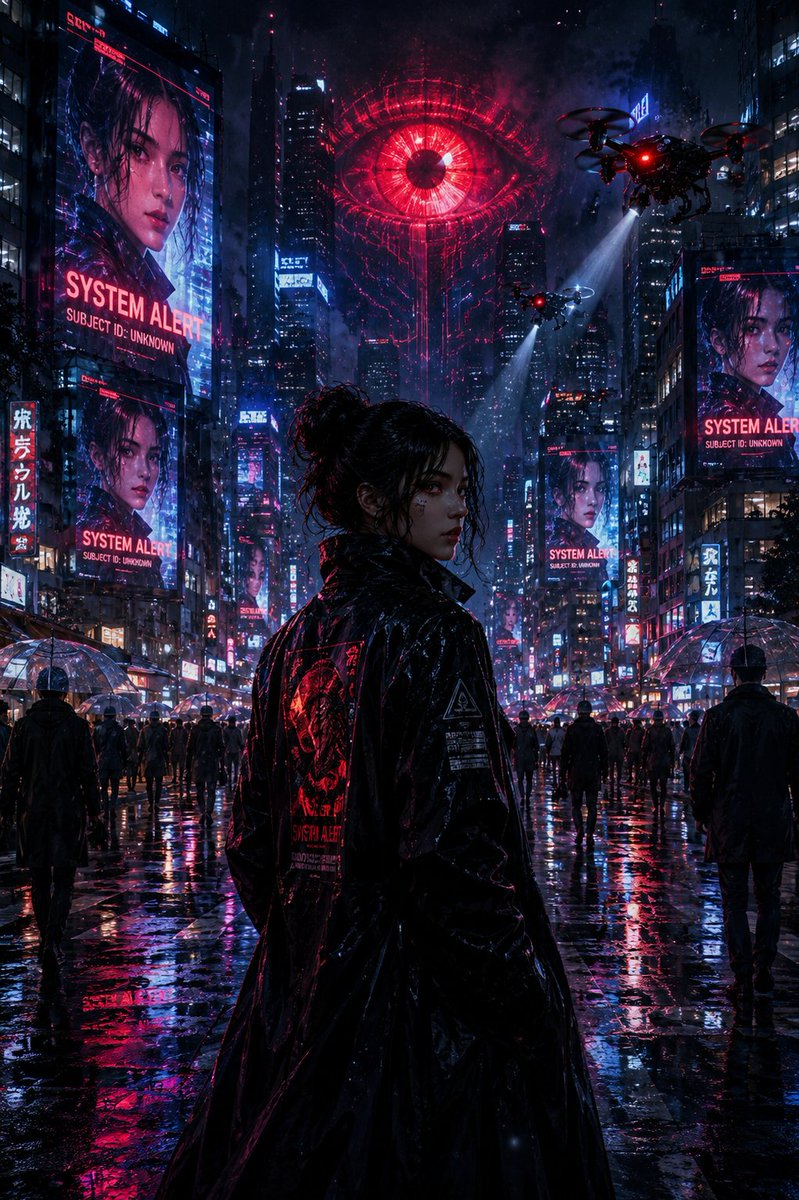
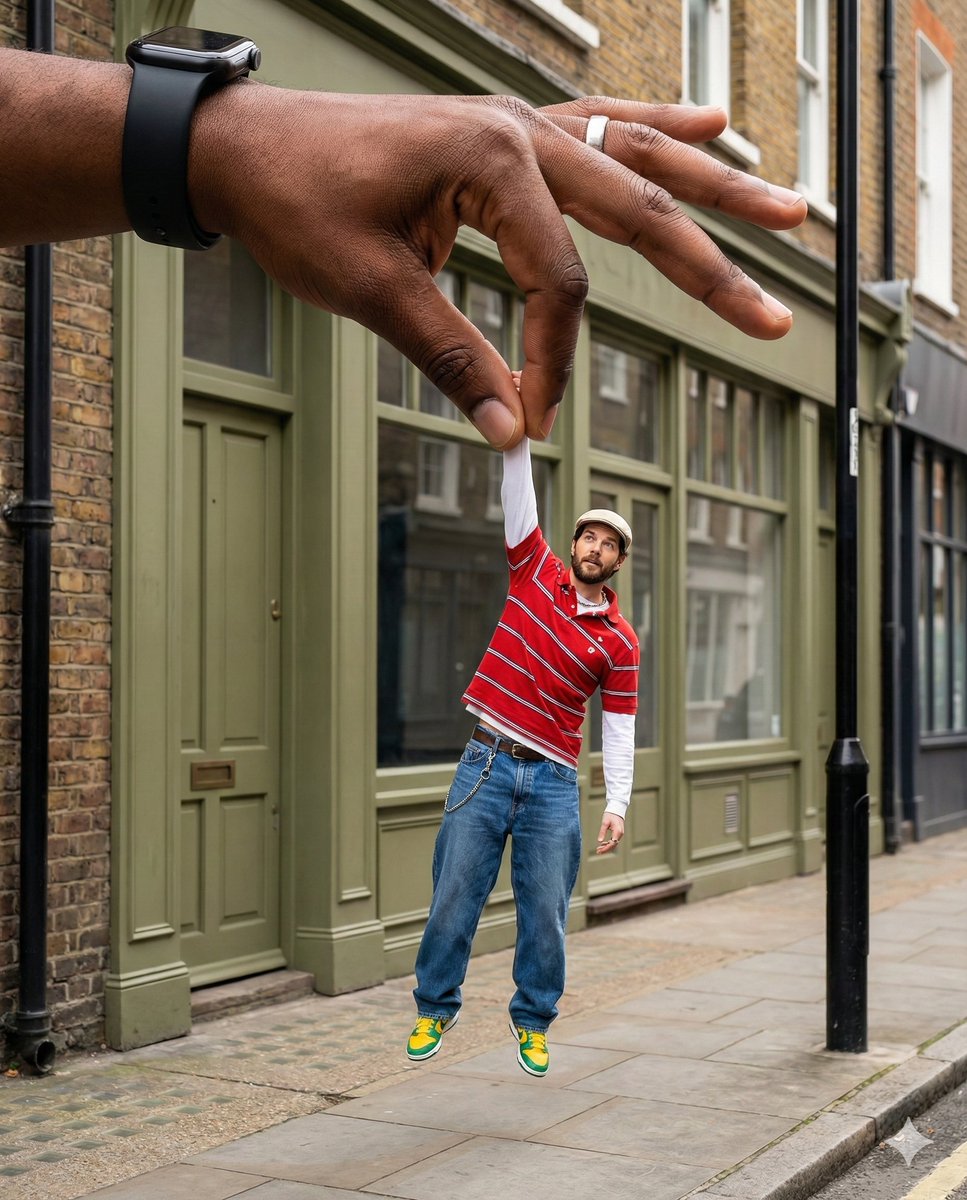
Four Cloudflare WebMCP Infographic Posters

Creates a wide four-panel Japanese technical infographic explaining Cloudflare WebMCP for social media or blog use.
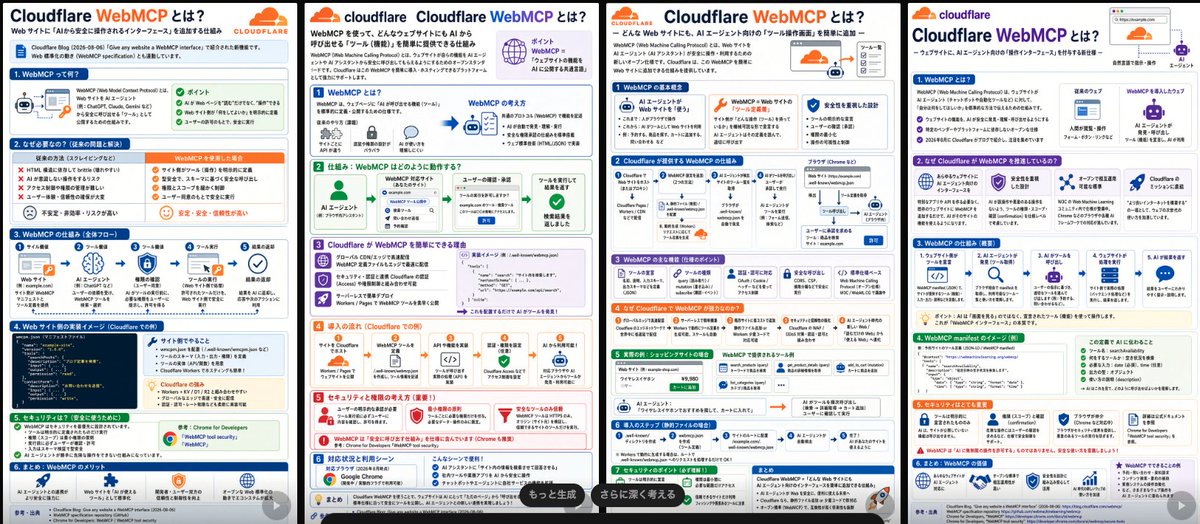
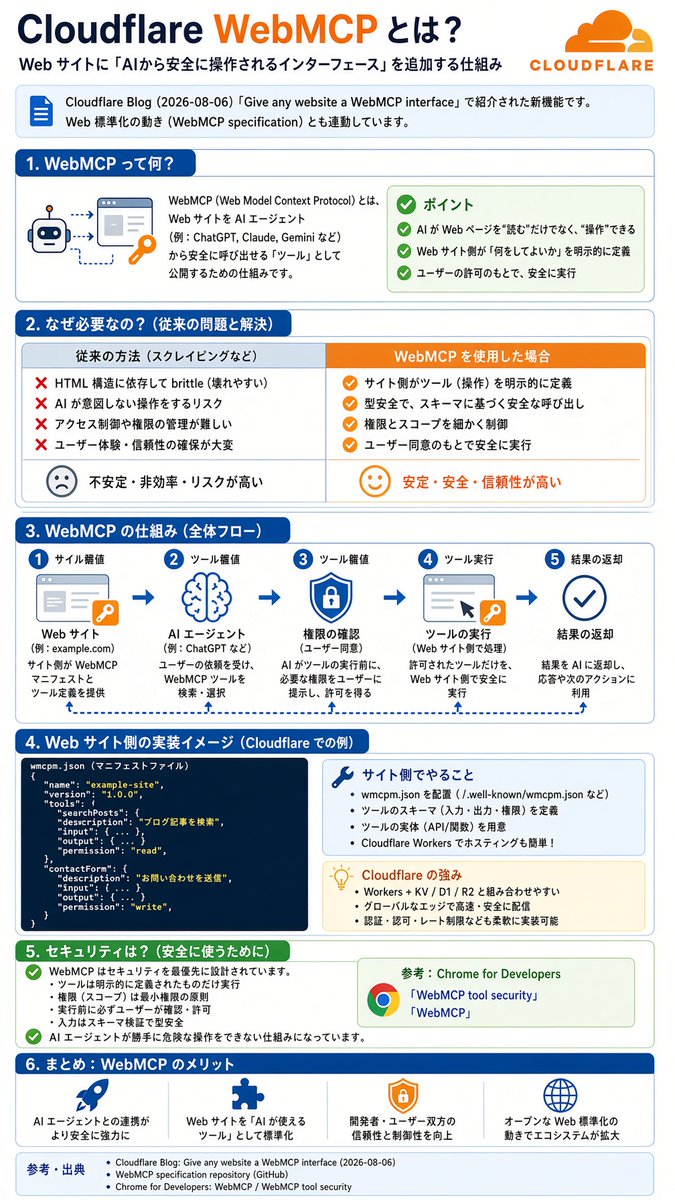
Four Cloudflare WebMCP Infographic Posters

翻訳: Prompt

Goal: Create a wide comparison image showing exactly 4 separate Japanese infographic poster pages side by side, each explaining Cloudflare WebMCP. The posters should look like polished AI-generated tech explainer slides for social media, with dense but readable Japanese copy, Cloudflare branding, icons, diagrams, and section cards. Canvas: Extra-wide horizontal canvas, approximately 3:1 aspect ratio, with 4 tall white infographic pages arranged left-to-right. Each page is separated by thin black vertical gaps or borders. Each page has a clean white background, rounded pastel section boxes, colored headers, small icons, arrows, and a bottom-right semi-transparent dark rounded button overlay on some pages. Overall visual style: Modern Japanese SaaS/technical infographic design, Cloudflare orange-and-blue palette, flat vector icons, thin gray borders, rounded cards, tiny code blocks, flow diagrams, checkmarks, warning triangles, shield/security icons, robots, browser windows, AI agent icons, databases, clouds, and network arrows. Use a crisp printed-slide look with very small but believable Japanese text. Include Cloudflare cloud logo marks and the word “cloudflare” near the top of each page. Highlight “WebMCP” in orange. Page layout: Include exactly 4 infographic pages: 1. Left page: Title “Cloudflare WebMCPとは?” with orange “WebMCP”, subtitle about WebMCP as a bridge connecting web sites and AI agents. Include exactly 6 numbered horizontal sections: 1) “WebMCPって何?” with a simple web page to AI-agent diagram and green “ポイント” bullets; 2) “なぜ必要なの?” with red X problem bullets and orange solution bullets; 3) “WebMCPの仕組み” with a 5-step icon flow; 4) “Webサイト側の実装イメージ” with a dark code snippet block on the left and benefit cards on the right; 5) “セキュリティ” with green checklist and Chrome/WebMCP tool card; 6) “まとめ: WebMCPのメリット” with four benefit icons. 2. Second page: Title “Cloudflare WebMCPとは?” with a small orange Cloudflare logo and explanatory paragraph. Include exactly 5 numbered sections: 1) “WebMCPとは?” showing AI agent, web application, and Cloudflare WebMCP connection; 2) “仕組み: WebMCPはどのように動作する?” with a left-to-right flow from AI agent to WebMCP endpoint to user approval to tool execution; 3) “Cloudflare が WebMCP を簡単にできる理由” with purple feature cards and a code snippet; 4) “導入の流れ” with orange step cards for Workers/Pages, API definition, endpoint, MCP setup, and AI use; 5) “セキュリティと権限の考え方” with red warning/security cards. Add a dark pill overlay at lower right reading “もっと生成”. 3. Third page: Title “Cloudflare WebMCPとは?” with subtitle about publishing tools on web sites for AI agents. Include exactly 7 numbered sections with compact cards: 1) “WebMCPの主な概念” with three cards for AI agent, WebMCP, and security/permission; 2) “Cloudflareが提供するWebMCPの仕組み” with a detailed architecture diagram using browser, Cloudflare, worker, API, and data-store icons; 3) “WebMCPの活用例” with multiple small use-case cards; 4) “なぜCloudflareでWebMCPが使いやすい?” in an orange band with benefit icons; 5) “実装例: シンプルなサイト連携” with a small form/table and tool cards; 6) “導入ステップ” with a 5-step horizontal flow; 7) “セキュリティのポイント” with green checklist cards. Add a dark pill overlay near the bottom reading “さらに深く考える”. 4. Right page: Title “Cloudflare WebMCPとは?” with an orange Cloudflare logo and a small browser/address-bar illustration at top right plus an AI agent icon. Include exactly 6 numbered sections: 1) “WebMCPとは?” with definition bullets and a diagram from web app to AI agent; 2) “なぜCloudflareがWebMCPを推進している?” with exactly 4 cards describing AI-friendly web, security, open standards, and Cloudflare ecosystem; 3) “WebMCPの仕組み” with exactly 5 icon steps from site/API to MCP endpoint to AI request to tool execution to result; 4) “WebMCP manifest のイメージ” with a dark code block and a green checklist card; 5) “セキュリティとして重要” with warning and permission cards; 6) “まとめ: WebMCPの価値” with four blue/purple benefit cards. Text content: The main headline on every page must include Cloudflare WebMCPとは?. Keep all visible body text in Japanese. Use credible Japanese labels such as “AIエージェント”, “Webサイト”, “MCPサーバー”, “ツール定義”, “認可”, “権限管理”, “Workers”, “Pages”, “API”, “manifest”, “セキュリティ”, and “導入ステップ”. Use tiny text where necessary but keep major section titles legible. Branding and colors: Use Cloudflare branding, orange cloud logos, blue section headers, green success boxes, orange highlight boxes, purple feature boxes, red security/warning boxes, and gray explanatory cards. Maintain a professional Japanese tech-blog infographic aesthetic. Constraints: Show exactly 4 pages, exactly 6 sections on page 1, 5 sections on page 2, 7 sections on page 3, and 6 sections on page 4. Do not include people or photorealistic scenes. Do not add watermarks. Make the image information-dense, like a generated social-media comparison of four alternate infographic designs.

翻訳: Runs on 18 models

  • Flux
  • Flux 2
  • Flux Kontext
  • GPT-4o Image
  • GPT Image
  • GPT Image 2
  • GPT Image 2.5
  • Grok Imagine
  • Ideogram V3
  • Imagen 4
  • Midjourney
  • Nano Banana
  • 翻訳: +6 more

このプロンプトの生成結果

Realistic Group Selfie with Smartphone Flash Effect 未指定 nano-banana-pro
Four Seasons Portrait Collage 未指定 nano-banana-pro
Minimalist Dog Sketch Clipart 未指定 nano-banana-pro
Mecha Girl figure concept generated by Nano Banana Pro 未指定 nano-banana-pro
Candid Flash Photography: Chaotic Holiday Party (Duplicate) 未指定 nano-banana-pro
Ethereal Floral Studio Portrait 未指定 nano-banana-pro

翻訳: Run this prompt with the API

翻訳: The request below sends this prompt, with its default values filled in, to the first model it runs on. Swap the model name for any other model listed above.

翻訳: Prompt API docs
/api/v1/gpt_image_2/text_to_image
curl -X POST https://runapi.ai/api/v1/gpt_image_2/text_to_image \
  -H "Authorization: Bearer $RUNAPI_API_KEY" \
  -H "Content-Type: application/json" \
  --data-binary @- <<'JSON'
{
  "model": "gpt-image-2",
  "prompt": "Goal: Create a wide comparison image showing exactly 4 separate Japanese infographic poster pages side by side, each explaining Cloudflare WebMCP. The posters should look like polished AI-generated tech explainer slides for social media, with dense but readable Japanese copy, Cloudflare branding, icons, diagrams, and section cards.\n\nCanvas: Extra-wide horizontal canvas, approximately 3:1 aspect ratio, with 4 tall white infographic pages arranged left-to-right. Each page is separated by thin black vertical gaps or borders. Each page has a clean white background, rounded pastel section boxes, colored headers, small icons, arrows, and a bottom-right semi-transparent dark rounded button overlay on some pages.\n\nOverall visual style: Modern Japanese SaaS/technical infographic design, Cloudflare orange-and-blue palette, flat vector icons, thin gray borders, rounded cards, tiny code blocks, flow diagrams, checkmarks, warning triangles, shield/security icons, robots, browser windows, AI agent icons, databases, clouds, and network arrows. Use a crisp printed-slide look with very small but believable Japanese text. Include Cloudflare cloud logo marks and the word “cloudflare” near the top of each page. Highlight “WebMCP” in orange.\n\nPage layout: Include exactly 4 infographic pages:\n1. Left page: Title “Cloudflare WebMCPとは?” with orange “WebMCP”, subtitle about WebMCP as a bridge connecting web sites and AI agents. Include exactly 6 numbered horizontal sections: 1) “WebMCPって何?” with a simple web page to AI-agent diagram and green “ポイント” bullets; 2) “なぜ必要なの?” with red X problem bullets and orange solution bullets; 3) “WebMCPの仕組み” with a 5-step icon flow; 4) “Webサイト側の実装イメージ” with a dark code snippet block on the left and benefit cards on the right; 5) “セキュリティ” with green checklist and Chrome/WebMCP tool card; 6) “まとめ: WebMCPのメリット” with four benefit icons.\n2. Second page: Title “Cloudflare WebMCPとは?” with a small orange Cloudflare logo and explanatory paragraph. Include exactly 5 numbered sections: 1) “WebMCPとは?” showing AI agent, web application, and Cloudflare WebMCP connection; 2) “仕組み: WebMCPはどのように動作する?” with a left-to-right flow from AI agent to WebMCP endpoint to user approval to tool execution; 3) “Cloudflare が WebMCP を簡単にできる理由” with purple feature cards and a code snippet; 4) “導入の流れ” with orange step cards for Workers/Pages, API definition, endpoint, MCP setup, and AI use; 5) “セキュリティと権限の考え方” with red warning/security cards. Add a dark pill overlay at lower right reading “もっと生成”.\n3. Third page: Title “Cloudflare WebMCPとは?” with subtitle about publishing tools on web sites for AI agents. Include exactly 7 numbered sections with compact cards: 1) “WebMCPの主な概念” with three cards for AI agent, WebMCP, and security/permission; 2) “Cloudflareが提供するWebMCPの仕組み” with a detailed architecture diagram using browser, Cloudflare, worker, API, and data-store icons; 3) “WebMCPの活用例” with multiple small use-case cards; 4) “なぜCloudflareでWebMCPが使いやすい?” in an orange band with benefit icons; 5) “実装例: シンプルなサイト連携” with a small form/table and tool cards; 6) “導入ステップ” with a 5-step horizontal flow; 7) “セキュリティのポイント” with green checklist cards. Add a dark pill overlay near the bottom reading “さらに深く考える”.\n4. Right page: Title “Cloudflare WebMCPとは?” with an orange Cloudflare logo and a small browser/address-bar illustration at top right plus an AI agent icon. Include exactly 6 numbered sections: 1) “WebMCPとは?” with definition bullets and a diagram from web app to AI agent; 2) “なぜCloudflareがWebMCPを推進している?” with exactly 4 cards describing AI-friendly web, security, open standards, and Cloudflare ecosystem; 3) “WebMCPの仕組み” with exactly 5 icon steps from site/API to MCP endpoint to AI request to tool execution to result; 4) “WebMCP manifest のイメージ” with a dark code block and a green checklist card; 5) “セキュリティとして重要” with warning and permission cards; 6) “まとめ: WebMCPの価値” with four blue/purple benefit cards.\n\nText content: The main headline on every page must include Cloudflare WebMCPとは?. Keep all visible body text in Japanese. Use credible Japanese labels such as “AIエージェント”, “Webサイト”, “MCPサーバー”, “ツール定義”, “認可”, “権限管理”, “Workers”, “Pages”, “API”, “manifest”, “セキュリティ”, and “導入ステップ”. Use tiny text where necessary but keep major section titles legible.\n\nBranding and colors: Use Cloudflare branding, orange cloud logos, blue section headers, green success boxes, orange highlight boxes, purple feature boxes, red security/warning boxes, and gray explanatory cards. Maintain a professional Japanese tech-blog infographic aesthetic.\n\nConstraints: Show exactly 4 pages, exactly 6 sections on page 1, 5 sections on page 2, 7 sections on page 3, and 6 sections on page 4. Do not include people or photorealistic scenes. Do not add watermarks. Make the image information-dense, like a generated social-media comparison of four alternate infographic designs."
}
JSON

翻訳: Try a prompt

概算: $0.04 / 枚

RunAPI で生成するにはサインインしてください。

ログインして生成

ログインして、利用可能な言語モデルで生成を開始してください。