Japanese Google Homepage Screenshot
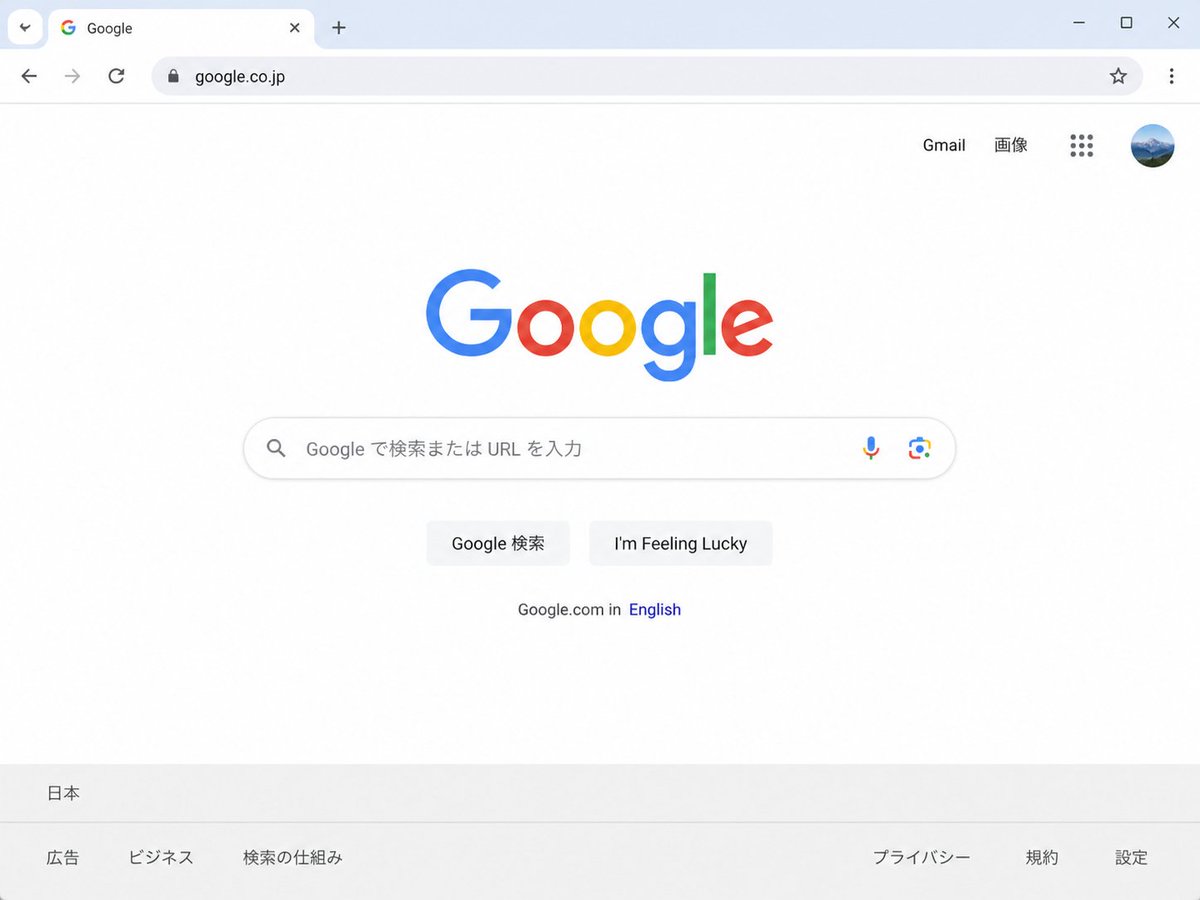
Japanese Google Homepage Screenshot

즉각적인

Create a clean, realistic desktop browser screenshot of the Japanese Google homepage in a Chrome-like window, viewed straight on at 4:3 aspect ratio. The browser UI shows one active tab labeled Google with the Google favicon, a plus button for a new tab, back and forward arrows, reload, a lock icon, and the address bar containing google.co.jp; at the far right are a star bookmark icon, three-dot menu, and window controls. The webpage is mostly white with the multicolor Google logo centered high on the page. In the top-right of the page are exactly 4 items: the text link “Gmail”, the text link “画像”, a 3-by-3 Google apps grid icon, and a circular user profile avatar showing a small blue mountain landscape. Centered beneath the logo is one rounded search bar with a magnifying glass icon on the left, placeholder text Google で検索または URL を入力, and exactly 2 icons on the right: a microphone and Google Lens. Below it are exactly 2 light-gray buttons labeled Google 検索 and I'm Feeling Lucky. Under the buttons is a small language line reading “Google.com in English,” with “English” in blue. At the bottom is a pale gray footer with the location “日本” on the first row and exactly 6 footer links on the second row: “広告”, “ビジネス”, “検索の仕組み”, “プライバシー”, “規約”, and “設定”. Use accurate Google colors, crisp sans-serif typography, subtle shadows, soft gray browser chrome, lots of empty white space, and photorealistic UI rendering.

20 모델에서 실행됩니다.

  • Flux
  • Flux 2
  • Flux Kontext
  • GPT-4o Image
  • GPT Image
  • GPT Image 2
  • GPT Image 2.5
  • GPT Image 2.6
  • Grok Imagine
  • Ideogram V3
  • Imagen 4
  • Kling
  • +8 이상

이 프롬프트의 출력

Split-Page Coffee Shop Travel Journal 지정되지 않음 gpt-image-2
Cute Chibi Characters in a Sweet Playful Moment 지정되지 않음 gpt-image-2
Underground Train Yard Clash Anime Development Board 지정되지 않음 gpt-image-2
Realistic Group Selfie with Smartphone Flash Effect 지정되지 않음 nano-banana-pro
Exploded-View Structural Cutaway for Food Photography 지정되지 않음 nano-banana-pro
Four Seasons Portrait Collage 지정되지 않음 nano-banana-pro

API를 사용하여 이 프롬프트를 실행하세요.

아래 요청은 기본값이 채워진 이 프롬프트를 실행되는 첫 번째 모델로 보냅니다. 위에 나열된 다른 모델의 모델 이름을 바꾸십시오.

프롬프트 API 문서
/api/v1/gpt_image_2/text_to_image
curl -X POST https://runapi.ai/api/v1/gpt_image_2/text_to_image \
  -H "Authorization: Bearer $RUNAPI_API_KEY" \
  -H "Content-Type: application/json" \
  --data-binary @- <<'JSON'
{
  "model": "gpt-image-2",
  "prompt": "Create a clean, realistic desktop browser screenshot of the Japanese Google homepage in a Chrome-like window, viewed straight on at 4:3 aspect ratio. The browser UI shows one active tab labeled Google with the Google favicon, a plus button for a new tab, back and forward arrows, reload, a lock icon, and the address bar containing google.co.jp; at the far right are a star bookmark icon, three-dot menu, and window controls. The webpage is mostly white with the multicolor Google logo centered high on the page. In the top-right of the page are exactly 4 items: the text link “Gmail”, the text link “画像”, a 3-by-3 Google apps grid icon, and a circular user profile avatar showing a small blue mountain landscape. Centered beneath the logo is one rounded search bar with a magnifying glass icon on the left, placeholder text Google で検索または URL を入力, and exactly 2 icons on the right: a microphone and Google Lens. Below it are exactly 2 light-gray buttons labeled Google 検索 and I'm Feeling Lucky. Under the buttons is a small language line reading “Google.com in English,” with “English” in blue. At the bottom is a pale gray footer with the location “日本” on the first row and exactly 6 footer links on the second row: “広告”, “ビジネス”, “検索の仕組み”, “プライバシー”, “規約”, and “設定”. Use accurate Google colors, crisp sans-serif typography, subtle shadows, soft gray browser chrome, lots of empty white space, and photorealistic UI rendering."
}
JSON

메시지를 보내보세요

예상 금액: $0.04 / 이미지

RunAPI로 생성하려면 로그인하세요.

로그인 후 생성

로그인하여 사용 가능한 언어 모델로 생성을 시작하세요.

















