Japanese Google Homepage Screenshot
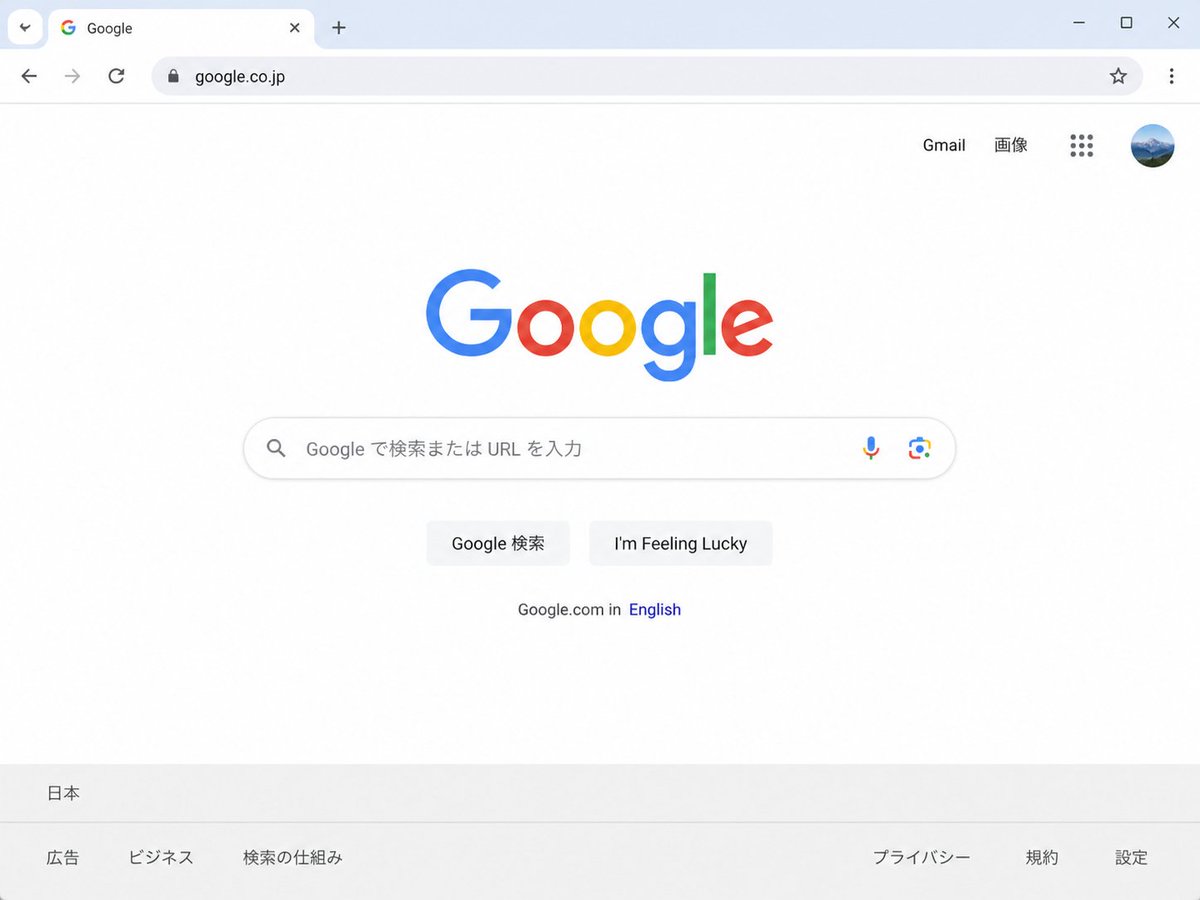
Japanese Google Homepage Screenshot

prompt

Create a clean, realistic desktop browser screenshot of the Japanese Google homepage in a Chrome-like window, viewed straight on at 4:3 aspect ratio. The browser UI shows one active tab labeled Google with the Google favicon, a plus button for a new tab, back and forward arrows, reload, a lock icon, and the address bar containing google.co.jp; at the far right are a star bookmark icon, three-dot menu, and window controls. The webpage is mostly white with the multicolor Google logo centered high on the page. In the top-right of the page are exactly 4 items: the text link “Gmail”, the text link “画像”, a 3-by-3 Google apps grid icon, and a circular user profile avatar showing a small blue mountain landscape. Centered beneath the logo is one rounded search bar with a magnifying glass icon on the left, placeholder text Google で検索または URL を入力, and exactly 2 icons on the right: a microphone and Google Lens. Below it are exactly 2 light-gray buttons labeled Google 検索 and I'm Feeling Lucky. Under the buttons is a small language line reading “Google.com in English,” with “English” in blue. At the bottom is a pale gray footer with the location “日本” on the first row and exactly 6 footer links on the second row: “広告”, “ビジネス”, “検索の仕組み”, “プライバシー”, “規約”, and “設定”. Use accurate Google colors, crisp sans-serif typography, subtle shadows, soft gray browser chrome, lots of empty white space, and photorealistic UI rendering.

Werkt met 20 modellen

  • Flux
  • Flux 2
  • Flux Kontext
  • GPT-4o Image
  • GPT Image
  • GPT Image 2
  • GPT Image 2.5
  • GPT Image 2.6
  • Grok Imagine
  • Ideogram V3
  • Imagen 4
  • Kling
  • +8 Meer

Wat deze prompt oplevert

Split-Page Coffee Shop Travel Journal Niet opgegeven gpt-image-2
Cute Chibi Characters in a Sweet Playful Moment Niet opgegeven gpt-image-2
Underground Train Yard Clash Anime Development Board Niet opgegeven gpt-image-2
Realistic Group Selfie with Smartphone Flash Effect Niet opgegeven nano-banana-pro
Exploded-View Structural Cutaway for Food Photography Niet opgegeven nano-banana-pro
Four Seasons Portrait Collage Niet opgegeven nano-banana-pro

Run deze prompt met de API

Het onderstaande verzoek stuurt deze prompt, met de standaardwaarden ingevuld, naar het eerste model waarop het draait. Verwissel de modelnaam voor een ander hierboven vermeld model.

prompt API-documentatie
/api/v1/gpt_image_2/text_to_image
curl -X POST https://runapi.ai/api/v1/gpt_image_2/text_to_image \
  -H "Authorization: Bearer $RUNAPI_API_KEY" \
  -H "Content-Type: application/json" \
  --data-binary @- <<'JSON'
{
  "model": "gpt-image-2",
  "prompt": "Create a clean, realistic desktop browser screenshot of the Japanese Google homepage in a Chrome-like window, viewed straight on at 4:3 aspect ratio. The browser UI shows one active tab labeled Google with the Google favicon, a plus button for a new tab, back and forward arrows, reload, a lock icon, and the address bar containing google.co.jp; at the far right are a star bookmark icon, three-dot menu, and window controls. The webpage is mostly white with the multicolor Google logo centered high on the page. In the top-right of the page are exactly 4 items: the text link “Gmail”, the text link “画像”, a 3-by-3 Google apps grid icon, and a circular user profile avatar showing a small blue mountain landscape. Centered beneath the logo is one rounded search bar with a magnifying glass icon on the left, placeholder text Google で検索または URL を入力, and exactly 2 icons on the right: a microphone and Google Lens. Below it are exactly 2 light-gray buttons labeled Google 検索 and I'm Feeling Lucky. Under the buttons is a small language line reading “Google.com in English,” with “English” in blue. At the bottom is a pale gray footer with the location “日本” on the first row and exactly 6 footer links on the second row: “広告”, “ビジネス”, “検索の仕組み”, “プライバシー”, “規約”, and “設定”. Use accurate Google colors, crisp sans-serif typography, subtle shadows, soft gray browser chrome, lots of empty white space, and photorealistic UI rendering."
}
JSON

Probeer a prompt

Schatting: $0.04 / afbeelding

Log in om te genereren met RunAPI.

Meld je aan om te genereren

Meld je aan om te beginnen met genereren met je beschikbare taalmodellen.

















