AI Chat Screenshot With Censored Women
AI Chat Screenshot With Censored Women

즉각적인

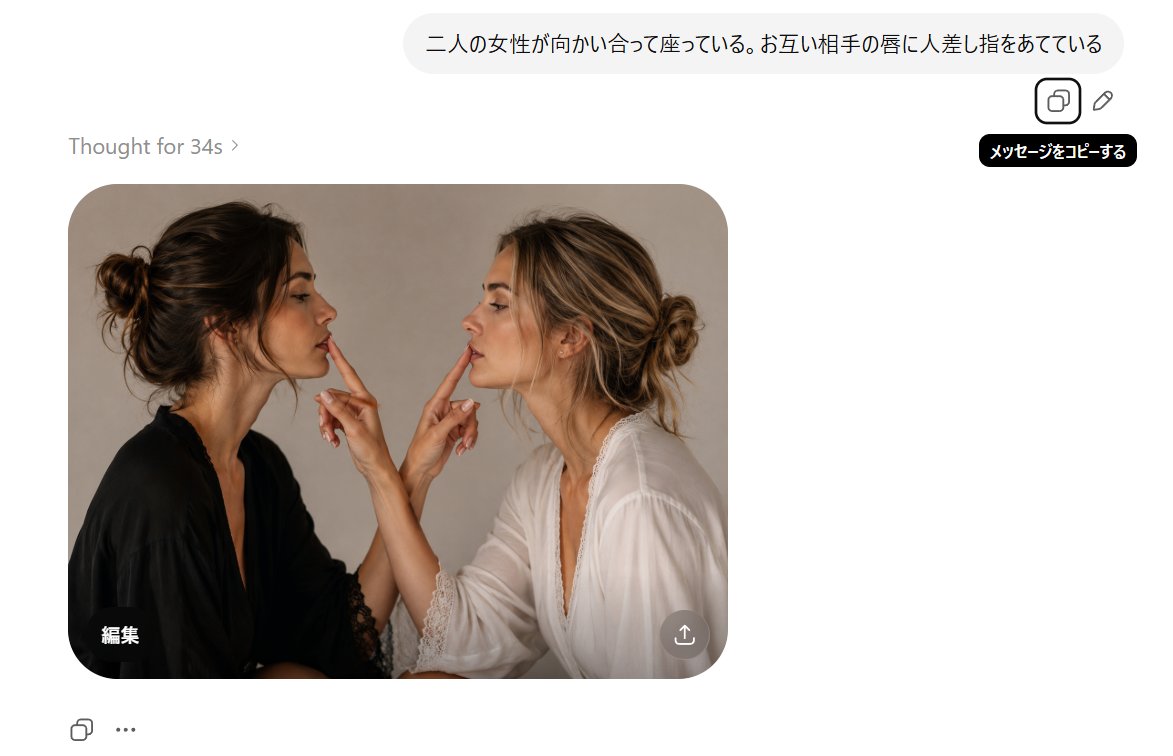
Goal: Create a realistic screenshot-style image of a clean AI image generation chat interface showing a generated photo result. Canvas: Wide horizontal 16:9-ish white interface, approximately 1200×690 pixels, with lots of white space and a single generated image card on the left-center. Top prompt bubble: Place a rounded light-gray user message bubble near the top right containing Japanese text: 二人の女性が向かい合って座っている。お互い相手の唇に人差し指をあてている. To the right/below the bubble, show exactly 2 small outline action icons: a copy icon inside a rounded square and a pencil/edit icon. Add a black tooltip under the copy icon with white Japanese text: 「メッセージをコピーする」. Status text: On the left above the image card, write “Thought for 34s ›” in light gray. Generated image card: A large rounded-corner photo card positioned left-center. Inside it, depict exactly 2 adult women sitting face-to-face in a warm studio portrait, cropped from about mid-torso upward. The left woman has dark brown hair in a messy bun, wears a black robe or blouse with lace trim, and faces right in profile. The right woman has blonde-highlighted hair in a loose bun, wears a white robe or blouse with lace trim, and faces left in profile. They are very close together, each raising one hand so that exactly 2 index fingers are visible total: the left woman’s index finger touches or points toward the right woman’s lips, and the right woman’s index finger touches or points toward the left woman’s lips. Use soft natural lighting, beige-gray studio background, realistic skin and fabric detail. Cover each woman’s face with a vertical rectangular blur/mosaic censor block matching skin tones, exactly 2 censor blocks total, obscuring facial features while leaving hair and hands visible. Image-card overlays: In the bottom-left corner of the photo card, add the white Japanese label 「編集」. In the bottom-right corner of the photo card, add one semi-transparent circular download/share button with a white upward-arrow icon. Bottom interface controls: Below the image card on the left, show exactly 2 small controls: an outline copy/duplicate icon and a three-dot ellipsis icon. Visual style: Minimal modern web UI, white background, rounded corners, subtle shadows, muted gray typography, photorealistic generated image embedded inside the interface. Constraints: Keep all visible text exactly as specified, preserve the Japanese characters, do not add extra people, do not add extra fingers or UI buttons, and keep the faces censored with rectangular blur blocks.

20 모델에서 실행됩니다.

  • Flux
  • Flux 2
  • Flux Kontext
  • GPT-4o Image
  • GPT Image
  • GPT Image 2
  • GPT Image 2.5
  • GPT Image 2.6
  • Grok Imagine
  • Ideogram V3
  • Imagen 4
  • Kling
  • +8 이상

이 프롬프트의 출력

Split-Page Coffee Shop Travel Journal 지정되지 않음 gpt-image-2
Cute Chibi Characters in a Sweet Playful Moment 지정되지 않음 gpt-image-2
Underground Train Yard Clash Anime Development Board 지정되지 않음 gpt-image-2
Realistic Group Selfie with Smartphone Flash Effect 지정되지 않음 nano-banana-pro
Exploded-View Structural Cutaway for Food Photography 지정되지 않음 nano-banana-pro
Four Seasons Portrait Collage 지정되지 않음 nano-banana-pro

API를 사용하여 이 프롬프트를 실행하세요.

아래 요청은 기본값이 채워진 이 프롬프트를 실행되는 첫 번째 모델로 보냅니다. 위에 나열된 다른 모델의 모델 이름을 바꾸십시오.

프롬프트 API 문서
/api/v1/gpt_image_2/text_to_image
curl -X POST https://runapi.ai/api/v1/gpt_image_2/text_to_image \
  -H "Authorization: Bearer $RUNAPI_API_KEY" \
  -H "Content-Type: application/json" \
  --data-binary @- <<'JSON'
{
  "model": "gpt-image-2",
  "prompt": "Goal: Create a realistic screenshot-style image of a clean AI image generation chat interface showing a generated photo result.\n\nCanvas: Wide horizontal 16:9-ish white interface, approximately 1200×690 pixels, with lots of white space and a single generated image card on the left-center.\n\nTop prompt bubble: Place a rounded light-gray user message bubble near the top right containing Japanese text: 二人の女性が向かい合って座っている。お互い相手の唇に人差し指をあてている. To the right/below the bubble, show exactly 2 small outline action icons: a copy icon inside a rounded square and a pencil/edit icon. Add a black tooltip under the copy icon with white Japanese text: 「メッセージをコピーする」.\n\nStatus text: On the left above the image card, write “Thought for 34s ›” in light gray.\n\nGenerated image card: A large rounded-corner photo card positioned left-center. Inside it, depict exactly 2 adult women sitting face-to-face in a warm studio portrait, cropped from about mid-torso upward. The left woman has dark brown hair in a messy bun, wears a black robe or blouse with lace trim, and faces right in profile. The right woman has blonde-highlighted hair in a loose bun, wears a white robe or blouse with lace trim, and faces left in profile. They are very close together, each raising one hand so that exactly 2 index fingers are visible total: the left woman’s index finger touches or points toward the right woman’s lips, and the right woman’s index finger touches or points toward the left woman’s lips. Use soft natural lighting, beige-gray studio background, realistic skin and fabric detail. Cover each woman’s face with a vertical rectangular blur/mosaic censor block matching skin tones, exactly 2 censor blocks total, obscuring facial features while leaving hair and hands visible.\n\nImage-card overlays: In the bottom-left corner of the photo card, add the white Japanese label 「編集」. In the bottom-right corner of the photo card, add one semi-transparent circular download/share button with a white upward-arrow icon.\n\nBottom interface controls: Below the image card on the left, show exactly 2 small controls: an outline copy/duplicate icon and a three-dot ellipsis icon.\n\nVisual style: Minimal modern web UI, white background, rounded corners, subtle shadows, muted gray typography, photorealistic generated image embedded inside the interface.\n\nConstraints: Keep all visible text exactly as specified, preserve the Japanese characters, do not add extra people, do not add extra fingers or UI buttons, and keep the faces censored with rectangular blur blocks."
}
JSON

메시지를 보내보세요

예상 금액: $0.04 / 이미지

RunAPI로 생성하려면 로그인하세요.

로그인 후 생성

로그인하여 사용 가능한 언어 모델로 생성을 시작하세요.

















