Codex Training Poster Workflow Infographic
Codex Training Poster Workflow Infographic

즉각적인

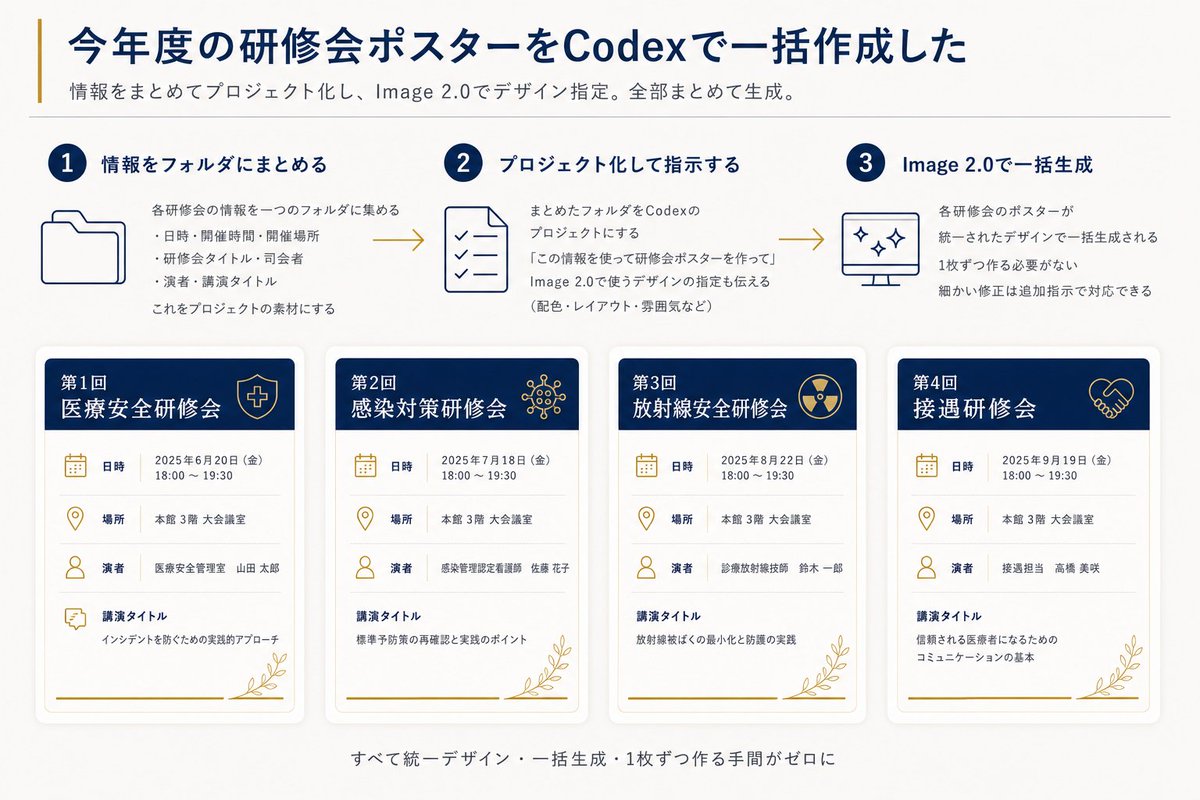
Goal: Create a clean Japanese presentation-style infographic showing how annual training seminar posters were batch-created with Codex and Image 2.0. Canvas: 16:9 horizontal slide, off-white background, dark navy and muted gold accent colors, modern corporate healthcare aesthetic, generous margins, subtle shadows, thin divider lines, crisp vector icons. Header: Large bold navy Japanese headline: 今年度の研修会ポスターをCodexで一括作成した. Add a thin vertical gold line to the left of the headline. Under it, a smaller gray subtitle: 情報をまとめてプロジェクト化し、Image 2.0でデザイン指定。全部まとめて生成。. Place a thin horizontal divider below the subtitle. Top process section: Show exactly 3 numbered steps in one row, connected left-to-right by two gold arrow lines. Each step has a navy circular number badge, a navy title, a simple line icon, and short Japanese explanatory text. 1. Step 1 title: 「情報をフォルダにまとめる」 with a folder icon. Body says the information for each seminar is gathered into one folder, with three bullet items: date/time/place, seminar title/division, speaker/lecture title; then says this becomes project material. 2. Step 2 title: 「プロジェクト化して指示する」 with a checklist document icon. Body explains turning the folder into a Codex project and instructing it to create seminar posters using the information, including design directions such as colors, layout, and mood. 3. Step 3 title: 「Image 2.0で一括生成」 with a monitor icon containing sparkle marks. Body explains that all seminar posters are generated together in a unified design, no need to make them one by one, and small corrections can be handled with additional instructions. Bottom poster gallery: Display exactly 4 vertical seminar poster cards in a single row, evenly spaced, each with rounded corners, soft drop shadow, white body, navy header band, gold icons, gold botanical line decoration at the bottom right, and a gold horizontal line near the bottom. Each card has four information rows with icons and labels: 「日時」, 「場所」, 「演者」, 「講演タイトル」. Poster card 1: Header text 「第1回 医療安全研修会」 with a shield-and-cross icon. Date row: 「2025年6月20日(金) 18:00~19:30」. Place row: 「本館 3階 大会議室」. Speaker row: 「医療安全管理室 山田 太郎」. Lecture title row: 「インシデントを防ぐための実践的アプローチ」. Poster card 2: Header text 「第2回 感染対策研修会」 with a virus/network icon. Date row: 「2025年7月18日(金) 18:00~19:30」. Place row: 「本館 3階 大会議室」. Speaker row: 「感染管理認定看護師 佐藤 花子」. Lecture title row: 「標準予防策の再確認と実践のポイント」. Poster card 3: Header text 「第3回 放射線安全研修会」 with a radiation symbol icon. Date row: 「2025年8月22日(金) 18:00~19:30」. Place row: 「本館 3階 大会議室」. Speaker row: 「診療放射線技師 鈴木 一郎」. Lecture title row: 「放射線被ばくの最小化と防護の実践」. Poster card 4: Header text 「第4回 接遇研修会」 with a handshake icon. Date row: 「2025年9月19日(金) 18:00~19:30」. Place row: 「本館 3階 大会議室」. Speaker row: 「接遇担当 高橋 美咲」. Lecture title row: 「信頼される医療者になるためのコミュニケーションの基本」. Footer: Center a small gray Japanese summary line below the cards: すべて統一デザイン・一括生成・1枚ずつ作る手間がゼロに. Visual style: Use dark navy for headings and card headers, muted gold for accents/icons/arrows, light gray for dividers and secondary text. Keep typography highly legible, Japanese sans-serif, with the headline bold and all body text aligned neatly. Maintain a polished autogenerated-report look with no photos, no people, no watermark, and no extra poster cards or extra steps.

21 모델에서 실행됩니다.

  • Flux
  • Flux 2
  • Flux Kontext
  • GPT-4o Image
  • GPT Image
  • GPT Image 2
  • GPT Image 2.5
  • GPT Image 2.6
  • Grok Imagine
  • Ideogram V3
  • Imagen 4
  • Kling
  • +9 이상

이 프롬프트의 출력

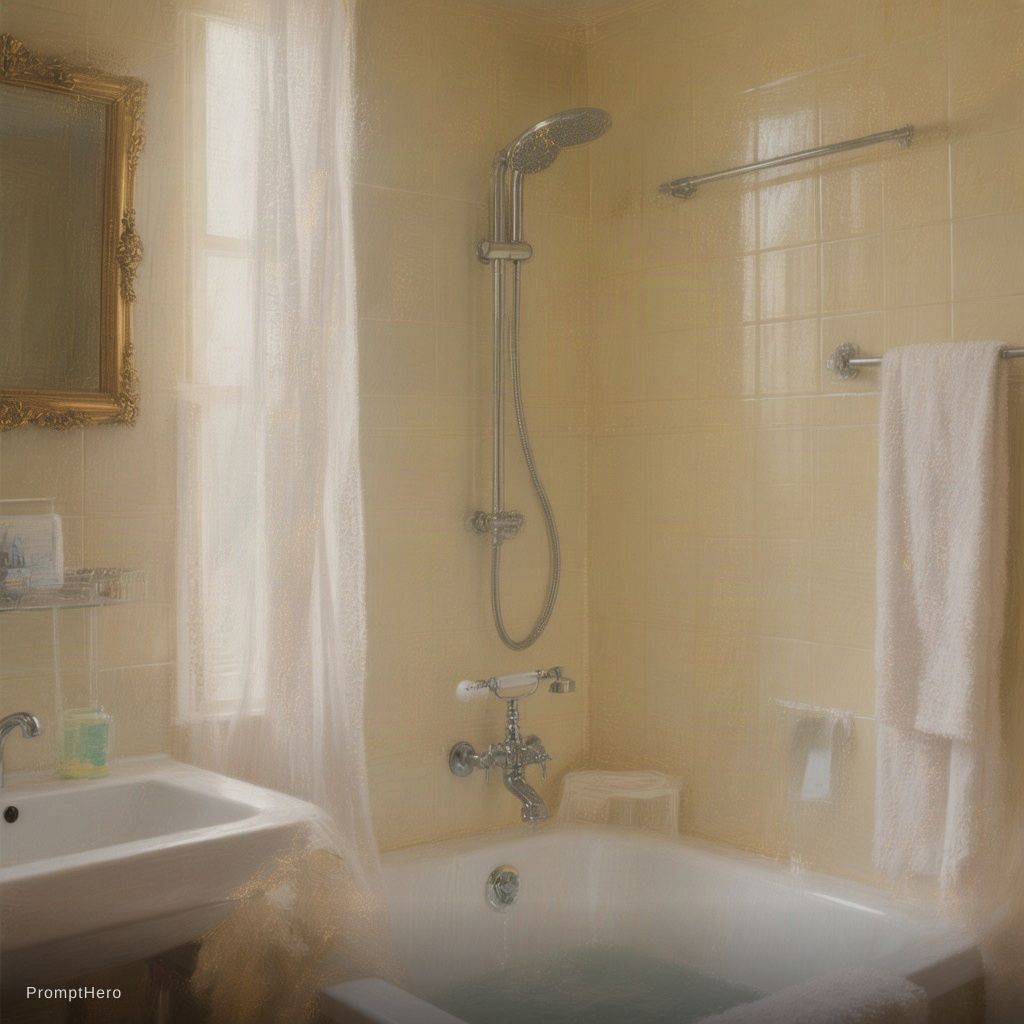
Hunyuan  prompt: Bathroom 지정되지 않음 hunyuan-3
Nano Banana prompt: She is wearing this outfit(white top ) given in im... 지정되지 않음 nano-banana-2.1
Seedream 5 prompt: woman 지정되지 않음 v2
Hero prompt: مع رجل اسود على شاطى البحر 지정되지 않음 1.0
FLUX prompt: می‌خوام برام یک مداد طلایی ته بنفش تیره رو که داره... 지정되지 않음 flux-2-pro

API를 사용하여 이 프롬프트를 실행하세요.

아래 요청은 기본값이 채워진 이 프롬프트를 실행되는 첫 번째 모델로 보냅니다. 위에 나열된 다른 모델의 모델 이름을 바꾸십시오.

프롬프트 API 문서
/api/v1/gpt_image_2/text_to_image
curl -X POST https://runapi.ai/api/v1/gpt_image_2/text_to_image \
  -H "Authorization: Bearer $RUNAPI_API_KEY" \
  -H "Content-Type: application/json" \
  --data-binary @- <<'JSON'
{
  "model": "gpt-image-2",
  "prompt": "Goal: Create a clean Japanese presentation-style infographic showing how annual training seminar posters were batch-created with Codex and Image 2.0.\n\nCanvas: 16:9 horizontal slide, off-white background, dark navy and muted gold accent colors, modern corporate healthcare aesthetic, generous margins, subtle shadows, thin divider lines, crisp vector icons.\n\nHeader: Large bold navy Japanese headline: 今年度の研修会ポスターをCodexで一括作成した. Add a thin vertical gold line to the left of the headline. Under it, a smaller gray subtitle: 情報をまとめてプロジェクト化し、Image 2.0でデザイン指定。全部まとめて生成。. Place a thin horizontal divider below the subtitle.\n\nTop process section: Show exactly 3 numbered steps in one row, connected left-to-right by two gold arrow lines. Each step has a navy circular number badge, a navy title, a simple line icon, and short Japanese explanatory text.\n1. Step 1 title: 「情報をフォルダにまとめる」 with a folder icon. Body says the information for each seminar is gathered into one folder, with three bullet items: date/time/place, seminar title/division, speaker/lecture title; then says this becomes project material.\n2. Step 2 title: 「プロジェクト化して指示する」 with a checklist document icon. Body explains turning the folder into a Codex project and instructing it to create seminar posters using the information, including design directions such as colors, layout, and mood.\n3. Step 3 title: 「Image 2.0で一括生成」 with a monitor icon containing sparkle marks. Body explains that all seminar posters are generated together in a unified design, no need to make them one by one, and small corrections can be handled with additional instructions.\n\nBottom poster gallery: Display exactly 4 vertical seminar poster cards in a single row, evenly spaced, each with rounded corners, soft drop shadow, white body, navy header band, gold icons, gold botanical line decoration at the bottom right, and a gold horizontal line near the bottom. Each card has four information rows with icons and labels: 「日時」, 「場所」, 「演者」, 「講演タイトル」.\n\nPoster card 1: Header text 「第1回 医療安全研修会」 with a shield-and-cross icon. Date row: 「2025年6月20日(金) 18:00~19:30」. Place row: 「本館 3階 大会議室」. Speaker row: 「医療安全管理室 山田 太郎」. Lecture title row: 「インシデントを防ぐための実践的アプローチ」.\n\nPoster card 2: Header text 「第2回 感染対策研修会」 with a virus/network icon. Date row: 「2025年7月18日(金) 18:00~19:30」. Place row: 「本館 3階 大会議室」. Speaker row: 「感染管理認定看護師 佐藤 花子」. Lecture title row: 「標準予防策の再確認と実践のポイント」.\n\nPoster card 3: Header text 「第3回 放射線安全研修会」 with a radiation symbol icon. Date row: 「2025年8月22日(金) 18:00~19:30」. Place row: 「本館 3階 大会議室」. Speaker row: 「診療放射線技師 鈴木 一郎」. Lecture title row: 「放射線被ばくの最小化と防護の実践」.\n\nPoster card 4: Header text 「第4回 接遇研修会」 with a handshake icon. Date row: 「2025年9月19日(金) 18:00~19:30」. Place row: 「本館 3階 大会議室」. Speaker row: 「接遇担当 高橋 美咲」. Lecture title row: 「信頼される医療者になるためのコミュニケーションの基本」.\n\nFooter: Center a small gray Japanese summary line below the cards: すべて統一デザイン・一括生成・1枚ずつ作る手間がゼロに.\n\nVisual style: Use dark navy for headings and card headers, muted gold for accents/icons/arrows, light gray for dividers and secondary text. Keep typography highly legible, Japanese sans-serif, with the headline bold and all body text aligned neatly. Maintain a polished autogenerated-report look with no photos, no people, no watermark, and no extra poster cards or extra steps."
}
JSON

메시지를 보내보세요