Pachinko Physics Debug Layout
Pachinko Physics Debug Layout

즉각적인

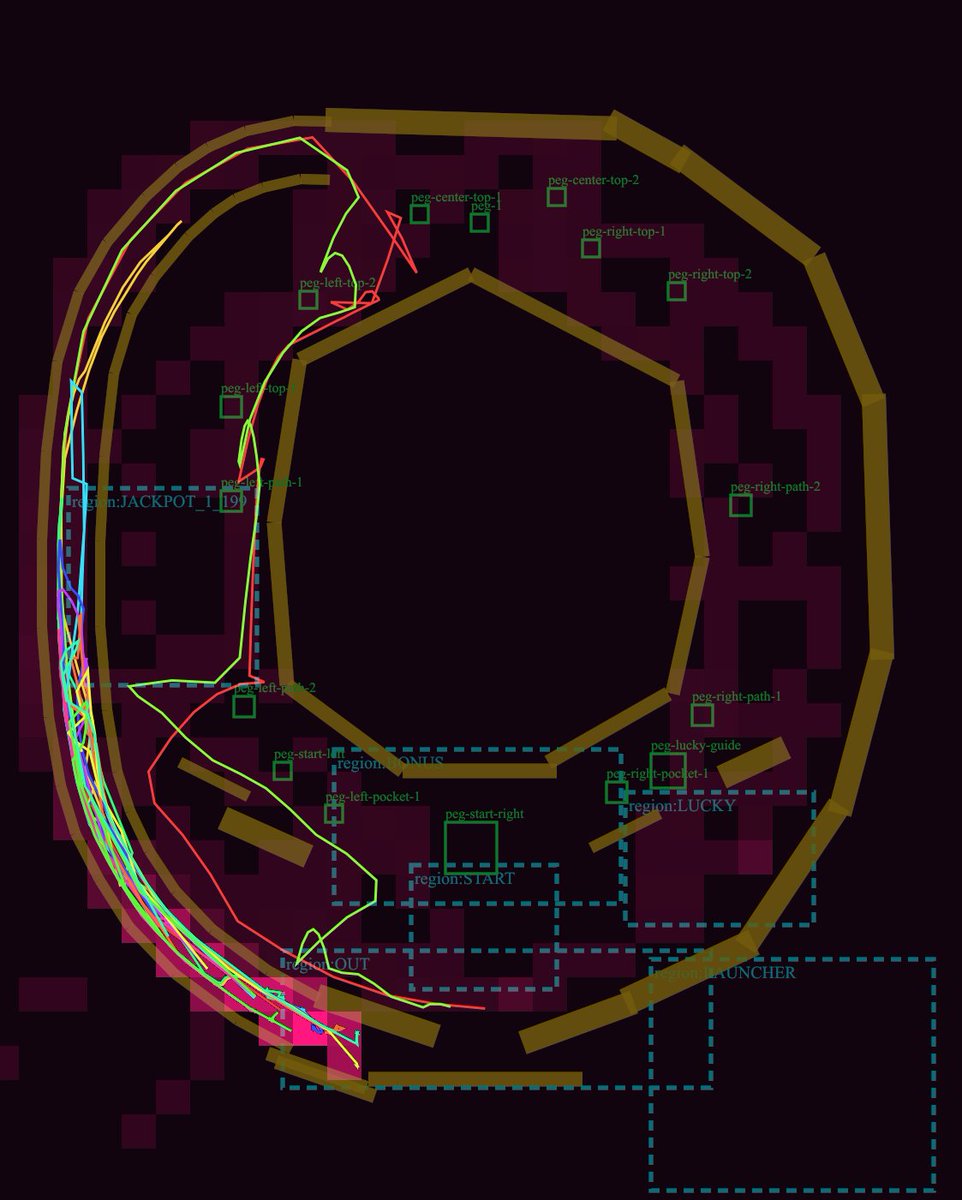
Goal: Create a dark technical debug visualization of a pachinko machine playfield layout, showing ball lanes, collision rails, pegs, named gameplay regions, and simulated ball trajectories. Canvas: Square-ish 4:5 technical diagram on a nearly black burgundy background, with a transparent-engineering-overlay feel. Use a dark maroon grid of blocky rectangular obstacle silhouettes behind the layout. Main layout: Draw a large pachinko board occupying almost the full canvas. The board is formed by thick angular golden-brown rails: one large outer oval/octagonal loop around the perimeter, one large inner polygonal ring around an empty central dark void, and several short rail segments near the bottom and lower-right. Keep the rails chunky, beveled, and slightly translucent, like debug collision geometry. Trajectory paths: Add exactly 5 thin neon ball-path traces over the rails and lanes: 1 cyan path hugging the far-left launch lane, 1 hot pink path weaving near the left edge and bottom exit, 1 lime green path that curves from the upper-left across the mid-left and down to the bottom, 1 red path that crosses sharply through the left-middle and upper-left, and 1 yellow path following the outer left arc. The paths should overlap and look like simulated pachinko ball travel, with sharp turns and curved segments. Debug regions: Draw dashed cyan rectangular region boxes with small cyan labels. Include exactly 7 labeled regions: "region:JACKPOT_1" at left-middle, "region:STATIC" near the lower-left/middle, "region:START" centered lower-middle, "region:LUCKY" right-lower-middle, "region:LAUNCHER" bottom-right, "region:OUT" lower-left exit area, and one tall dashed launch/channel region along the left side. Pegs and labels: Add exactly 15 small green square peg markers with green debug labels. Place them around the central playfield: 2 near the upper-left labeled "peg-left-top-1" and "peg-left-top-2"; 3 near the top center labeled "peg-center-top-1", "peg-center-top-2", and "peg-1"; 3 on the upper-right labeled "peg-right-top-1", "peg-right-top-2", and "peg-right-path-2"; 3 on the lower-right/lower-middle labeled "peg-right-path-1", "peg-lucky-guide", and "peg-right-pocket-1"; 4 in the lower-left/lower-middle labeled "peg-left-path-1", "peg-left-pocket-1", "peg-start-left", and "peg-start-right". Make labels small, thin, and green, as if from a game-engine editor overlay. Additional details: Include one tiny cyan number box reading "19" near the left-middle jackpot area. Add a few small red guide triangles and line fragments near the top-left lane. The diagram should look like a GPT-generated game-layout review screenshot rather than polished UI art. Visual style: Low-light debug render, dark maroon and black palette, golden collision rails, cyan dashed UI overlays, green peg annotations, neon trajectory lines. No photorealism, no characters, no real pachinko machine cabinet, no decorative anime art. Customizable concept: Build the layout as a pachinko physics debug map titled by implication around ball trajectory and lane review. Use rail color muted golden brown, background color near-black burgundy, and trajectory colors cyan, hot pink, lime green, red, yellow.

21 모델에서 실행됩니다.

  • Flux
  • Flux 2
  • Flux Kontext
  • GPT-4o Image
  • GPT Image
  • GPT Image 2
  • GPT Image 2.5
  • GPT Image 2.6
  • Grok Imagine
  • Ideogram V3
  • Imagen 4
  • Kling
  • +9 이상

이 프롬프트의 출력

Seedream 5 prompt: Je veut une photo de moi prise par quelqu’un d’aut... 지정되지 않음 v2
Hero prompt: es domāju par zēnu  no skolas. 지정되지 않음 1.0
Hunyuan  prompt: birthday 지정되지 않음 hunyuan-3
Seedream 5 prompt: secretary 지정되지 않음 v2
ChatGPT Image prompt: Made horror movie poster. Silent Night, Deadly Nig... 지정되지 않음 v1
FLUX prompt: spartan stick man 지정되지 않음 flux-2-pro

API를 사용하여 이 프롬프트를 실행하세요.

아래 요청은 기본값이 채워진 이 프롬프트를 실행되는 첫 번째 모델로 보냅니다. 위에 나열된 다른 모델의 모델 이름을 바꾸십시오.

프롬프트 API 문서
/api/v1/gpt_image_2/text_to_image
curl -X POST https://runapi.ai/api/v1/gpt_image_2/text_to_image \
  -H "Authorization: Bearer $RUNAPI_API_KEY" \
  -H "Content-Type: application/json" \
  --data-binary @- <<'JSON'
{
  "model": "gpt-image-2",
  "prompt": "Goal: Create a dark technical debug visualization of a pachinko machine playfield layout, showing ball lanes, collision rails, pegs, named gameplay regions, and simulated ball trajectories.\n\nCanvas: Square-ish 4:5 technical diagram on a nearly black burgundy background, with a transparent-engineering-overlay feel. Use a dark maroon grid of blocky rectangular obstacle silhouettes behind the layout.\n\nMain layout: Draw a large pachinko board occupying almost the full canvas. The board is formed by thick angular golden-brown rails: one large outer oval/octagonal loop around the perimeter, one large inner polygonal ring around an empty central dark void, and several short rail segments near the bottom and lower-right. Keep the rails chunky, beveled, and slightly translucent, like debug collision geometry.\n\nTrajectory paths: Add exactly 5 thin neon ball-path traces over the rails and lanes: 1 cyan path hugging the far-left launch lane, 1 hot pink path weaving near the left edge and bottom exit, 1 lime green path that curves from the upper-left across the mid-left and down to the bottom, 1 red path that crosses sharply through the left-middle and upper-left, and 1 yellow path following the outer left arc. The paths should overlap and look like simulated pachinko ball travel, with sharp turns and curved segments.\n\nDebug regions: Draw dashed cyan rectangular region boxes with small cyan labels. Include exactly 7 labeled regions: \"region:JACKPOT_1\" at left-middle, \"region:STATIC\" near the lower-left/middle, \"region:START\" centered lower-middle, \"region:LUCKY\" right-lower-middle, \"region:LAUNCHER\" bottom-right, \"region:OUT\" lower-left exit area, and one tall dashed launch/channel region along the left side.\n\nPegs and labels: Add exactly 15 small green square peg markers with green debug labels. Place them around the central playfield: 2 near the upper-left labeled \"peg-left-top-1\" and \"peg-left-top-2\"; 3 near the top center labeled \"peg-center-top-1\", \"peg-center-top-2\", and \"peg-1\"; 3 on the upper-right labeled \"peg-right-top-1\", \"peg-right-top-2\", and \"peg-right-path-2\"; 3 on the lower-right/lower-middle labeled \"peg-right-path-1\", \"peg-lucky-guide\", and \"peg-right-pocket-1\"; 4 in the lower-left/lower-middle labeled \"peg-left-path-1\", \"peg-left-pocket-1\", \"peg-start-left\", and \"peg-start-right\". Make labels small, thin, and green, as if from a game-engine editor overlay.\n\nAdditional details: Include one tiny cyan number box reading \"19\" near the left-middle jackpot area. Add a few small red guide triangles and line fragments near the top-left lane. The diagram should look like a GPT-generated game-layout review screenshot rather than polished UI art.\n\nVisual style: Low-light debug render, dark maroon and black palette, golden collision rails, cyan dashed UI overlays, green peg annotations, neon trajectory lines. No photorealism, no characters, no real pachinko machine cabinet, no decorative anime art.\n\nCustomizable concept: Build the layout as a pachinko physics debug map titled by implication around ball trajectory and lane review. Use rail color muted golden brown, background color near-black burgundy, and trajectory colors cyan, hot pink, lime green, red, yellow."
}
JSON

메시지를 보내보세요