Anime Live2D Turnaround Chat Screenshot
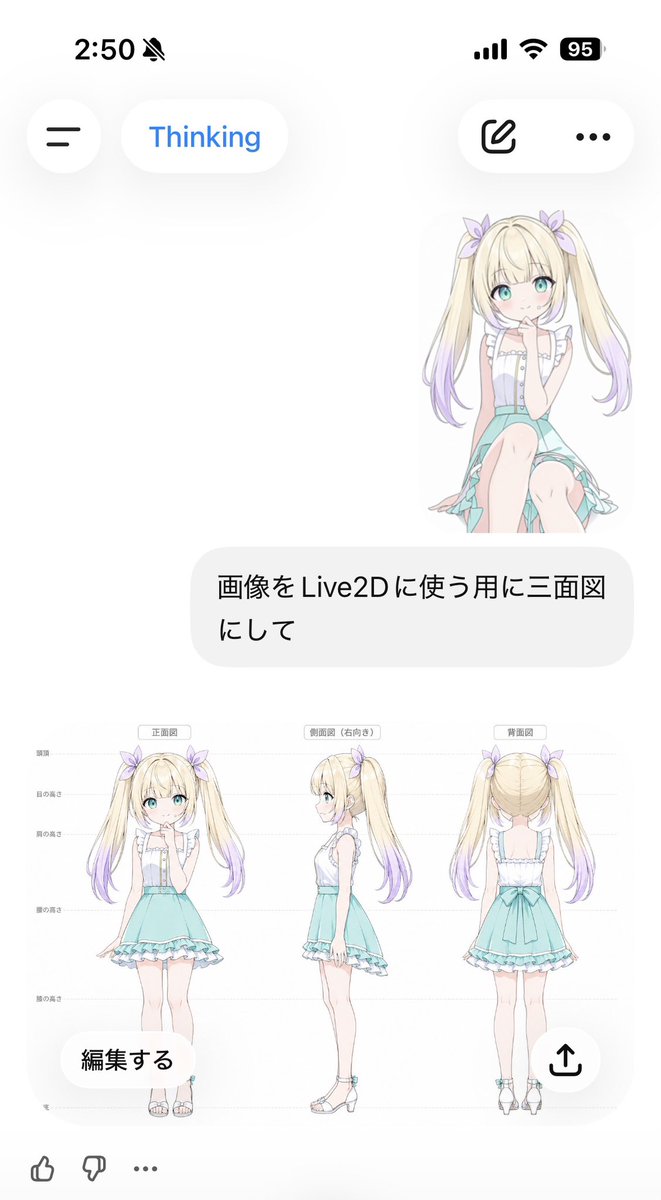
Anime Live2D Turnaround Chat Screenshot
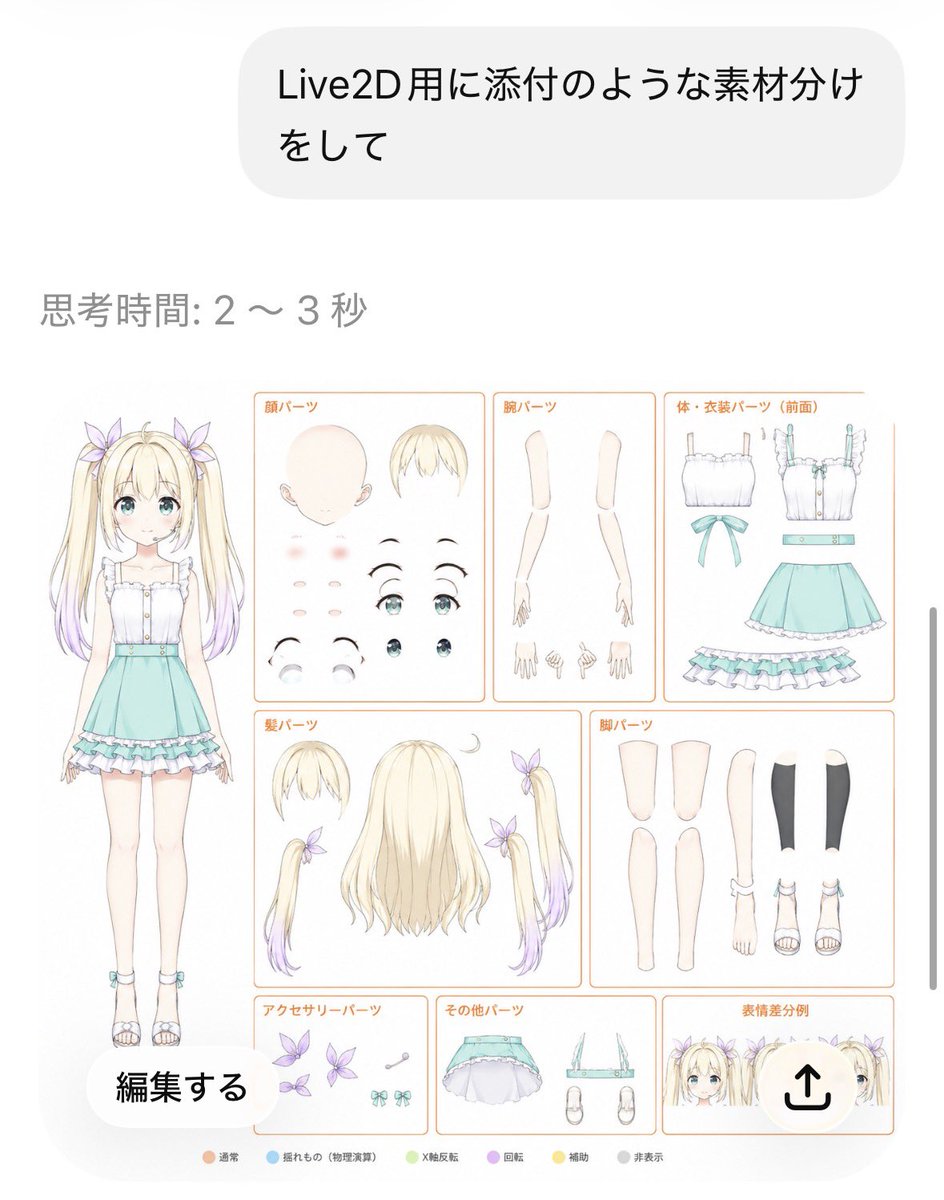

prompt

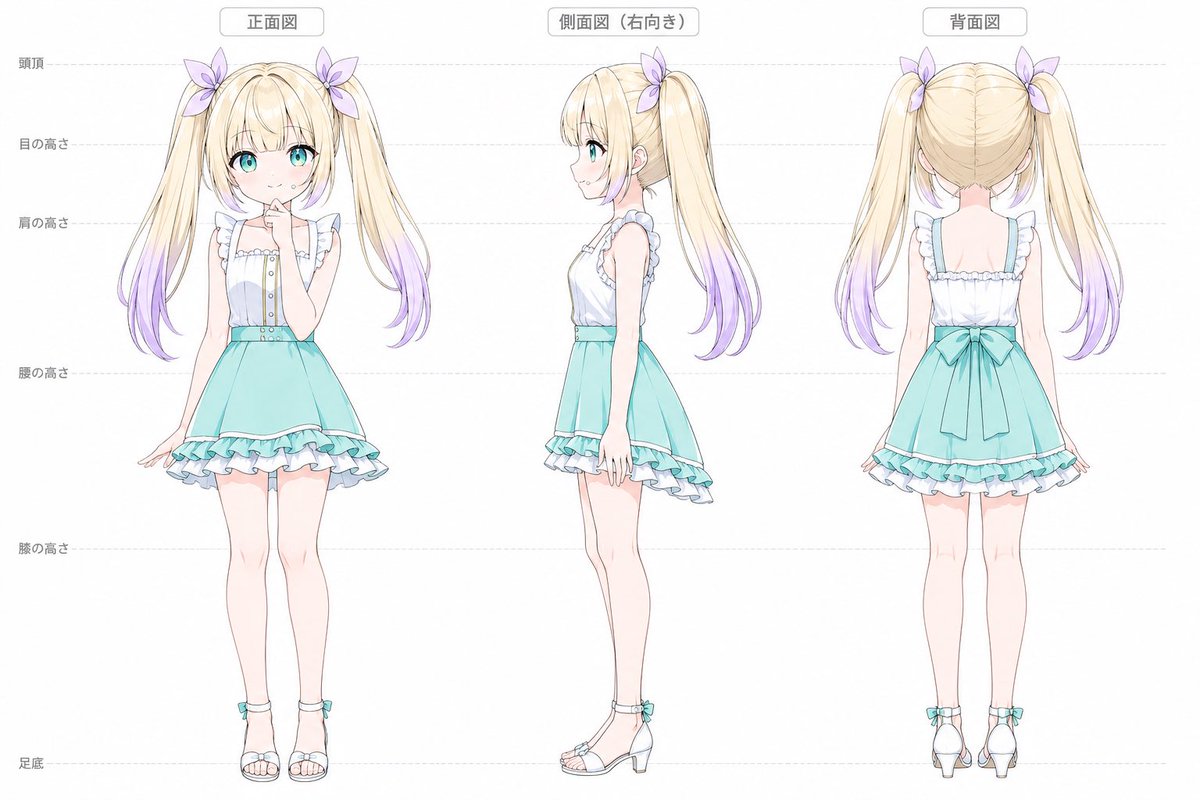
Goal: Create a vertical smartphone screenshot of an AI chat interface showing a generated anime character model sheet for Live2D use. Canvas: 691 × 1024 vertical mobile screenshot, white background, soft iOS-like UI with lots of empty space and rounded translucent controls. Top status bar: Show the time “2:50” at top left, a muted bell icon beside it, and exactly 3 status indicators at top right: cellular bars, Wi‑Fi, and a black battery pill reading “95”. Header UI: Under the status bar, place exactly 4 floating rounded controls: a circular hamburger menu button on the left, a white pill labeled “Thinking” in blue, a white pill on the right containing an outlined edit/pencil icon, and a white pill with a three-dot menu. Chat content: On the upper right, show a small full-body anime girl sticker sitting/kneeling, facing forward, with long blonde twin tails fading to lavender tips, aqua eyes, pale skin, lavender hair bows, a white frilly sleeveless blouse, and a mint-aqua skirt. Beneath it, place one large rounded light-gray user message bubble containing Japanese text: 画像をLive2Dに使う用に三面図にして. Generated image card: Below the message bubble, display one large embedded character reference sheet image on a white background. It contains exactly 3 full-body views of the same character, evenly spaced left to right: 1) front view labeled 正面図, 2) right-facing side view labeled 側面図(右向き), and 3) back view labeled 背面図. Add faint horizontal guide lines and small Japanese height markers along the left side, like a model turnaround sheet. The character is a cute anime girl named unnamed blonde twin-tail girl: long blonde twin tails with lavender gradient ends, pastel purple ribbon bows, turquoise eyes, soft blush, white ruffled sleeveless top with vertical buttons, mint turquoise high-waisted skirt with frilled hem and asymmetrical trailing fabric, slim legs, white ankle-strap sandals with small turquoise accents. Keep proportions consistent across all 3 views and make the art delicate, clean, and pastel. Overlay controls on the generated card: Add exactly 2 floating buttons over the bottom of the image card: a rounded white button at lower left reading “編集する” and a circular white share button at lower right with an upward arrow icon. Bottom reaction bar: At the bottom edge, show exactly 3 small icons: thumbs up, thumbs down, and an ellipsis. Visual style: Crisp mobile screenshot, minimal white interface, soft shadows, Japanese chat app aesthetic, pastel anime illustration, clean line art, no watermark, no extra panels, no additional characters.

Funciona con 20 modelos

  • Flux
  • Flux 2
  • Flux Kontext
  • GPT-4o Image
  • GPT Image
  • GPT Image 2
  • GPT Image 2.5
  • GPT Image 2.6
  • Grok Imagine
  • Ideogram V3
  • Imagen 4
  • Kling
  • +8 Más

Lo que produce este prompt

Split-Page Coffee Shop Travel Journal No especificado gpt-image-2
Cute Chibi Characters in a Sweet Playful Moment No especificado gpt-image-2
Underground Train Yard Clash Anime Development Board No especificado gpt-image-2
Realistic Group Selfie with Smartphone Flash Effect No especificado nano-banana-pro
Exploded-View Structural Cutaway for Food Photography No especificado nano-banana-pro
Four Seasons Portrait Collage No especificado nano-banana-pro

Run este prompt con el API

La siguiente solicitud envía este mensaje, con sus valores predeterminados completados, al primer modelo en el que se ejecuta. Cambie el nombre del modelo por cualquier otro modelo enumerado anteriormente.

Documentación de la API de prompts
/api/v1/gpt_image_2/text_to_image
curl -X POST https://runapi.ai/api/v1/gpt_image_2/text_to_image \
  -H "Authorization: Bearer $RUNAPI_API_KEY" \
  -H "Content-Type: application/json" \
  --data-binary @- <<'JSON'
{
  "model": "gpt-image-2",
  "prompt": "Goal: Create a vertical smartphone screenshot of an AI chat interface showing a generated anime character model sheet for Live2D use.\n\nCanvas: 691 × 1024 vertical mobile screenshot, white background, soft iOS-like UI with lots of empty space and rounded translucent controls.\n\nTop status bar: Show the time “2:50” at top left, a muted bell icon beside it, and exactly 3 status indicators at top right: cellular bars, Wi‑Fi, and a black battery pill reading “95”.\n\nHeader UI: Under the status bar, place exactly 4 floating rounded controls: a circular hamburger menu button on the left, a white pill labeled “Thinking” in blue, a white pill on the right containing an outlined edit/pencil icon, and a white pill with a three-dot menu.\n\nChat content: On the upper right, show a small full-body anime girl sticker sitting/kneeling, facing forward, with long blonde twin tails fading to lavender tips, aqua eyes, pale skin, lavender hair bows, a white frilly sleeveless blouse, and a mint-aqua skirt. Beneath it, place one large rounded light-gray user message bubble containing Japanese text: 画像をLive2Dに使う用に三面図にして.\n\nGenerated image card: Below the message bubble, display one large embedded character reference sheet image on a white background. It contains exactly 3 full-body views of the same character, evenly spaced left to right: 1) front view labeled 正面図, 2) right-facing side view labeled 側面図(右向き), and 3) back view labeled 背面図. Add faint horizontal guide lines and small Japanese height markers along the left side, like a model turnaround sheet. The character is a cute anime girl named unnamed blonde twin-tail girl: long blonde twin tails with lavender gradient ends, pastel purple ribbon bows, turquoise eyes, soft blush, white ruffled sleeveless top with vertical buttons, mint turquoise high-waisted skirt with frilled hem and asymmetrical trailing fabric, slim legs, white ankle-strap sandals with small turquoise accents. Keep proportions consistent across all 3 views and make the art delicate, clean, and pastel.\n\nOverlay controls on the generated card: Add exactly 2 floating buttons over the bottom of the image card: a rounded white button at lower left reading “編集する” and a circular white share button at lower right with an upward arrow icon.\n\nBottom reaction bar: At the bottom edge, show exactly 3 small icons: thumbs up, thumbs down, and an ellipsis.\n\nVisual style: Crisp mobile screenshot, minimal white interface, soft shadows, Japanese chat app aesthetic, pastel anime illustration, clean line art, no watermark, no extra panels, no additional characters."
}
JSON

Probar a prompt

Estimado: $0.04 / imagen

Inicia sesión para generar con RunAPI.

Inicia sesión para generar

Inicia sesión para comenzar a generar con tus modelos de lenguaje disponibles.

















