Anime Live2D Turnaround Chat Screenshot
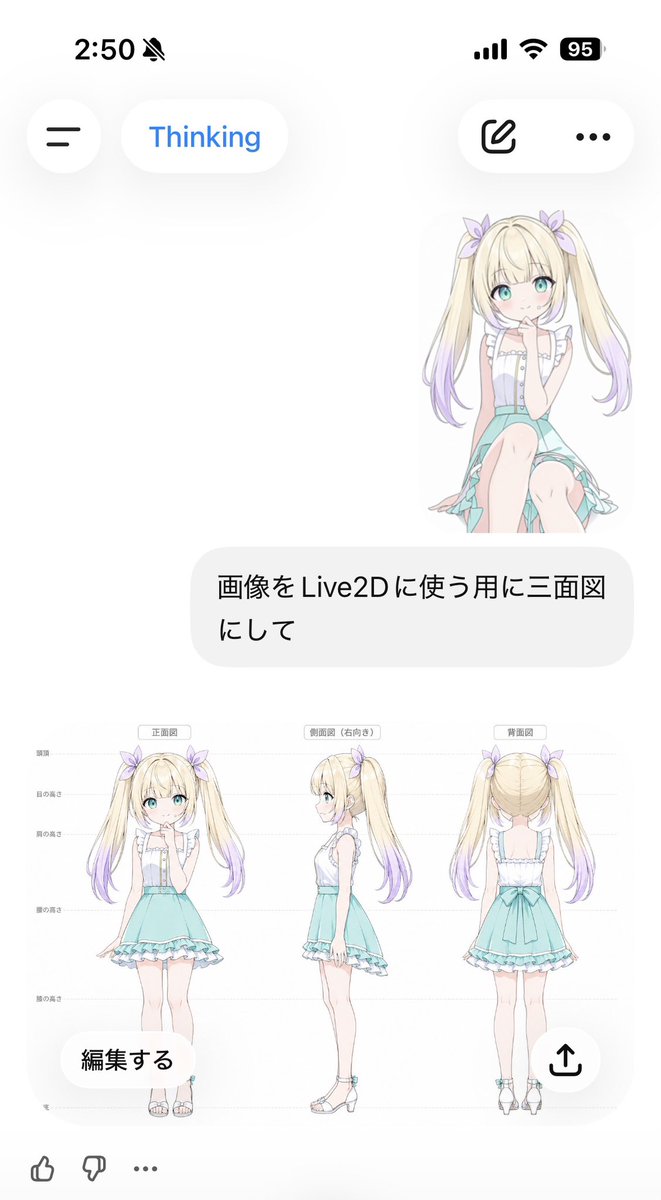
Anime Live2D Turnaround Chat Screenshot
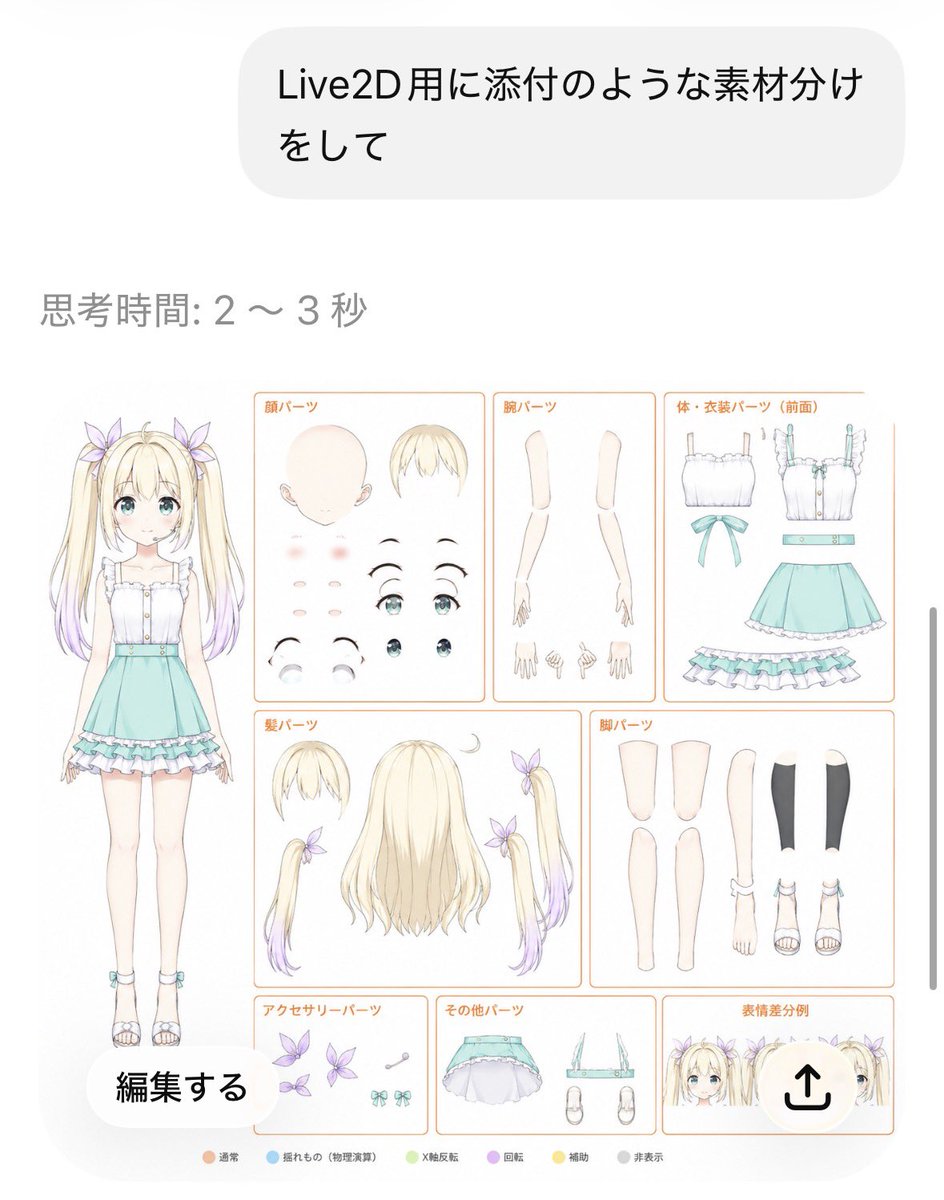

翻譯: Prompt

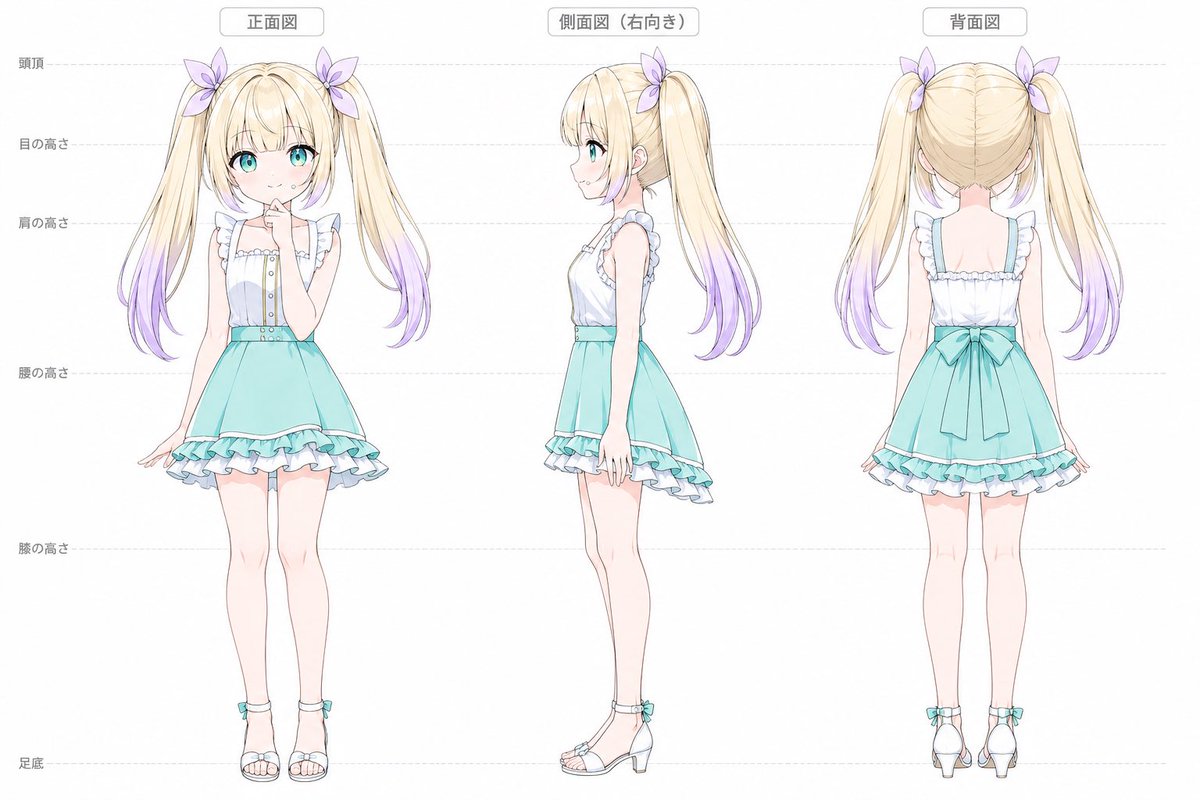
Goal: Create a vertical smartphone screenshot of an AI chat interface showing a generated anime character model sheet for Live2D use. Canvas: 691 × 1024 vertical mobile screenshot, white background, soft iOS-like UI with lots of empty space and rounded translucent controls. Top status bar: Show the time “2:50” at top left, a muted bell icon beside it, and exactly 3 status indicators at top right: cellular bars, Wi‑Fi, and a black battery pill reading “95”. Header UI: Under the status bar, place exactly 4 floating rounded controls: a circular hamburger menu button on the left, a white pill labeled “Thinking” in blue, a white pill on the right containing an outlined edit/pencil icon, and a white pill with a three-dot menu. Chat content: On the upper right, show a small full-body anime girl sticker sitting/kneeling, facing forward, with long blonde twin tails fading to lavender tips, aqua eyes, pale skin, lavender hair bows, a white frilly sleeveless blouse, and a mint-aqua skirt. Beneath it, place one large rounded light-gray user message bubble containing Japanese text: 画像をLive2Dに使う用に三面図にして. Generated image card: Below the message bubble, display one large embedded character reference sheet image on a white background. It contains exactly 3 full-body views of the same character, evenly spaced left to right: 1) front view labeled 正面図, 2) right-facing side view labeled 側面図(右向き), and 3) back view labeled 背面図. Add faint horizontal guide lines and small Japanese height markers along the left side, like a model turnaround sheet. The character is a cute anime girl named unnamed blonde twin-tail girl: long blonde twin tails with lavender gradient ends, pastel purple ribbon bows, turquoise eyes, soft blush, white ruffled sleeveless top with vertical buttons, mint turquoise high-waisted skirt with frilled hem and asymmetrical trailing fabric, slim legs, white ankle-strap sandals with small turquoise accents. Keep proportions consistent across all 3 views and make the art delicate, clean, and pastel. Overlay controls on the generated card: Add exactly 2 floating buttons over the bottom of the image card: a rounded white button at lower left reading “編集する” and a circular white share button at lower right with an upward arrow icon. Bottom reaction bar: At the bottom edge, show exactly 3 small icons: thumbs up, thumbs down, and an ellipsis. Visual style: Crisp mobile screenshot, minimal white interface, soft shadows, Japanese chat app aesthetic, pastel anime illustration, clean line art, no watermark, no extra panels, no additional characters.

翻譯: Runs on 20 models

  • Flux
  • Flux 2
  • Flux Kontext
  • GPT-4o Image
  • GPT Image
  • GPT Image 2
  • GPT Image 2.5
  • GPT Image 2.6
  • Grok Imagine
  • Ideogram V3
  • Imagen 4
  • Kling
  • 翻譯: +8 more

此提示的輸出

Split-Page Coffee Shop Travel Journal 未指定 gpt-image-2
Cute Chibi Characters in a Sweet Playful Moment 未指定 gpt-image-2
Underground Train Yard Clash Anime Development Board 未指定 gpt-image-2
Realistic Group Selfie with Smartphone Flash Effect 未指定 nano-banana-pro
Exploded-View Structural Cutaway for Food Photography 未指定 nano-banana-pro
Four Seasons Portrait Collage 未指定 nano-banana-pro

翻譯: Run this prompt with the API

翻譯: The request below sends this prompt, with its default values filled in, to the first model it runs on. Swap the model name for any other model listed above.

翻譯: Prompt API docs
/api/v1/gpt_image_2/text_to_image
curl -X POST https://runapi.ai/api/v1/gpt_image_2/text_to_image \
  -H "Authorization: Bearer $RUNAPI_API_KEY" \
  -H "Content-Type: application/json" \
  --data-binary @- <<'JSON'
{
  "model": "gpt-image-2",
  "prompt": "Goal: Create a vertical smartphone screenshot of an AI chat interface showing a generated anime character model sheet for Live2D use.\n\nCanvas: 691 × 1024 vertical mobile screenshot, white background, soft iOS-like UI with lots of empty space and rounded translucent controls.\n\nTop status bar: Show the time “2:50” at top left, a muted bell icon beside it, and exactly 3 status indicators at top right: cellular bars, Wi‑Fi, and a black battery pill reading “95”.\n\nHeader UI: Under the status bar, place exactly 4 floating rounded controls: a circular hamburger menu button on the left, a white pill labeled “Thinking” in blue, a white pill on the right containing an outlined edit/pencil icon, and a white pill with a three-dot menu.\n\nChat content: On the upper right, show a small full-body anime girl sticker sitting/kneeling, facing forward, with long blonde twin tails fading to lavender tips, aqua eyes, pale skin, lavender hair bows, a white frilly sleeveless blouse, and a mint-aqua skirt. Beneath it, place one large rounded light-gray user message bubble containing Japanese text: 画像をLive2Dに使う用に三面図にして.\n\nGenerated image card: Below the message bubble, display one large embedded character reference sheet image on a white background. It contains exactly 3 full-body views of the same character, evenly spaced left to right: 1) front view labeled 正面図, 2) right-facing side view labeled 側面図(右向き), and 3) back view labeled 背面図. Add faint horizontal guide lines and small Japanese height markers along the left side, like a model turnaround sheet. The character is a cute anime girl named unnamed blonde twin-tail girl: long blonde twin tails with lavender gradient ends, pastel purple ribbon bows, turquoise eyes, soft blush, white ruffled sleeveless top with vertical buttons, mint turquoise high-waisted skirt with frilled hem and asymmetrical trailing fabric, slim legs, white ankle-strap sandals with small turquoise accents. Keep proportions consistent across all 3 views and make the art delicate, clean, and pastel.\n\nOverlay controls on the generated card: Add exactly 2 floating buttons over the bottom of the image card: a rounded white button at lower left reading “編集する” and a circular white share button at lower right with an upward arrow icon.\n\nBottom reaction bar: At the bottom edge, show exactly 3 small icons: thumbs up, thumbs down, and an ellipsis.\n\nVisual style: Crisp mobile screenshot, minimal white interface, soft shadows, Japanese chat app aesthetic, pastel anime illustration, clean line art, no watermark, no extra panels, no additional characters."
}
JSON

翻譯: Try a prompt

預計費用: $0.04 / 張圖片

登入以使用 RunAPI 生成內容。

登入以生成

登入後即可使用可用的語言模型開始生成。

















