Japanese Personality Settings UI
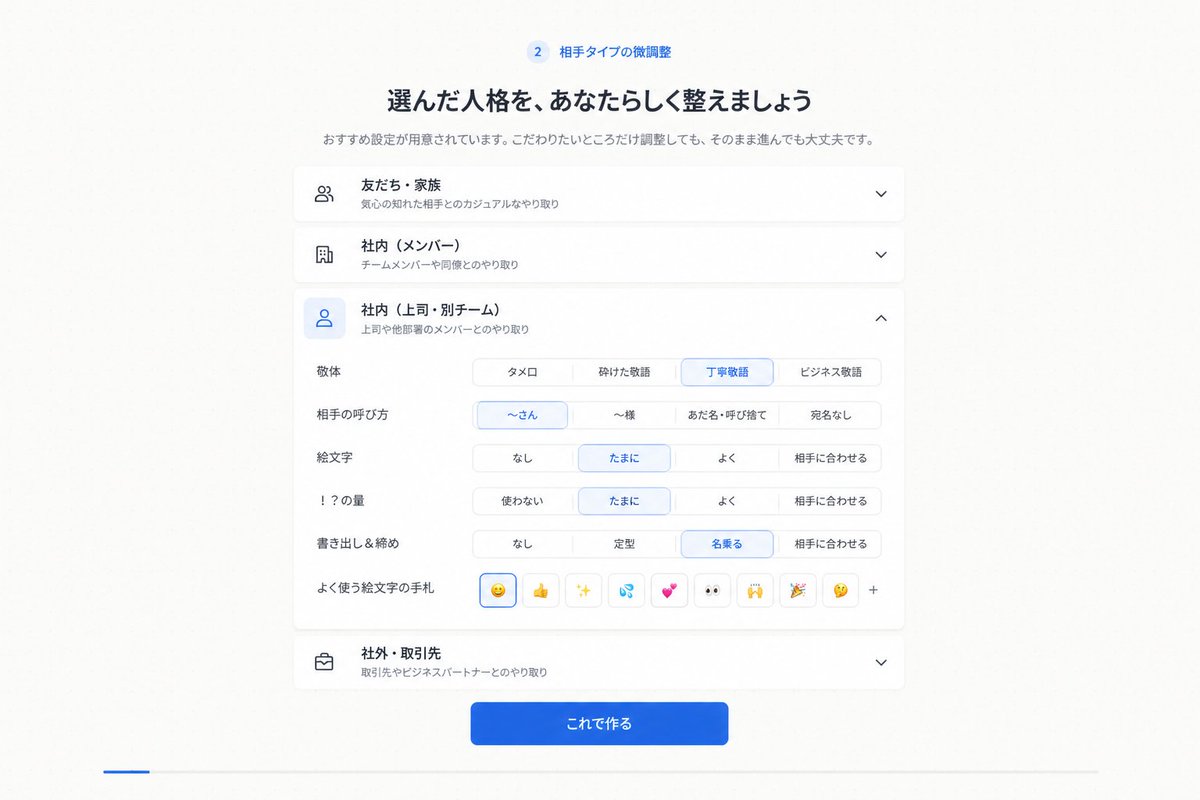
Japanese Personality Settings UI

翻譯: Prompt

Goal: Create a clean Japanese web app onboarding/settings screen for step 2, showing fine-tuning of a selected communication personality or relationship type. Canvas: 16:9 desktop screenshot, white to very pale gray background, centered content column about 720 px wide with generous margins, soft shadows, rounded cards, minimal SaaS UI style. Header: At the top center, show a small blue circular badge with “2” followed by the label 「相手タイプの微調整」. Under it place a bold Japanese headline: 「選んだ人格を、あなたらしく整えましょう」. Under the headline add a smaller gray subtitle: 「おすすめ設定が用意されています。こだわりたいところだけ調整しても、そのまま進んでも大丈夫です。」 Main layout: Stack exactly 4 accordion cards vertically. Each card has a left line icon, a bold Japanese title, a smaller gray description, and a chevron on the right. The 4 cards are: 1) closed card with people icon, title 「友だち・家族」, description 「気心の知れた相手とのカジュアルなやり取り」, downward chevron; 2) closed card with building icon, title 「社内(メンバー)」, description 「チームメンバーや同僚とのやり取り」, downward chevron; 3) expanded selected card with blue-highlighted user icon, title 「社内(上司・別チーム)」, description 「上司や他部署のメンバーとのやり取り」, upward chevron; 4) closed card with briefcase icon, title 「社外・取引先」, description 「取引先やビジネスパートナーとのやり取り」, downward chevron. Expanded card details: Inside the third card, create exactly 6 setting rows with Japanese labels on the left and segmented pill controls on the right. Row 1 label 「敬体」 has 4 options: 「タメ口」, 「砕けた敬語」, selected 「丁寧敬語」, 「ビジネス敬語」. Row 2 label 「相手の呼び方」 has 4 options: selected 「〜さん」, 「〜様」, 「あだ名・呼び捨て」, 「宛名なし」. Row 3 label 「絵文字」 has 4 options: 「なし」, selected 「たまに」, 「よく」, 「相手に合わせる」. Row 4 label 「!?の量」 has 4 options: 「使わない」, selected 「たまに」, 「よく」, 「相手に合わせる」. Row 5 label 「書き出し&締め」 has 4 options: 「なし」, 「定型」, selected 「名乗る」, 「相手に合わせる」. Row 6 label 「よく使う絵文字の手札」 shows exactly 9 small square emoji buttons followed by a plus sign: selected smiling face emoji, thumbs up, sparkles, sweat droplets, two hearts, eyes, raised hands, party popper, thinking face, then “+”. Footer: Beneath the accordion stack, center a prominent rounded blue gradient primary button with white text 「これで作る」. Visual style: Crisp modern Japanese product UI, thin light gray borders, subtle card shadows, blue accent color for selected controls and active icon backgrounds, black/dark navy headings, gray secondary text. Keep the composition symmetrical and spacious. No browser chrome, no watermark, no extra text. Use bright blue as the active selection color and keep all visible UI text in Japanese.

翻譯: Runs on 21 models

  • Flux
  • Flux 2
  • Flux Kontext
  • GPT-4o Image
  • GPT Image
  • GPT Image 2
  • GPT Image 2.5
  • GPT Image 2.6
  • Grok Imagine
  • Ideogram V3
  • Imagen 4
  • Kling
  • 翻譯: +9 more

這則提示詞的輸出

Seedream 5 prompt: Je veut une photo de moi prise par quelqu’un d’aut... 未指定 v2
Hero prompt: es domāju par zēnu  no skolas. 未指定 1.0
Hunyuan  prompt: birthday 未指定 hunyuan-3
Seedream 5 prompt: secretary 未指定 v2
ChatGPT Image prompt: Made horror movie poster. Silent Night, Deadly Nig... 未指定 v1
FLUX prompt: spartan stick man 未指定 flux-2-pro

翻譯: Run this prompt with the API

翻譯: The request below sends this prompt, with its default values filled in, to the first model it runs on. Swap the model name for any other model listed above.

翻譯: Prompt API docs
/api/v1/gpt_image_2/text_to_image
curl -X POST https://runapi.ai/api/v1/gpt_image_2/text_to_image \
  -H "Authorization: Bearer $RUNAPI_API_KEY" \
  -H "Content-Type: application/json" \
  --data-binary @- <<'JSON'
{
  "model": "gpt-image-2",
  "prompt": "Goal: Create a clean Japanese web app onboarding/settings screen for step 2, showing fine-tuning of a selected communication personality or relationship type.\n\nCanvas: 16:9 desktop screenshot, white to very pale gray background, centered content column about 720 px wide with generous margins, soft shadows, rounded cards, minimal SaaS UI style.\n\nHeader: At the top center, show a small blue circular badge with “2” followed by the label 「相手タイプの微調整」. Under it place a bold Japanese headline: 「選んだ人格を、あなたらしく整えましょう」. Under the headline add a smaller gray subtitle: 「おすすめ設定が用意されています。こだわりたいところだけ調整しても、そのまま進んでも大丈夫です。」\n\nMain layout: Stack exactly 4 accordion cards vertically. Each card has a left line icon, a bold Japanese title, a smaller gray description, and a chevron on the right. The 4 cards are: 1) closed card with people icon, title 「友だち・家族」, description 「気心の知れた相手とのカジュアルなやり取り」, downward chevron; 2) closed card with building icon, title 「社内(メンバー)」, description 「チームメンバーや同僚とのやり取り」, downward chevron; 3) expanded selected card with blue-highlighted user icon, title 「社内(上司・別チーム)」, description 「上司や他部署のメンバーとのやり取り」, upward chevron; 4) closed card with briefcase icon, title 「社外・取引先」, description 「取引先やビジネスパートナーとのやり取り」, downward chevron.\n\nExpanded card details: Inside the third card, create exactly 6 setting rows with Japanese labels on the left and segmented pill controls on the right. Row 1 label 「敬体」 has 4 options: 「タメ口」, 「砕けた敬語」, selected 「丁寧敬語」, 「ビジネス敬語」. Row 2 label 「相手の呼び方」 has 4 options: selected 「〜さん」, 「〜様」, 「あだ名・呼び捨て」, 「宛名なし」. Row 3 label 「絵文字」 has 4 options: 「なし」, selected 「たまに」, 「よく」, 「相手に合わせる」. Row 4 label 「!?の量」 has 4 options: 「使わない」, selected 「たまに」, 「よく」, 「相手に合わせる」. Row 5 label 「書き出し&締め」 has 4 options: 「なし」, 「定型」, selected 「名乗る」, 「相手に合わせる」. Row 6 label 「よく使う絵文字の手札」 shows exactly 9 small square emoji buttons followed by a plus sign: selected smiling face emoji, thumbs up, sparkles, sweat droplets, two hearts, eyes, raised hands, party popper, thinking face, then “+”.\n\nFooter: Beneath the accordion stack, center a prominent rounded blue gradient primary button with white text 「これで作る」.\n\nVisual style: Crisp modern Japanese product UI, thin light gray borders, subtle card shadows, blue accent color for selected controls and active icon backgrounds, black/dark navy headings, gray secondary text. Keep the composition symmetrical and spacious. No browser chrome, no watermark, no extra text. Use bright blue as the active selection color and keep all visible UI text in Japanese."
}
JSON

翻譯: Try a prompt