AI Generation UI with Anime 3x3 Storyboard
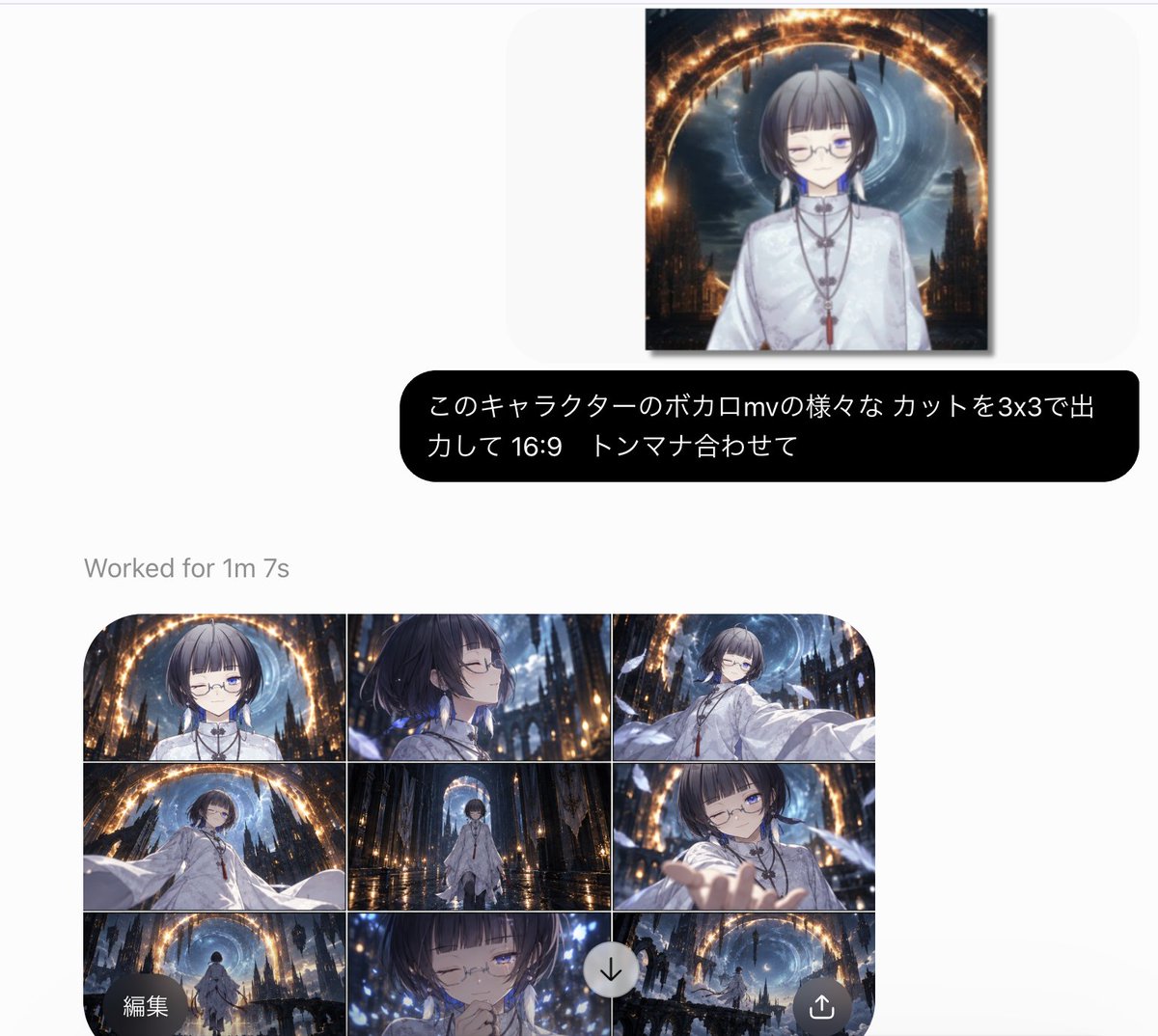
AI Generation UI with Anime 3x3 Storyboard

翻譯: Prompt

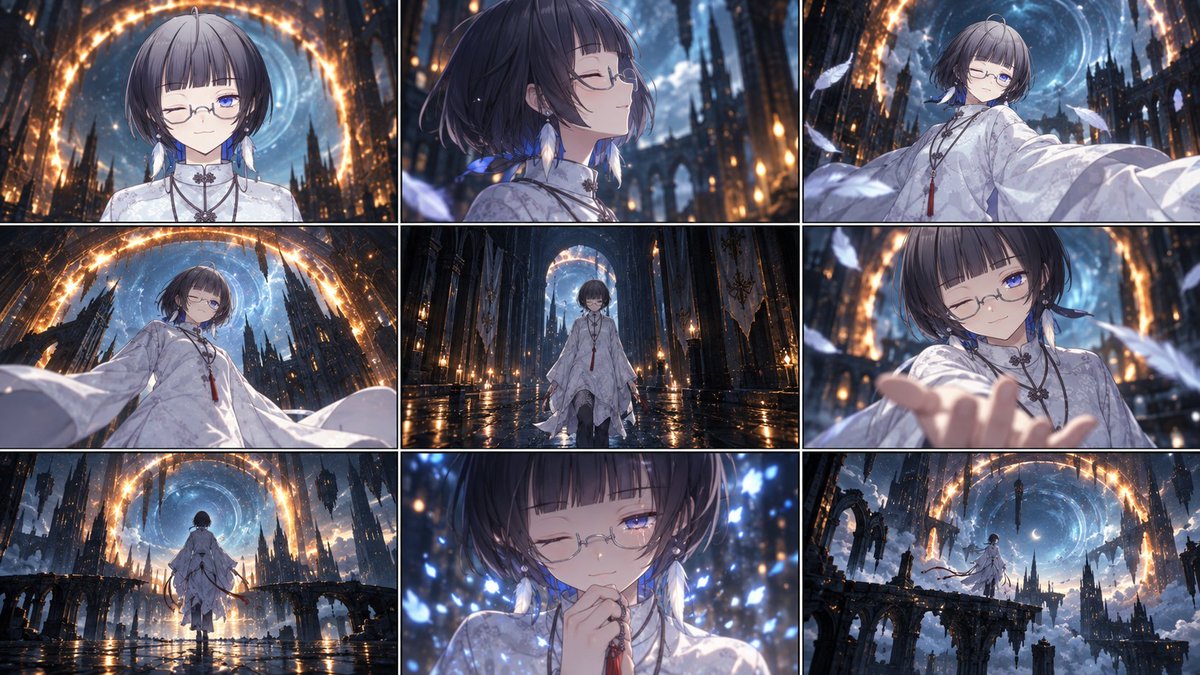
Goal: Create a clean social-media screenshot of an AI image generation interface showing a completed anime music-video storyboard request and its 3x3 output grid. Canvas: Horizontal screenshot, approximately 1200x884 px, white/light-gray background with lots of empty margin. Use a modern minimal web-app UI style with rounded cards, soft shadows, and gray system text. Top area: Near the upper center, show one rectangular reference image preview with a subtle shadow. The preview contains an anime character: a short-haired androgynous young person with dark ash-brown bob haircut with straight bangs, pale skin, thin round glasses, one eye closed in a wink, one blue visible eye, wearing a white high-collar ceremonial robe with necklaces and a red tassel. Behind them is a dark fantasy cathedral city with a glowing golden circular arch and a blue vortex moon-like sky. Prompt bubble: Below the preview, place a wide black rounded speech bubble with white Japanese text, reading exactly このキャラクターのボカロmvの様々なカットを3x3で出力して 16:9 トンマナ合わせて. The bubble should span most of the center width and have large rounded corners. Status text: Under the bubble, aligned left above the output grid, add gray text reading Worked for 1m 7s. Output grid: Show exactly 9 cinematic panels arranged in a 3 columns by 3 rows grid, inside one large rounded rectangle with clipped rounded corners. Each panel is 16:9, separated by thin white grid lines, all sharing the same tone: dark blue, black, white, and warm gold, glossy anime/Vocaloid MV aesthetic, dramatic lighting, cathedral ruins, floating feathers or sparkles, wet reflective floor, glowing golden ring, blue vortex sky. The 9 panels are: 1. Top-left: frontal bust shot of the character under the glowing golden arch, calm expression, glasses, white robe. 2. Top-center: side-profile close-up with hair blowing, eyes closed, blue lights in the dark cathedral background. 3. Top-right: dynamic three-quarter shot, character extending a white sleeve toward the viewer, golden arch and blue vortex behind. 4. Middle-left: low-angle wide shot, character leaning or reaching forward with billowing white sleeves, cathedral towers around them. 5. Middle-center: full-body centered shot standing on a reflective wet floor, framed by a tall archway and distant glowing ring. 6. Middle-right: close shot of character reaching a hand toward the camera, one eye closed, foreshortened hand in foreground. 7. Bottom-left: rear wide shot of the character walking into the cathedral environment beneath the glowing arch. 8. Bottom-center: emotional close-up, character with eyes closed and hands near mouth or chest, surrounded by blue sparkles. 9. Bottom-right: very wide establishing shot of ruined gothic towers, glowing circular arch, blue vortex sky, tiny figure or distant character. Overlay controls: Add exactly 3 circular interface controls over the lower part of the grid: a dark circular button at bottom-left labeled 編集, a light gray circular download button with a downward arrow near the lower center-right, and a dark circular share button with an upward arrow at bottom-right. Style constraints: The whole image should look like a real captured web UI, not a poster. Keep the interface text crisp, the grid slightly cropped by the bottom edge of the screenshot, and the anime panels high-detail, cinematic, consistent in character design and color grading.

翻譯: Runs on 21 models

  • Flux
  • Flux 2
  • Flux Kontext
  • GPT-4o Image
  • GPT Image
  • GPT Image 2
  • GPT Image 2.5
  • GPT Image 2.6
  • Grok Imagine
  • Ideogram V3
  • Imagen 4
  • Kling
  • 翻譯: +9 more

這則提示詞的輸出

Hero prompt: nos podrias hacer una foto con la pose de la prime... 未指定 1.0
Seedream 5 prompt: Hot dress 未指定 v2
Nano Banana prompt: Match the same pose from the 1st image 未指定 nano-banana-2.1
Seedream 5 prompt: Modern minimalist mobile app icon logo design for ... 未指定 seedream-5-pro
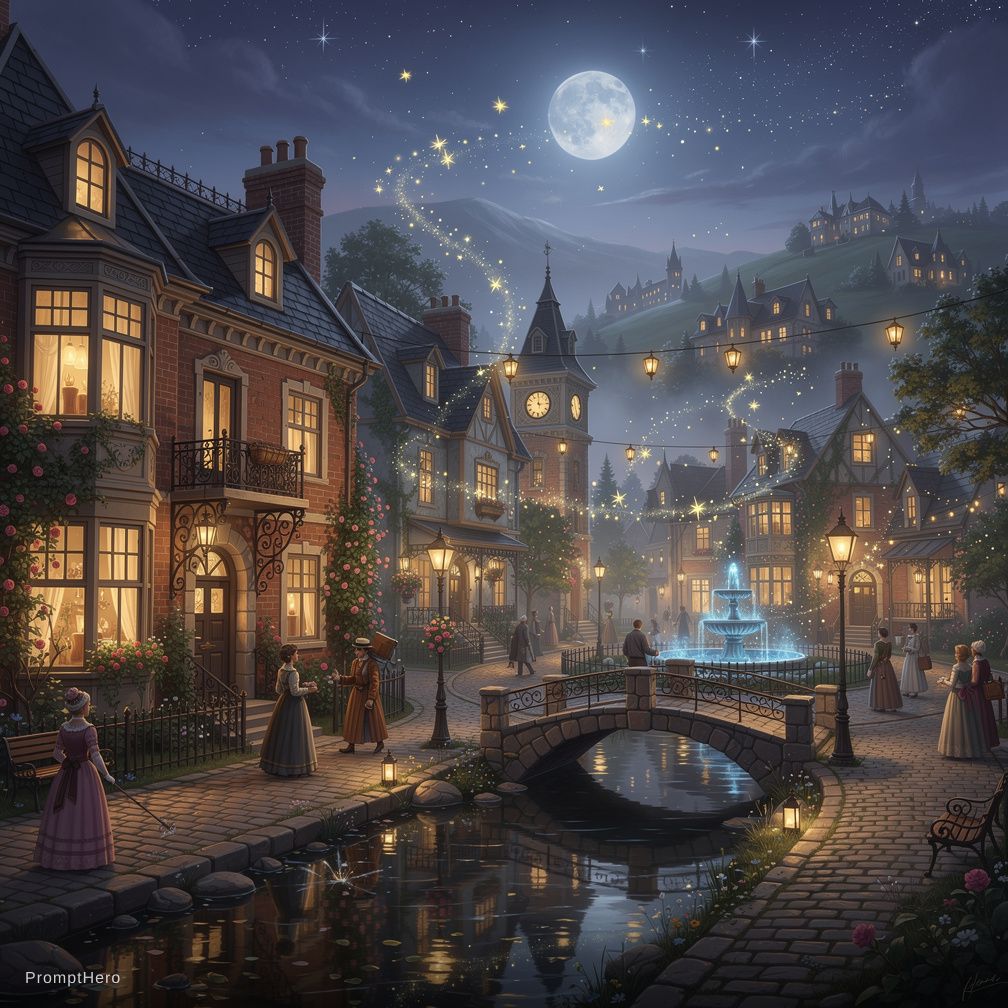
FLUX prompt: Enchanted Victorian villages 未指定 flux-2-pro
Hunyuan  prompt: субстанция 未指定 hunyuan-3

翻譯: Run this prompt with the API

翻譯: The request below sends this prompt, with its default values filled in, to the first model it runs on. Swap the model name for any other model listed above.

翻譯: Prompt API docs
/api/v1/gpt_image_2/text_to_image
curl -X POST https://runapi.ai/api/v1/gpt_image_2/text_to_image \
  -H "Authorization: Bearer $RUNAPI_API_KEY" \
  -H "Content-Type: application/json" \
  --data-binary @- <<'JSON'
{
  "model": "gpt-image-2",
  "prompt": "Goal: Create a clean social-media screenshot of an AI image generation interface showing a completed anime music-video storyboard request and its 3x3 output grid.\n\nCanvas: Horizontal screenshot, approximately 1200x884 px, white/light-gray background with lots of empty margin. Use a modern minimal web-app UI style with rounded cards, soft shadows, and gray system text.\n\nTop area: Near the upper center, show one rectangular reference image preview with a subtle shadow. The preview contains an anime character: a short-haired androgynous young person with dark ash-brown bob haircut with straight bangs, pale skin, thin round glasses, one eye closed in a wink, one blue visible eye, wearing a white high-collar ceremonial robe with necklaces and a red tassel. Behind them is a dark fantasy cathedral city with a glowing golden circular arch and a blue vortex moon-like sky.\n\nPrompt bubble: Below the preview, place a wide black rounded speech bubble with white Japanese text, reading exactly このキャラクターのボカロmvの様々なカットを3x3で出力して 16:9 トンマナ合わせて. The bubble should span most of the center width and have large rounded corners.\n\nStatus text: Under the bubble, aligned left above the output grid, add gray text reading Worked for 1m 7s.\n\nOutput grid: Show exactly 9 cinematic panels arranged in a 3 columns by 3 rows grid, inside one large rounded rectangle with clipped rounded corners. Each panel is 16:9, separated by thin white grid lines, all sharing the same tone: dark blue, black, white, and warm gold, glossy anime/Vocaloid MV aesthetic, dramatic lighting, cathedral ruins, floating feathers or sparkles, wet reflective floor, glowing golden ring, blue vortex sky. The 9 panels are:\n1. Top-left: frontal bust shot of the character under the glowing golden arch, calm expression, glasses, white robe.\n2. Top-center: side-profile close-up with hair blowing, eyes closed, blue lights in the dark cathedral background.\n3. Top-right: dynamic three-quarter shot, character extending a white sleeve toward the viewer, golden arch and blue vortex behind.\n4. Middle-left: low-angle wide shot, character leaning or reaching forward with billowing white sleeves, cathedral towers around them.\n5. Middle-center: full-body centered shot standing on a reflective wet floor, framed by a tall archway and distant glowing ring.\n6. Middle-right: close shot of character reaching a hand toward the camera, one eye closed, foreshortened hand in foreground.\n7. Bottom-left: rear wide shot of the character walking into the cathedral environment beneath the glowing arch.\n8. Bottom-center: emotional close-up, character with eyes closed and hands near mouth or chest, surrounded by blue sparkles.\n9. Bottom-right: very wide establishing shot of ruined gothic towers, glowing circular arch, blue vortex sky, tiny figure or distant character.\n\nOverlay controls: Add exactly 3 circular interface controls over the lower part of the grid: a dark circular button at bottom-left labeled 編集, a light gray circular download button with a downward arrow near the lower center-right, and a dark circular share button with an upward arrow at bottom-right.\n\nStyle constraints: The whole image should look like a real captured web UI, not a poster. Keep the interface text crisp, the grid slightly cropped by the bottom edge of the screenshot, and the anime panels high-detail, cinematic, consistent in character design and color grading."
}
JSON

翻譯: Try a prompt