Photoreal Character Design Sheet
Photoreal Character Design Sheet

prompt

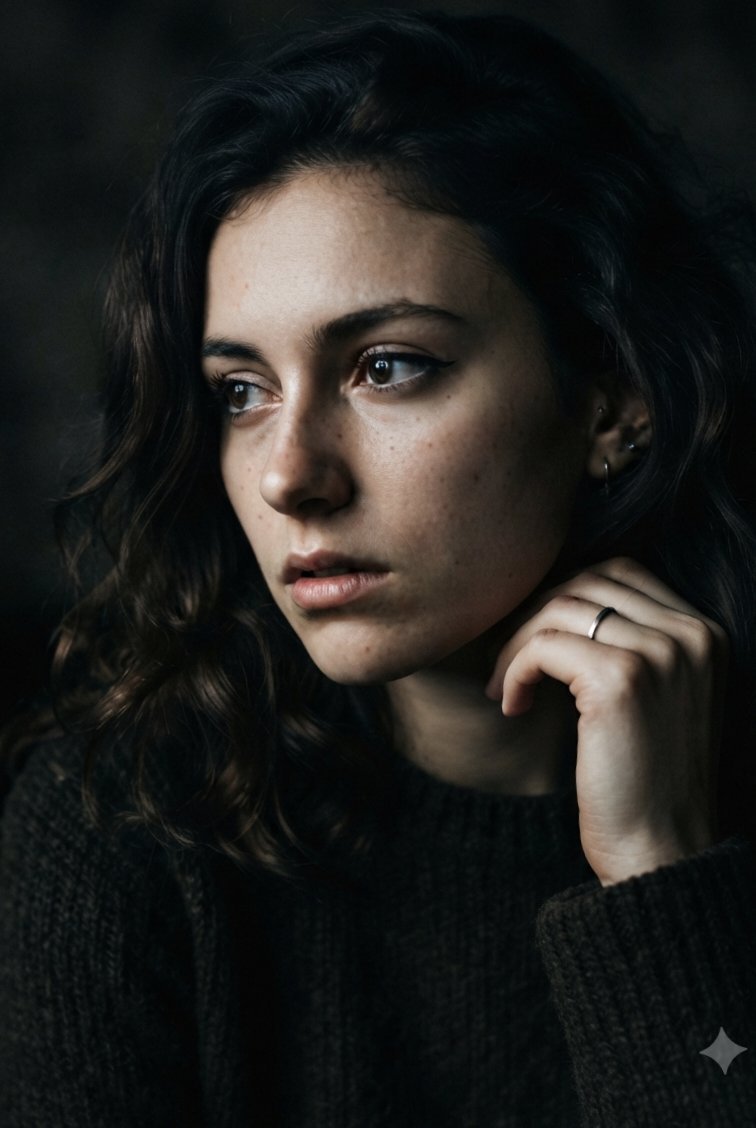
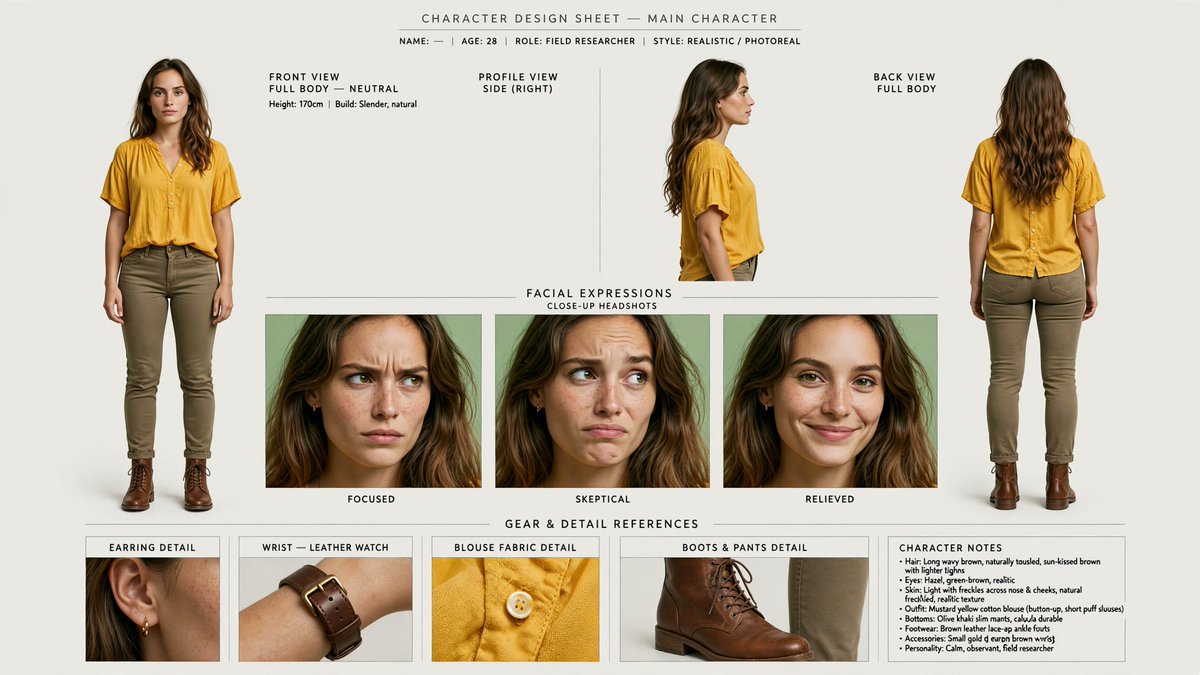
Using REFERENCE_0 as the identity base, turn the portrait into a clean photorealistic character design sheet for main character. Preserve the woman’s facial identity, freckles, hair, yellow blouse, and realistic photo look, but expand her into full-body reference poses and production details. Canvas and style: Wide horizontal character sheet on an off-white studio background, minimal editorial layout, thin divider lines, small uppercase technical labels, realistic lighting, high-resolution photoreal consistency across every panel. Top header: Add the title “CHARACTER DESIGN SHEET — MAIN CHARACTER” and a small metadata line: “NAME: — | AGE: 28 | ROLE: FIELD RESEARCHER | STYLE: REALISTIC / PHOTOREAL”. Main body layout: Create exactly 3 character view panels across the top: 1) front view, full body, neutral stance; 2) right-side profile view; 3) back view, full body. For the newly visible full-body styling, add olive/khaki slim pants and brown leather lace-up boots while keeping the blouse consistent with the reference. Expression section: Add a centered section titled “FACIAL EXPRESSIONS” with subtitle “CLOSE-UP HEADSHOTS”. Include exactly 3 close-up expression panels labeled: “FOCUSED”, “SKEPTICAL”, and “RELIEVED”. Keep the same character identity in all three. Gear and detail section: Add a lower section titled “GEAR & DETAIL REFERENCES”. Include exactly 4 detail panels labeled: 1) “EARRING DETAIL” showing a small gold hoop earring, 2) “WRIST — LEATHER WATCH” showing a brown leather wristwatch, 3) “BLOUSE FABRIC DETAIL” showing the yellow blouse texture and button, 4) “BOOTS & PANTS DETAIL” showing the brown boot and olive pant cuff. Character notes: Add a compact notes box on the lower right titled “CHARACTER NOTES” with short bullet points summarizing hair, eyes, skin, outfit, bottoms, footwear, accessories, and personality. Use the personality line: Calm, observant, field researcher. Constraints: Keep all views and headshots visually consistent with REFERENCE_0, avoid changing the face into a different person, do not add extra panels beyond the 3 views, 3 expressions, 4 detail references, and 1 notes box, and keep all text clean and legible.

Fonctionne avec 20 modèles

  • Flux
  • Flux 2
  • Flux Kontext
  • GPT-4o Image
  • GPT Image
  • GPT Image 2
  • GPT Image 2.5
  • GPT Image 2.6
  • Grok Imagine
  • Ideogram V3
  • Imagen 4
  • Kling
  • +8 Plus

Résultats de ce prompt

Split-Page Coffee Shop Travel Journal Non précisé gpt-image-2
Cute Chibi Characters in a Sweet Playful Moment Non précisé gpt-image-2
Underground Train Yard Clash Anime Development Board Non précisé gpt-image-2
Realistic Group Selfie with Smartphone Flash Effect Non précisé nano-banana-pro
Exploded-View Structural Cutaway for Food Photography Non précisé nano-banana-pro
Four Seasons Portrait Collage Non précisé nano-banana-pro

Run ce prompt avec le API

le request below sends ce prompt, avec its default values filled in, to le first modèle it runs on. Swap le modèle name pour any other modèle listed above.

Documentation de l’API prompt
/api/v1/gpt_image_2/text_to_image
curl -X POST https://runapi.ai/api/v1/gpt_image_2/text_to_image \
  -H "Authorization: Bearer $RUNAPI_API_KEY" \
  -H "Content-Type: application/json" \
  --data-binary @- <<'JSON'
{
  "model": "gpt-image-2",
  "prompt": "Using REFERENCE_0 as the identity base, turn the portrait into a clean photorealistic character design sheet for main character. Preserve the woman’s facial identity, freckles, hair, yellow blouse, and realistic photo look, but expand her into full-body reference poses and production details.\n\nCanvas and style: Wide horizontal character sheet on an off-white studio background, minimal editorial layout, thin divider lines, small uppercase technical labels, realistic lighting, high-resolution photoreal consistency across every panel.\n\nTop header: Add the title “CHARACTER DESIGN SHEET — MAIN CHARACTER” and a small metadata line: “NAME: — | AGE: 28 | ROLE: FIELD RESEARCHER | STYLE: REALISTIC / PHOTOREAL”.\n\nMain body layout: Create exactly 3 character view panels across the top: 1) front view, full body, neutral stance; 2) right-side profile view; 3) back view, full body. For the newly visible full-body styling, add olive/khaki slim pants and brown leather lace-up boots while keeping the blouse consistent with the reference.\n\nExpression section: Add a centered section titled “FACIAL EXPRESSIONS” with subtitle “CLOSE-UP HEADSHOTS”. Include exactly 3 close-up expression panels labeled: “FOCUSED”, “SKEPTICAL”, and “RELIEVED”. Keep the same character identity in all three.\n\nGear and detail section: Add a lower section titled “GEAR & DETAIL REFERENCES”. Include exactly 4 detail panels labeled: 1) “EARRING DETAIL” showing a small gold hoop earring, 2) “WRIST — LEATHER WATCH” showing a brown leather wristwatch, 3) “BLOUSE FABRIC DETAIL” showing the yellow blouse texture and button, 4) “BOOTS & PANTS DETAIL” showing the brown boot and olive pant cuff.\n\nCharacter notes: Add a compact notes box on the lower right titled “CHARACTER NOTES” with short bullet points summarizing hair, eyes, skin, outfit, bottoms, footwear, accessories, and personality. Use the personality line: Calm, observant, field researcher.\n\nConstraints: Keep all views and headshots visually consistent with REFERENCE_0, avoid changing the face into a different person, do not add extra panels beyond the 3 views, 3 expressions, 4 detail references, and 1 notes box, and keep all text clean and legible."
}
JSON

Essayer a prompt

Estimé : $0.04 / image

Connectez-vous pour générer avec RunAPI.

Connectez-vous pour générer

Connectez-vous pour commencer à générer avec vos modèles de langage disponibles.