Business Character Sheet Gallery
Business Character Sheet Gallery

prompt

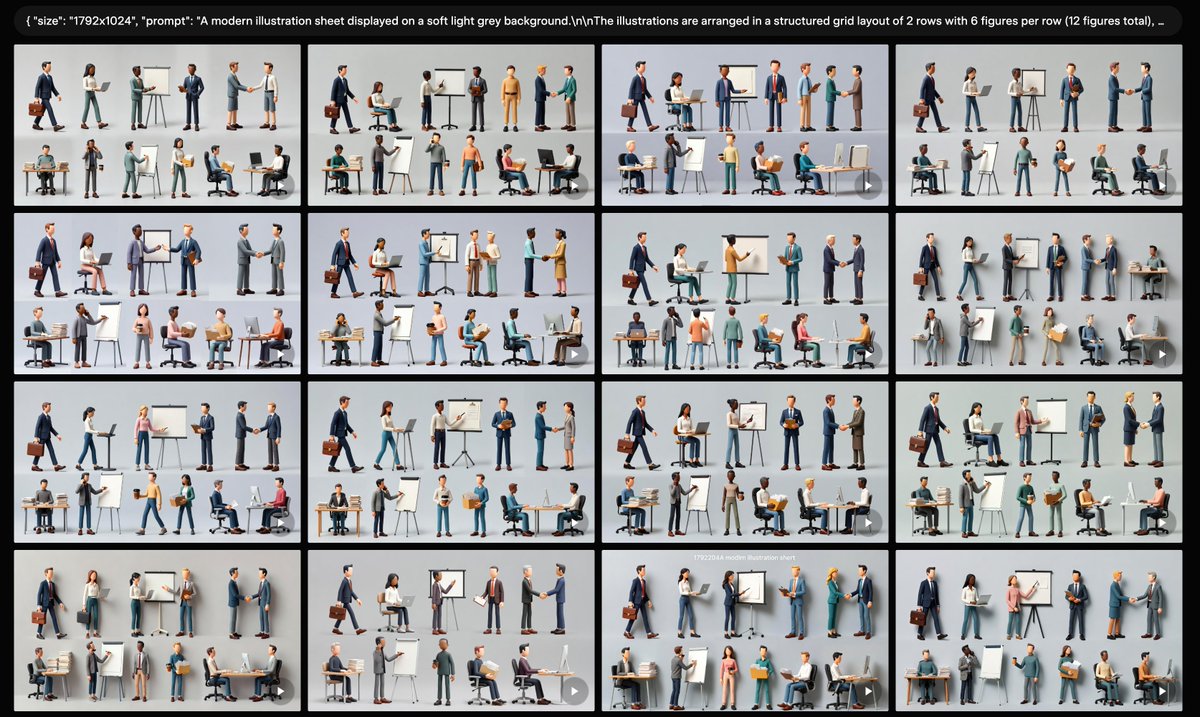
Goal: Create a wide screenshot-style gallery view showing multiple generated variations of the same modern business illustration sheet. Canvas: Wide 16:9 image, 1792x1024, with a black application-like background and thin gutters between image tiles. At the very top, include a rounded black prompt bar containing small white monospaced text beginning with a visible JSON-style snippet: {argument name="visible prompt text" default="{\"size\": \"1792x1024\", \"prompt\": \"A modern illustration sheet displayed on a soft light grey background.\\nThe illustrations are arranged in a structured grid layout of 2 rows with 6 figures per row (12 figures total), ...\"}"}. Layout: Show exactly 16 rectangular thumbnail tiles arranged in a 4 by 4 grid beneath the prompt bar. Each tile has a soft light gray background and depicts a miniature illustration sheet. The thumbnails are similar but not identical, like generated variations. Use narrow black spacing between tiles and slightly rounded tile corners. Add a subtle small translucent circular play/arrow icon at the lower-right corner of many tiles, as if they are preview cards in a generation interface. Thumbnail content: Inside each of the 16 tiles, show exactly 12 stylized 3D business figures arranged as 2 rows with 6 figures per row. The people should be diverse in gender, skin tone, age, and clothing, wearing modern office attire such as navy suits, gray blazers, teal trousers, skirts, shirts, sweaters, and business shoes. Include business props throughout the figures: laptops, desks, office chairs, briefcases, clipboards, cardboard boxes, easel flip charts, whiteboards, markers, presentation boards, handshake poses, walking poses, seated computer-work poses, and standing discussion poses. Keep every figure isolated like a clean character-sheet element rather than a continuous scene. Visual style: Polished semi-realistic 3D illustration, soft studio lighting, subtle shadows under each character, clean corporate presentation aesthetic, muted colors with navy, gray, white, teal, tan, and small accent colors. The overall composition should look like a screen capture of an AI image generation results page, not a single poster. Constraints: Keep the top prompt bar legible enough to read the beginning, but it may truncate toward the right. Use exactly 16 gallery thumbnails, and within each thumbnail use exactly 12 business figure vignettes in a 2-row by 6-column arrangement. Do not add logos, watermarks, extra interface panels, or unrelated text beyond the top prompt bar.

Funciona con 20 modelos

  • Flux
  • Flux 2
  • Flux Kontext
  • GPT-4o Image
  • GPT Image
  • GPT Image 2
  • GPT Image 2.5
  • GPT Image 2.6
  • Grok Imagine
  • Ideogram V3
  • Imagen 4
  • Kling
  • +8 Más

Lo que produce este prompt

Split-Page Coffee Shop Travel Journal No especificado gpt-image-2
Cute Chibi Characters in a Sweet Playful Moment No especificado gpt-image-2
Underground Train Yard Clash Anime Development Board No especificado gpt-image-2
Realistic Group Selfie with Smartphone Flash Effect No especificado nano-banana-pro
Exploded-View Structural Cutaway for Food Photography No especificado nano-banana-pro
Four Seasons Portrait Collage No especificado nano-banana-pro

Run este prompt con el API

La siguiente solicitud envía este mensaje, con sus valores predeterminados completados, al primer modelo en el que se ejecuta. Cambie el nombre del modelo por cualquier otro modelo enumerado anteriormente.

Documentación de la API de prompts
/api/v1/gpt_image_2/text_to_image
curl -X POST https://runapi.ai/api/v1/gpt_image_2/text_to_image \
  -H "Authorization: Bearer $RUNAPI_API_KEY" \
  -H "Content-Type: application/json" \
  --data-binary @- <<'JSON'
{
  "model": "gpt-image-2",
  "prompt": "Goal: Create a wide screenshot-style gallery view showing multiple generated variations of the same modern business illustration sheet.\n\nCanvas: Wide 16:9 image, 1792x1024, with a black application-like background and thin gutters between image tiles. At the very top, include a rounded black prompt bar containing small white monospaced text beginning with a visible JSON-style snippet: {argument name=\"visible prompt text\" default=\"{\\\"size\\\": \\\"1792x1024\\\", \\\"prompt\\\": \\\"A modern illustration sheet displayed on a soft light grey background.\\\\nThe illustrations are arranged in a structured grid layout of 2 rows with 6 figures per row (12 figures total), ...\\\"}\"}.\n\nLayout: Show exactly 16 rectangular thumbnail tiles arranged in a 4 by 4 grid beneath the prompt bar. Each tile has a soft light gray background and depicts a miniature illustration sheet. The thumbnails are similar but not identical, like generated variations. Use narrow black spacing between tiles and slightly rounded tile corners. Add a subtle small translucent circular play/arrow icon at the lower-right corner of many tiles, as if they are preview cards in a generation interface.\n\nThumbnail content: Inside each of the 16 tiles, show exactly 12 stylized 3D business figures arranged as 2 rows with 6 figures per row. The people should be diverse in gender, skin tone, age, and clothing, wearing modern office attire such as navy suits, gray blazers, teal trousers, skirts, shirts, sweaters, and business shoes. Include business props throughout the figures: laptops, desks, office chairs, briefcases, clipboards, cardboard boxes, easel flip charts, whiteboards, markers, presentation boards, handshake poses, walking poses, seated computer-work poses, and standing discussion poses. Keep every figure isolated like a clean character-sheet element rather than a continuous scene.\n\nVisual style: Polished semi-realistic 3D illustration, soft studio lighting, subtle shadows under each character, clean corporate presentation aesthetic, muted colors with navy, gray, white, teal, tan, and small accent colors. The overall composition should look like a screen capture of an AI image generation results page, not a single poster.\n\nConstraints: Keep the top prompt bar legible enough to read the beginning, but it may truncate toward the right. Use exactly 16 gallery thumbnails, and within each thumbnail use exactly 12 business figure vignettes in a 2-row by 6-column arrangement. Do not add logos, watermarks, extra interface panels, or unrelated text beyond the top prompt bar."
}
JSON

Probar a prompt

Estimado: $0.04 / imagen

Inicia sesión para generar con RunAPI.

Inicia sesión para generar

Inicia sesión para comenzar a generar con tus modelos de lenguaje disponibles.

















