Technical Infographic Overlay on a Laptop Image
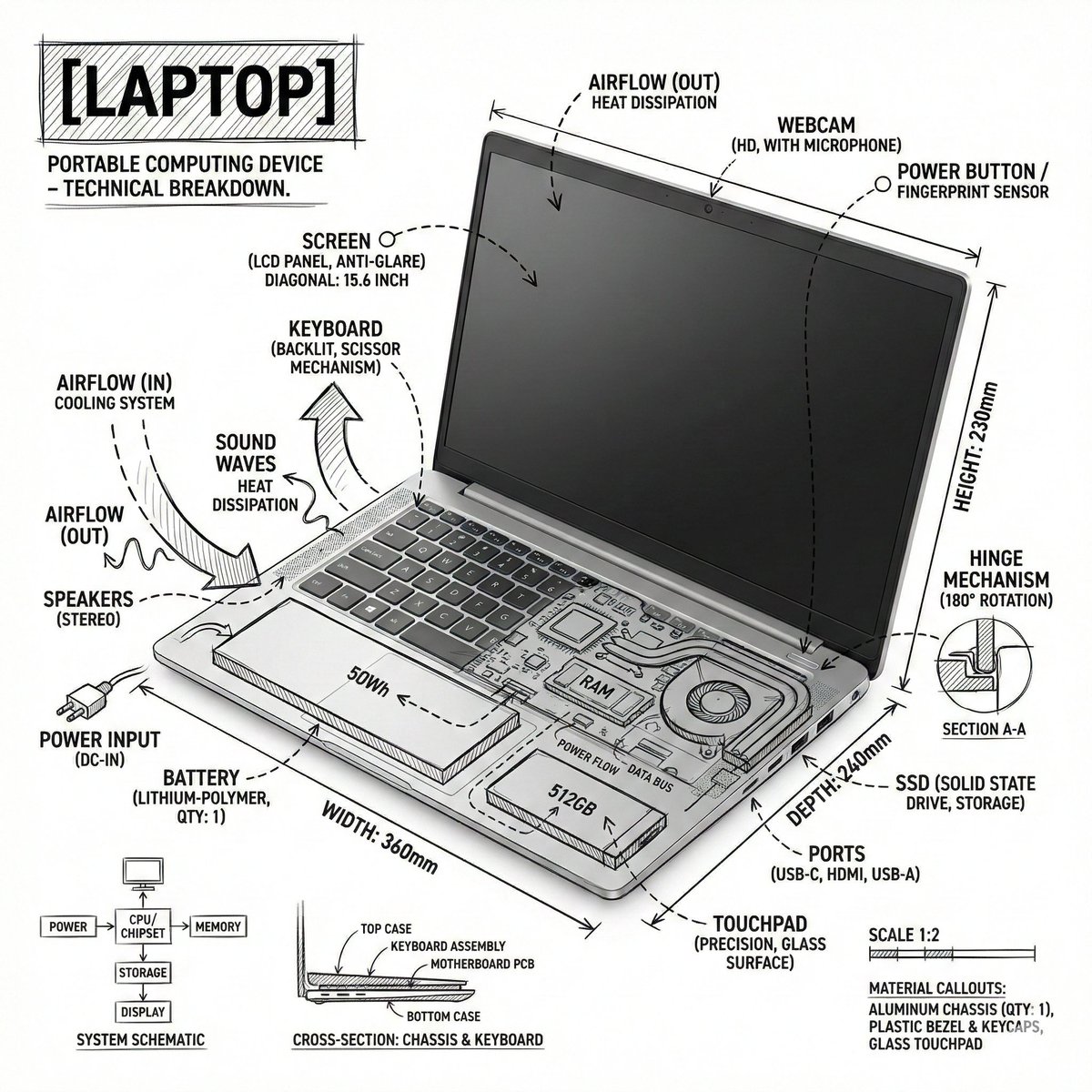
Technical Infographic Overlay on a Laptop Image

prompt

Create an infographic image of laptop ,combining a realistic photograph or photoreal render of the object with technical annotation overlays placed directly on top. Use black ink–style line drawings and text (technical pen / architectural sketch look) on a pure white studio background, including: •Key component labels •Internal cutaway or exploded-view outlines •Measurements, dimensions, and scale markers •Material callouts and quantities •Arrows indicating function, force, or flow (air, sound, power, pressure) •Simple schematic or sectional diagrams where relevant Place the title [OBJECT] inside a hand-drawn technical annotation box in one corner. Style & layout rules: •The real object remains clearly visible beneath the annotations •Annotations feel sketched, technical, and architectural •Clean composition with balanced negative space •Educational, museum-exhibit / engineering-manual vibe Visual style: Minimal technical illustration aesthetic, black linework over realistic imagery, precise but slightly hand-drawn feel. Color palette: White background, black annotation lines and text only. No colors. Output: 1080×1080, ultra-crisp, social-feed optimized, no watermark.”

Funziona su 20 modelli

  • Flux
  • Flux 2
  • Flux Kontext
  • GPT-4o Image
  • GPT Image
  • GPT Image 2
  • GPT Image 2.5
  • GPT Image 2.6
  • Grok Imagine
  • Ideogram V3
  • Imagen 4
  • Kling
  • +8 Altri

Cosa produce questo prompt

Split-Page Coffee Shop Travel Journal Non specificato gpt-image-2
Cute Chibi Characters in a Sweet Playful Moment Non specificato gpt-image-2
Underground Train Yard Clash Anime Development Board Non specificato gpt-image-2
Realistic Group Selfie with Smartphone Flash Effect Non specificato nano-banana-pro
Exploded-View Structural Cutaway for Food Photography Non specificato nano-banana-pro
Four Seasons Portrait Collage Non specificato nano-banana-pro

Run questo prompt con il API

La richiesta seguente invia questo prompt, con i valori predefiniti compilati, al primo modello su cui viene eseguito. Scambia il nome del modello con qualsiasi altro modello elencato sopra.

Documentazione API prompt
/api/v1/nano_banana/text_to_image
curl -X POST https://runapi.ai/api/v1/nano_banana/text_to_image \
  -H "Authorization: Bearer $RUNAPI_API_KEY" \
  -H "Content-Type: application/json" \
  --data-binary @- <<'JSON'
{
  "model": "nano-banana-pro",
  "prompt": "Create an infographic image of laptop ,combining a realistic photograph or photoreal render of the object with technical annotation overlays placed directly on top.\n\nUse black ink–style line drawings and text (technical pen / architectural sketch look) on a pure white studio background, including:\n•Key component labels\n•Internal cutaway or exploded-view outlines\n•Measurements, dimensions, and scale markers\n•Material callouts and quantities\n•Arrows indicating function, force, or flow (air, sound, power, pressure)\n•Simple schematic or sectional diagrams where relevant\n\nPlace the title [OBJECT] inside a hand-drawn technical annotation box in one corner.\n\nStyle & layout rules:\n•The real object remains clearly visible beneath the annotations\n•Annotations feel sketched, technical, and architectural\n•Clean composition with balanced negative space\n•Educational, museum-exhibit / engineering-manual vibe\n\nVisual style:\nMinimal technical illustration aesthetic, black linework over realistic imagery, precise but slightly hand-drawn feel.\n\nColor palette:\nWhite background, black annotation lines and text only. No colors.\n\nOutput:\n1080×1080, ultra-crisp, social-feed optimized, no watermark.”"
}
JSON

Prova a prompt

Stimato: $0.04 / immagine

Accedi per generare con RunAPI.

Accedi per generare

Accedi per iniziare a generare con i modelli linguistici disponibili.