Bad vs Good Slide Design Infographic
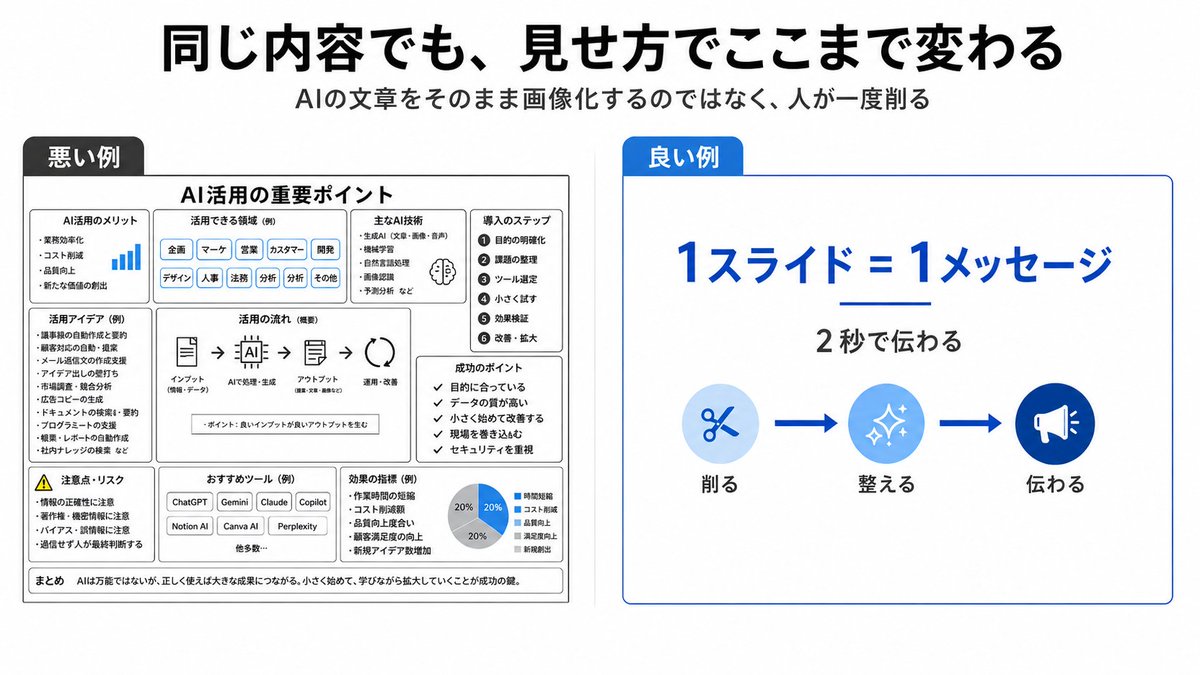
Bad vs Good Slide Design Infographic

prompt

{"type":"clean Japanese presentation infographic comparing bad and good slide design","format":"wide 16:9 slide, white background, minimalist corporate style","headline":"同じ内容でも、見せ方でここまで変わる","subtitle":"AIの文章をそのまま画像化するのではなく、人が一度削る","layout":{"top":"large bold black Japanese headline centered, smaller gray subtitle centered underneath","comparison_panels":[{"title":"悪い例","position":"left half","style":"dense monochrome black and gray boxed slide with many tiny sections, intentionally cluttered and hard to read","main_heading":"AI活用の重要ポイント","section_count":9,"sections":[{"label":"AI活用のメリット","description":"small list with a tiny blue bar chart icon"},{"label":"活用できる領域(例)","description":"row of many pill tags such as 企画, マーケ, 営業, カスタマー, 開発, デザイン, 人事, 法務, 分析, その他"},{"label":"主なAI技術","description":"compact bullet list with a small brain icon"},{"label":"導入のステップ","description":"numbered vertical list of 6 steps: 1 目的の明確化, 2 課題の整理, 3 ツール選定, 4 小さく試す, 5 効果検証, 6 改善・拡大"},{"label":"活用アイデア(例)","description":"dense bullet list of use cases"},{"label":"活用の流れ(概要)","description":"horizontal process diagram with 5 icons connected by arrows: インプット, AIで処理・生成, アウトプット, 活用・改善"},{"label":"成功のポイント","description":"checklist of 5 short items"},{"label":"注意点・リスク","description":"warning triangle and risk bullet list"},{"label":"おすすめツール(例)","description":"small buttons for ChatGPT, Gemini, Claude, Copilot, Notion AI, Canva AI, Perplexity plus 他多数"}],"bottom_note":"まとめ AIは万能ではないが、正しく使えば大きな成果につながる。小さく始めて、学びながら拡大していくことが成功の鍵。"},{"title":"良い例","position":"right half","style":"simple spacious white card with thin blue border and a blue title tab","main_message":"1スライド=1メッセージ","sub_message":"2秒で伝わる","visual_flow":{"count":3,"items":[{"label":"削る","icon":"scissors in pale blue circle"},{"label":"整える","icon":"sparkles in medium blue circle"},{"label":"伝わる","icon":"megaphone in dark blue circle"}],"connectors":"two thick blue arrows between the three icons"}}]},"colors":{"primary_blue":"#0057d8","light_blue":"#d6ebff","black":"#111111","gray":"#555555"},"typography":"bold modern Japanese sans-serif, strong hierarchy, right side very readable, left side deliberately overloaded","composition":"clear side-by-side contrast: cluttered bad example on the left and simplified good example on the right, with generous margins and crisp vector graphics"}

Fonctionne avec 20 modèles

  • Flux
  • Flux 2
  • Flux Kontext
  • GPT-4o Image
  • GPT Image
  • GPT Image 2
  • GPT Image 2.5
  • GPT Image 2.6
  • Grok Imagine
  • Ideogram V3
  • Imagen 4
  • Kling
  • +8 Plus

Résultats de ce prompt

Split-Page Coffee Shop Travel Journal Non précisé gpt-image-2
Cute Chibi Characters in a Sweet Playful Moment Non précisé gpt-image-2
Underground Train Yard Clash Anime Development Board Non précisé gpt-image-2
Realistic Group Selfie with Smartphone Flash Effect Non précisé nano-banana-pro
Exploded-View Structural Cutaway for Food Photography Non précisé nano-banana-pro
Four Seasons Portrait Collage Non précisé nano-banana-pro

Run ce prompt avec le API

le request below sends ce prompt, avec its default values filled in, to le first modèle it runs on. Swap le modèle name pour any other modèle listed above.

Documentation de l’API prompt
/api/v1/gpt_image_2/text_to_image
curl -X POST https://runapi.ai/api/v1/gpt_image_2/text_to_image \
  -H "Authorization: Bearer $RUNAPI_API_KEY" \
  -H "Content-Type: application/json" \
  --data-binary @- <<'JSON'
{
  "model": "gpt-image-2",
  "prompt": "{\"type\":\"clean Japanese presentation infographic comparing bad and good slide design\",\"format\":\"wide 16:9 slide, white background, minimalist corporate style\",\"headline\":\"同じ内容でも、見せ方でここまで変わる\",\"subtitle\":\"AIの文章をそのまま画像化するのではなく、人が一度削る\",\"layout\":{\"top\":\"large bold black Japanese headline centered, smaller gray subtitle centered underneath\",\"comparison_panels\":[{\"title\":\"悪い例\",\"position\":\"left half\",\"style\":\"dense monochrome black and gray boxed slide with many tiny sections, intentionally cluttered and hard to read\",\"main_heading\":\"AI活用の重要ポイント\",\"section_count\":9,\"sections\":[{\"label\":\"AI活用のメリット\",\"description\":\"small list with a tiny blue bar chart icon\"},{\"label\":\"活用できる領域(例)\",\"description\":\"row of many pill tags such as 企画, マーケ, 営業, カスタマー, 開発, デザイン, 人事, 法務, 分析, その他\"},{\"label\":\"主なAI技術\",\"description\":\"compact bullet list with a small brain icon\"},{\"label\":\"導入のステップ\",\"description\":\"numbered vertical list of 6 steps: 1 目的の明確化, 2 課題の整理, 3 ツール選定, 4 小さく試す, 5 効果検証, 6 改善・拡大\"},{\"label\":\"活用アイデア(例)\",\"description\":\"dense bullet list of use cases\"},{\"label\":\"活用の流れ(概要)\",\"description\":\"horizontal process diagram with 5 icons connected by arrows: インプット, AIで処理・生成, アウトプット, 活用・改善\"},{\"label\":\"成功のポイント\",\"description\":\"checklist of 5 short items\"},{\"label\":\"注意点・リスク\",\"description\":\"warning triangle and risk bullet list\"},{\"label\":\"おすすめツール(例)\",\"description\":\"small buttons for ChatGPT, Gemini, Claude, Copilot, Notion AI, Canva AI, Perplexity plus 他多数\"}],\"bottom_note\":\"まとめ AIは万能ではないが、正しく使えば大きな成果につながる。小さく始めて、学びながら拡大していくことが成功の鍵。\"},{\"title\":\"良い例\",\"position\":\"right half\",\"style\":\"simple spacious white card with thin blue border and a blue title tab\",\"main_message\":\"1スライド=1メッセージ\",\"sub_message\":\"2秒で伝わる\",\"visual_flow\":{\"count\":3,\"items\":[{\"label\":\"削る\",\"icon\":\"scissors in pale blue circle\"},{\"label\":\"整える\",\"icon\":\"sparkles in medium blue circle\"},{\"label\":\"伝わる\",\"icon\":\"megaphone in dark blue circle\"}],\"connectors\":\"two thick blue arrows between the three icons\"}}]},\"colors\":{\"primary_blue\":\"#0057d8\",\"light_blue\":\"#d6ebff\",\"black\":\"#111111\",\"gray\":\"#555555\"},\"typography\":\"bold modern Japanese sans-serif, strong hierarchy, right side very readable, left side deliberately overloaded\",\"composition\":\"clear side-by-side contrast: cluttered bad example on the left and simplified good example on the right, with generous margins and crisp vector graphics\"}"
}
JSON

Essayer a prompt

Estimé : $0.04 / image

Connectez-vous pour générer avec RunAPI.

Connectez-vous pour générer

Connectez-vous pour commencer à générer avec vos modèles de langage disponibles.