Deconstructed and Assembled M DSLR Camera Visualization
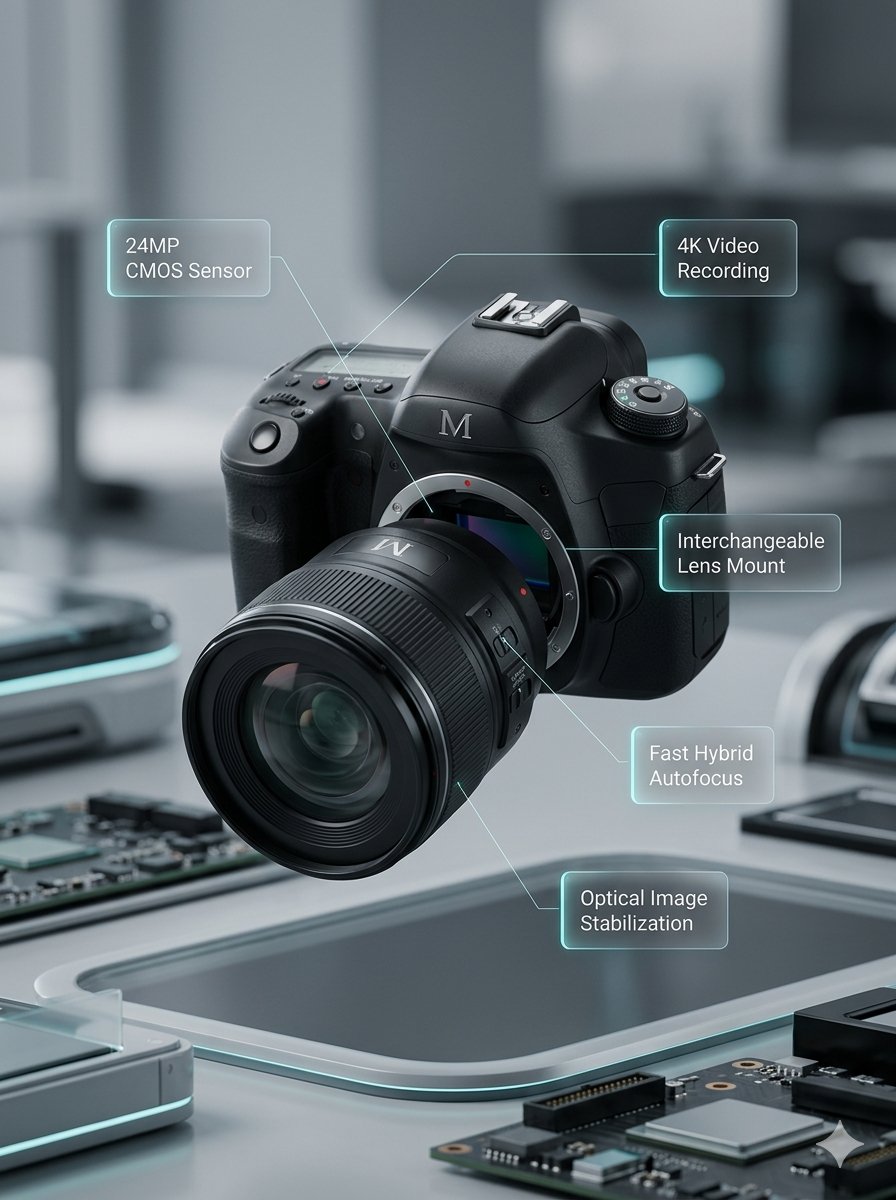
Deconstructed and Assembled M DSLR Camera Visualization

prompt

Image Prompt 1: Clearly separate all components with visible spacing. Move the lens forward and split it into several segments. Separate the camera body into three sections: upper section moves upward, left section moves left, right section moves right. Use elements present on the assembled camera, add electronic parts inside. No annotations. Image Prompt 2: Create a realistic high-end product visualization of a fully assembled M DSLR camera with detachable lens floating slightly in the air. The device has a premium matte black body with subtle metallic details and engraved M branding. Background is a softly blurred modern tech environment with depth of field and subtle motion blur, no people visible. Cinematic studio lighting with realistic reflections and premium product rendering. Around the camera appear five minimalist technical UI annotations with thin lines pointing to components. Each annotation sits inside a small semi-transparent glass UI panel with soft glow and subtle cyan edge lighting, improving readability. Clean modern sans-serif typography. Annotations: 24MP CMOS Sensor 4K Video Recording Interchangeable Lens Mount Fast Hybrid Autofocus Optical Image Stabilization

Funziona su 20 modelli

  • Flux
  • Flux 2
  • Flux Kontext
  • GPT-4o Image
  • GPT Image
  • GPT Image 2
  • GPT Image 2.5
  • GPT Image 2.6
  • Grok Imagine
  • Ideogram V3
  • Imagen 4
  • Kling
  • +8 Altri

Cosa produce questo prompt

Split-Page Coffee Shop Travel Journal Non specificato gpt-image-2
Cute Chibi Characters in a Sweet Playful Moment Non specificato gpt-image-2
Underground Train Yard Clash Anime Development Board Non specificato gpt-image-2
Realistic Group Selfie with Smartphone Flash Effect Non specificato nano-banana-pro
Exploded-View Structural Cutaway for Food Photography Non specificato nano-banana-pro
Four Seasons Portrait Collage Non specificato nano-banana-pro

Run questo prompt con il API

La richiesta seguente invia questo prompt, con i valori predefiniti compilati, al primo modello su cui viene eseguito. Scambia il nome del modello con qualsiasi altro modello elencato sopra.

Documentazione API prompt
/api/v1/nano_banana/text_to_image
curl -X POST https://runapi.ai/api/v1/nano_banana/text_to_image \
  -H "Authorization: Bearer $RUNAPI_API_KEY" \
  -H "Content-Type: application/json" \
  --data-binary @- <<'JSON'
{
  "model": "nano-banana-pro",
  "prompt": "Image Prompt 1: Clearly separate all components with visible spacing. Move the lens forward and split it into several segments. Separate the camera body into three sections: upper section moves upward, left section moves left, right section moves right. Use elements present on the assembled camera, add electronic parts inside. No annotations.\n\nImage Prompt 2: Create a realistic high-end product visualization of a fully assembled M DSLR camera with detachable lens floating slightly in the air. The device has a premium matte black body with subtle metallic details and engraved M branding. Background is a softly blurred modern tech environment with depth of field and subtle motion blur, no people visible. Cinematic studio lighting with realistic reflections and premium product rendering. Around the camera appear five minimalist technical UI annotations with thin lines pointing to components. Each annotation sits inside a small semi-transparent glass UI panel with soft glow and subtle cyan edge lighting, improving readability. Clean modern sans-serif typography.\n\nAnnotations:\n\n24MP CMOS Sensor\n4K Video Recording\nInterchangeable Lens Mount\nFast Hybrid Autofocus\nOptical Image Stabilization"
}
JSON

Prova a prompt

Stimato: $0.04 / immagine

Accedi per generare con RunAPI.

Accedi per generare

Accedi per iniziare a generare con i modelli linguistici disponibili.