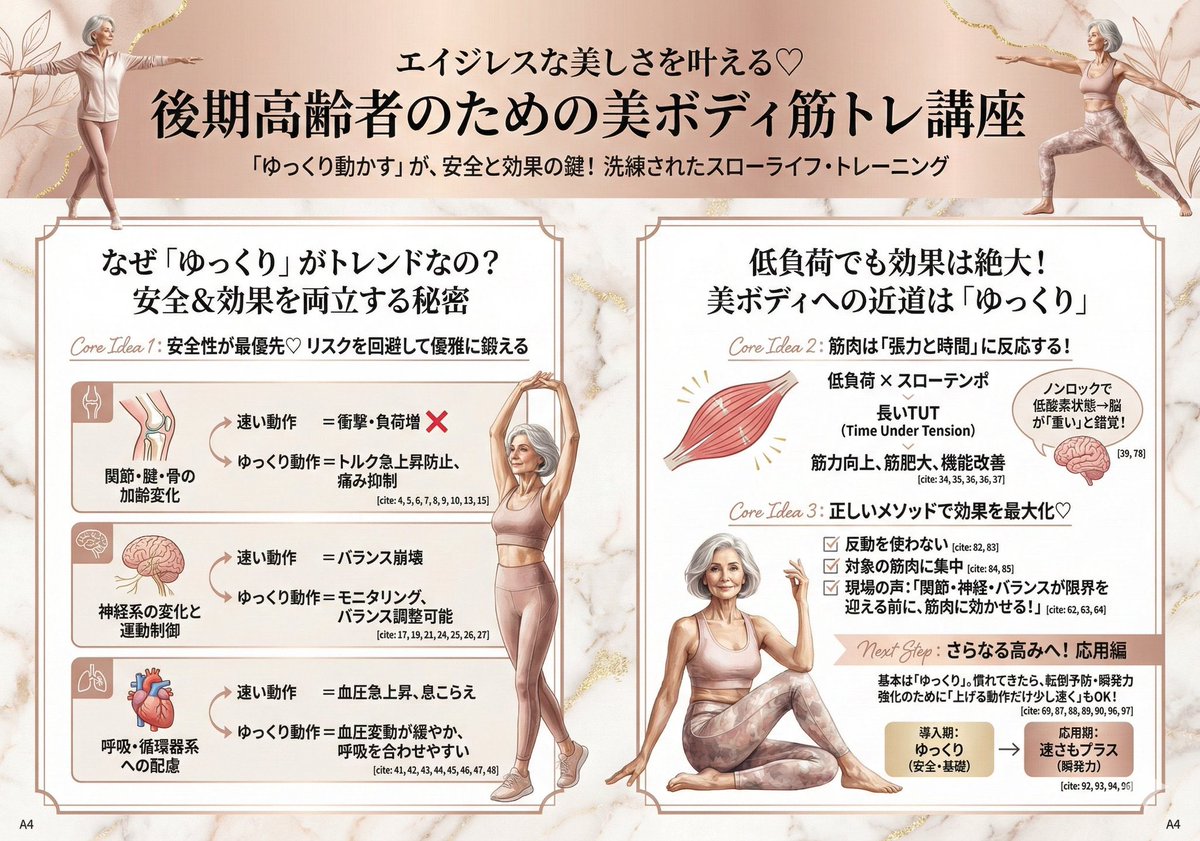
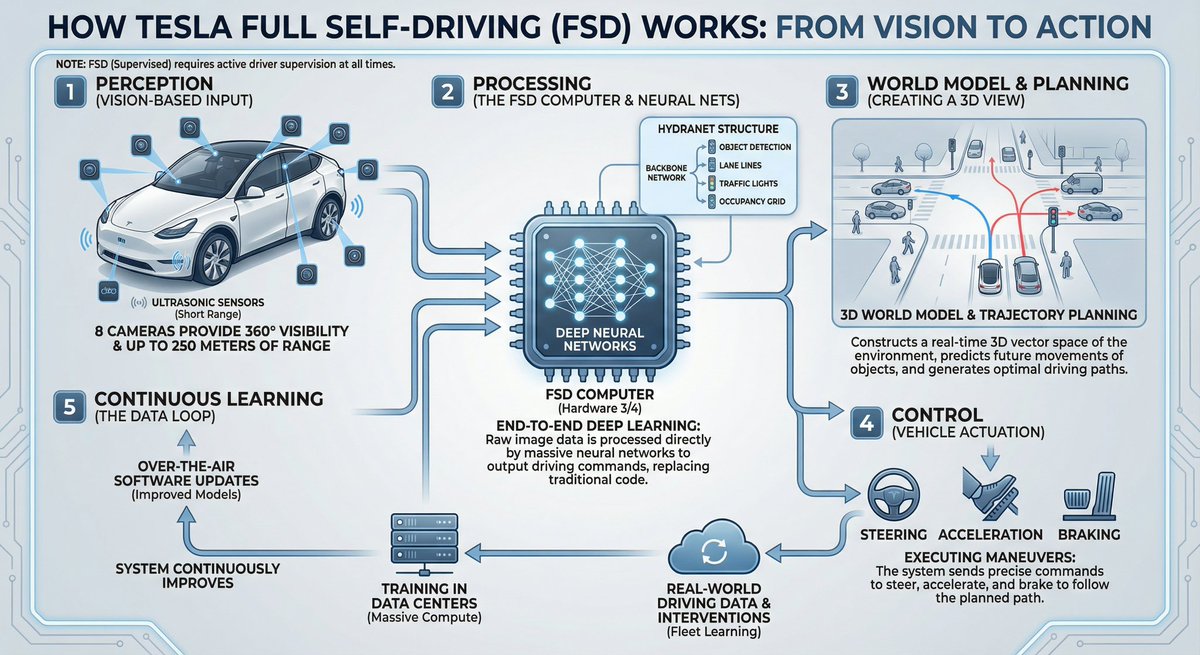
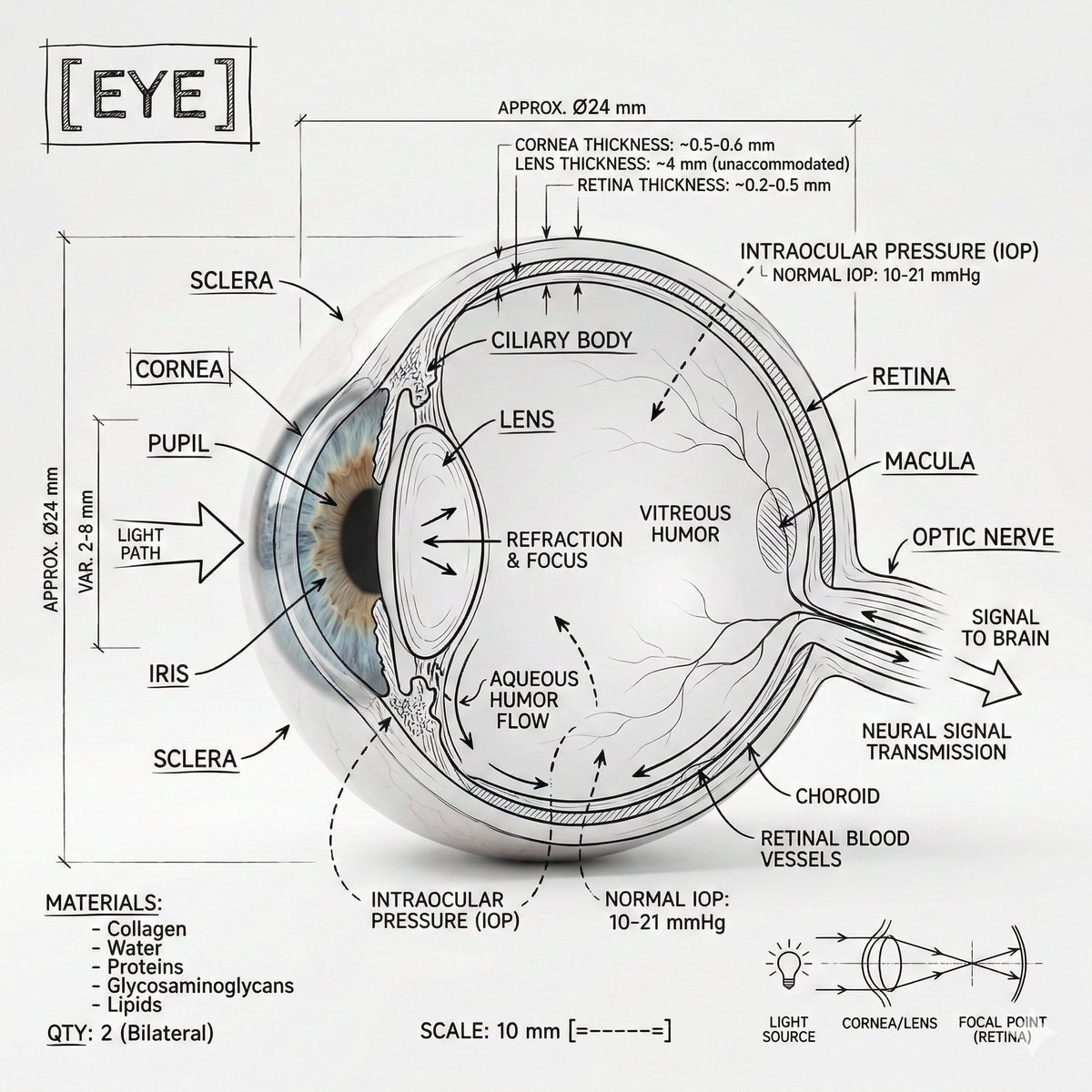
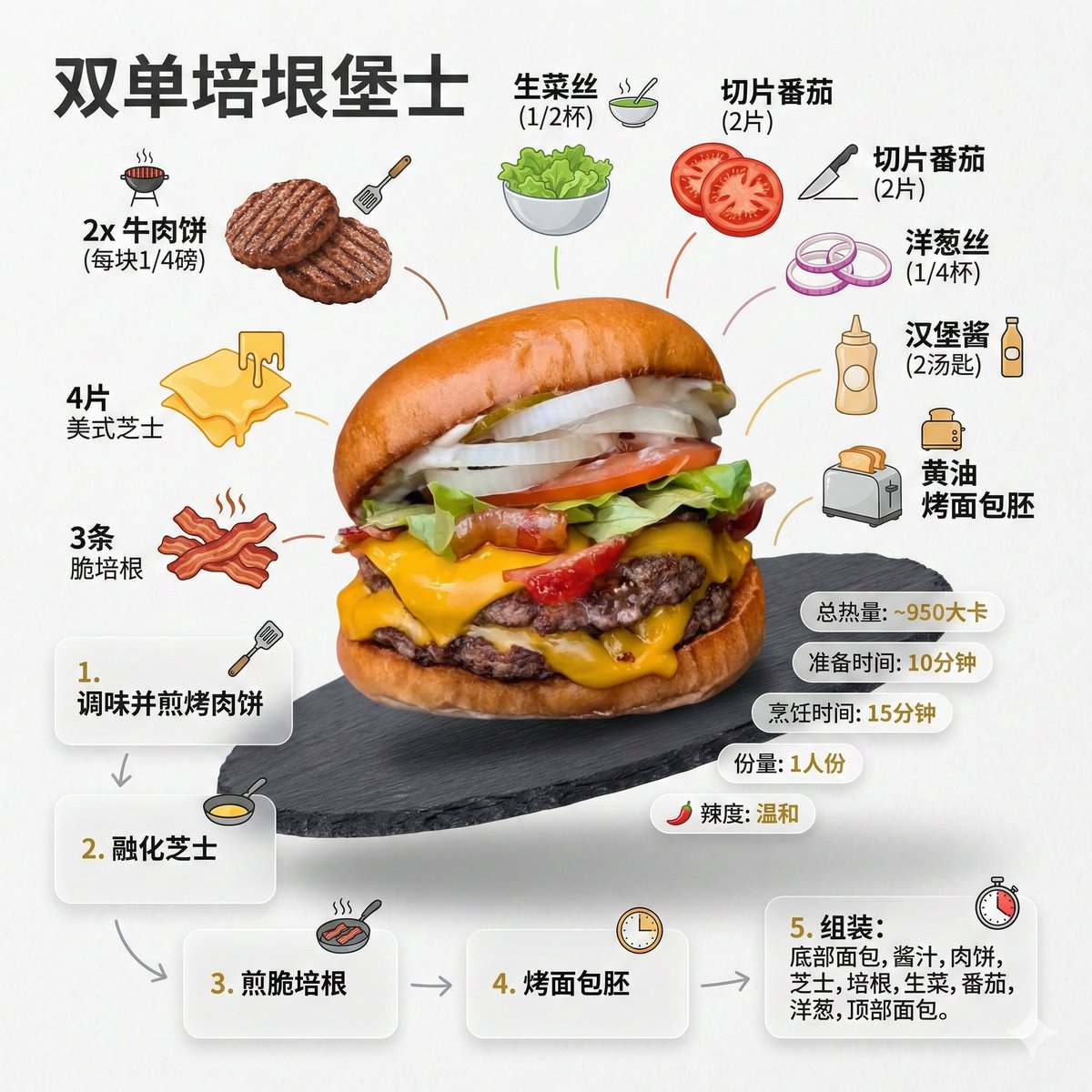
Three-Panel AI Image Quality Comparison
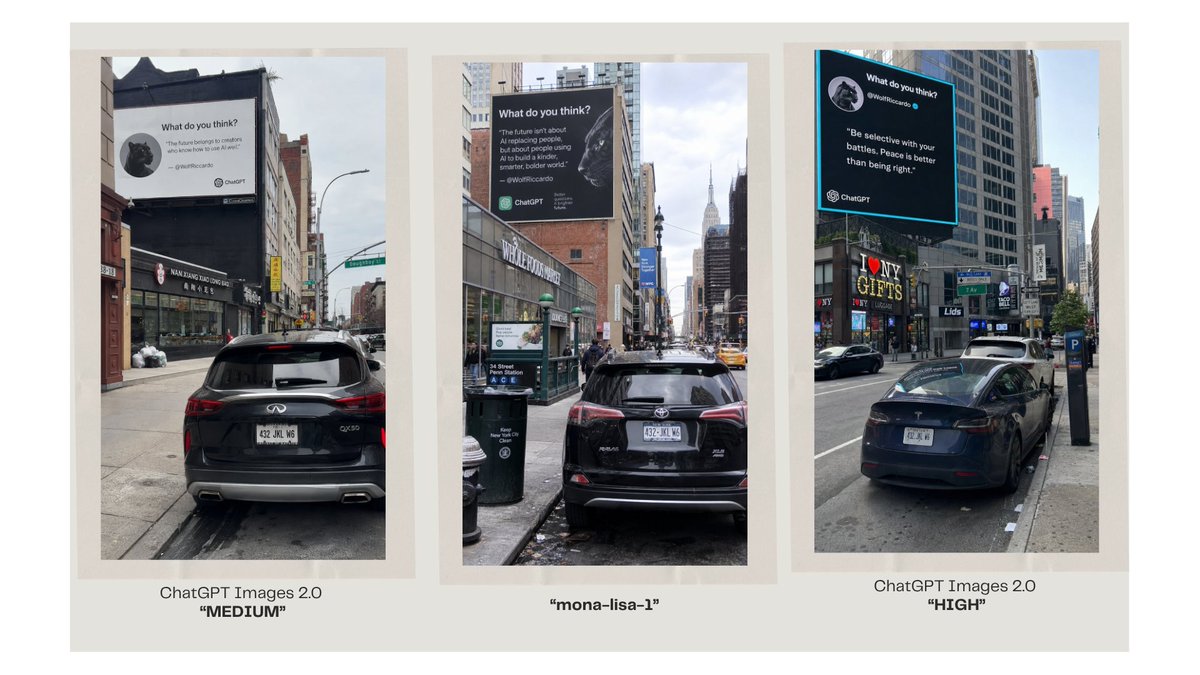
Three-Panel AI Image Quality Comparison

prompt

Goal: Create a clean side-by-side comparison graphic showing three generated street-photo samples of urban billboard ads, comparing ChatGPT Images 2.0 quality settings with a checkpoint named mona-lisa-1. Canvas: Wide 16:9 landscape canvas with an off-white/light warm gray background and generous margins. Arrange exactly 3 vertical photo panels in a row, each framed by a pale beige border like printed photographs on a presentation slide. Layout: Use three evenly spaced portrait-oriented image panels. Each panel contains a realistic New York City street scene photographed from sidewalk or curb level, with cloudy daylight, tall buildings, parked cars, traffic, storefront signage, and a large elevated billboard ad near the top of the scene. Beneath each panel, add a centered caption in dark gray/black sans-serif type. Panel count and captions: There are exactly 3 panels. Left caption: “ChatGPT Images 2.0” on the first line and “MEDIUM” in bold quotation marks on the second line. Center caption: “mona-lisa-1” in bold quotation marks only. Right caption: “ChatGPT Images 2.0” on the first line and “HIGH” in bold quotation marks on the second line. Photo panel details: Left panel shows a black SUV parked in the foreground on a city street, Chinatown-like storefronts on the left, and a large black-and-white billboard above the storefront. Center panel shows a black Toyota RAV4 parked at the curb, a midtown Manhattan avenue with the Empire State Building visible in the distance, and a dark billboard mounted above a brick building. Right panel shows a black sedan parked at the curb, Times Square-style commercial buildings and signs including a bright “I ♥ NY GIFTS” storefront, and a large dark billboard with a cyan glowing border. Billboard content: Each billboard should resemble a ChatGPT social quote card with a circular avatar, the heading “What do you think?”, a short quote, a small handle line, and a ChatGPT logo/wordmark near the bottom. Keep the billboard text mostly legible but natural for a photographed street ad. Use the quote theme opinions about AI and the future. The right billboard should have the clearest high-contrast look with a cyan outline, the center should look moderately realistic, and the left should look slightly softer/noisier to imply quality differences. Visual style: Realistic smartphone street photography embedded in a minimal presentation comparison slide. Natural perspective, mild lens distortion, urban clutter, overcast sky, authentic road grime, parked vehicles, and realistic shadows. The overall slide should look like a model evaluation screenshot rather than a polished advertisement. Constraints: Use exactly 3 image panels and exactly 3 captions. Do not add extra panels, charts, icons, watermarks, or explanatory paragraphs. Keep the captions clean and centered under the photos.

Werkt met 20 modellen

  • Flux
  • Flux 2
  • Flux Kontext
  • GPT-4o Image
  • GPT Image
  • GPT Image 2
  • GPT Image 2.5
  • GPT Image 2.6
  • Grok Imagine
  • Ideogram V3
  • Imagen 4
  • Kling
  • +8 Meer

Wat deze prompt oplevert

Split-Page Coffee Shop Travel Journal Niet opgegeven gpt-image-2
Cute Chibi Characters in a Sweet Playful Moment Niet opgegeven gpt-image-2
Underground Train Yard Clash Anime Development Board Niet opgegeven gpt-image-2
Realistic Group Selfie with Smartphone Flash Effect Niet opgegeven nano-banana-pro
Exploded-View Structural Cutaway for Food Photography Niet opgegeven nano-banana-pro
Four Seasons Portrait Collage Niet opgegeven nano-banana-pro

Run deze prompt met de API

Het onderstaande verzoek stuurt deze prompt, met de standaardwaarden ingevuld, naar het eerste model waarop het draait. Verwissel de modelnaam voor een ander hierboven vermeld model.

prompt API-documentatie
/api/v1/gpt_image_2/text_to_image
curl -X POST https://runapi.ai/api/v1/gpt_image_2/text_to_image \
  -H "Authorization: Bearer $RUNAPI_API_KEY" \
  -H "Content-Type: application/json" \
  --data-binary @- <<'JSON'
{
  "model": "gpt-image-2",
  "prompt": "Goal: Create a clean side-by-side comparison graphic showing three generated street-photo samples of urban billboard ads, comparing ChatGPT Images 2.0 quality settings with a checkpoint named mona-lisa-1.\n\nCanvas: Wide 16:9 landscape canvas with an off-white/light warm gray background and generous margins. Arrange exactly 3 vertical photo panels in a row, each framed by a pale beige border like printed photographs on a presentation slide.\n\nLayout: Use three evenly spaced portrait-oriented image panels. Each panel contains a realistic New York City street scene photographed from sidewalk or curb level, with cloudy daylight, tall buildings, parked cars, traffic, storefront signage, and a large elevated billboard ad near the top of the scene. Beneath each panel, add a centered caption in dark gray/black sans-serif type.\n\nPanel count and captions: There are exactly 3 panels. Left caption: “ChatGPT Images 2.0” on the first line and “MEDIUM” in bold quotation marks on the second line. Center caption: “mona-lisa-1” in bold quotation marks only. Right caption: “ChatGPT Images 2.0” on the first line and “HIGH” in bold quotation marks on the second line.\n\nPhoto panel details: Left panel shows a black SUV parked in the foreground on a city street, Chinatown-like storefronts on the left, and a large black-and-white billboard above the storefront. Center panel shows a black Toyota RAV4 parked at the curb, a midtown Manhattan avenue with the Empire State Building visible in the distance, and a dark billboard mounted above a brick building. Right panel shows a black sedan parked at the curb, Times Square-style commercial buildings and signs including a bright “I ♥ NY GIFTS” storefront, and a large dark billboard with a cyan glowing border.\n\nBillboard content: Each billboard should resemble a ChatGPT social quote card with a circular avatar, the heading “What do you think?”, a short quote, a small handle line, and a ChatGPT logo/wordmark near the bottom. Keep the billboard text mostly legible but natural for a photographed street ad. Use the quote theme opinions about AI and the future. The right billboard should have the clearest high-contrast look with a cyan outline, the center should look moderately realistic, and the left should look slightly softer/noisier to imply quality differences.\n\nVisual style: Realistic smartphone street photography embedded in a minimal presentation comparison slide. Natural perspective, mild lens distortion, urban clutter, overcast sky, authentic road grime, parked vehicles, and realistic shadows. The overall slide should look like a model evaluation screenshot rather than a polished advertisement.\n\nConstraints: Use exactly 3 image panels and exactly 3 captions. Do not add extra panels, charts, icons, watermarks, or explanatory paragraphs. Keep the captions clean and centered under the photos."
}
JSON

Probeer a prompt

Schatting: $0.04 / afbeelding

Log in om te genereren met RunAPI.

Meld je aan om te genereren

Meld je aan om te beginnen met genereren met je beschikbare taalmodellen.