AI Chat Screenshot With Censored Women

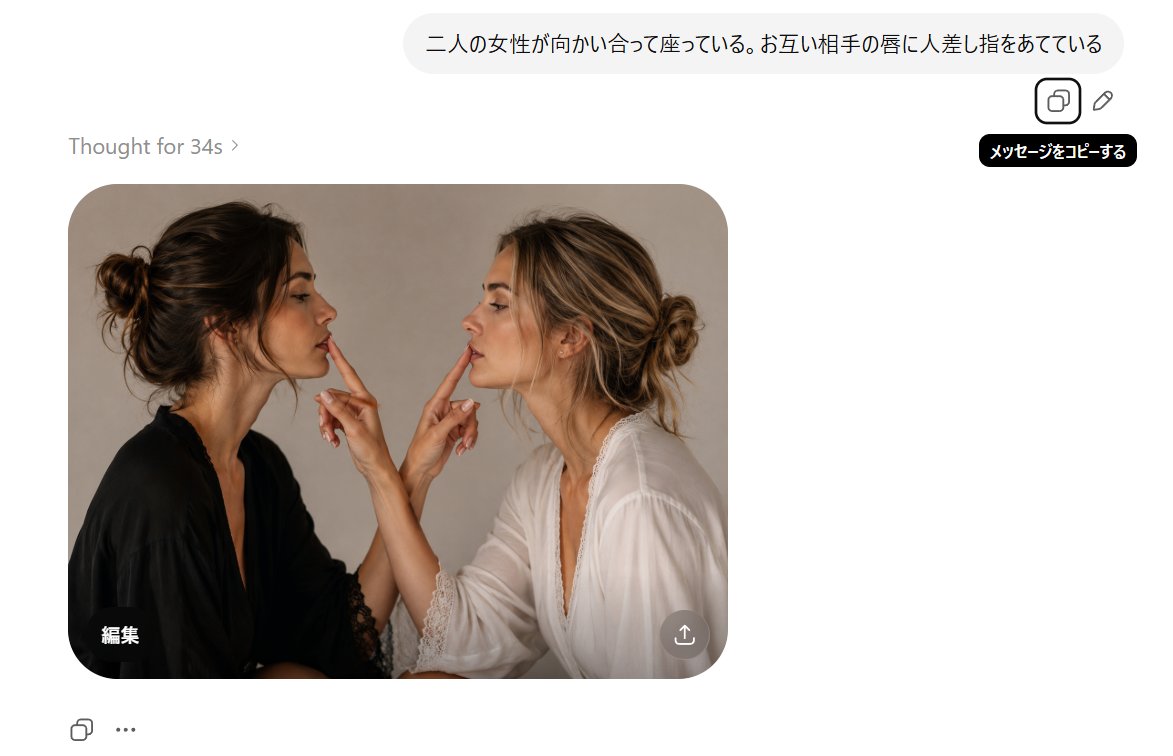
Generates a realistic AI image-generation interface screenshot featuring two censored women facing each other and touching fingers to each other’s lips.
AI Chat Screenshot With Censored Women

Prompt

Goal: Create a realistic screenshot-style image of a clean AI image generation chat interface showing a generated photo result. Canvas: Wide horizontal 16:9-ish white interface, approximately 1200×690 pixels, with lots of white space and a single generated image card on the left-center. Top prompt bubble: Place a rounded light-gray user message bubble near the top right containing Japanese text: 二人の女性が向かい合って座っている。お互い相手の唇に人差し指をあてている. To the right/below the bubble, show exactly 2 small outline action icons: a copy icon inside a rounded square and a pencil/edit icon. Add a black tooltip under the copy icon with white Japanese text: 「メッセージをコピーする」. Status text: On the left above the image card, write “Thought for 34s ›” in light gray. Generated image card: A large rounded-corner photo card positioned left-center. Inside it, depict exactly 2 adult women sitting face-to-face in a warm studio portrait, cropped from about mid-torso upward. The left woman has dark brown hair in a messy bun, wears a black robe or blouse with lace trim, and faces right in profile. The right woman has blonde-highlighted hair in a loose bun, wears a white robe or blouse with lace trim, and faces left in profile. They are very close together, each raising one hand so that exactly 2 index fingers are visible total: the left woman’s index finger touches or points toward the right woman’s lips, and the right woman’s index finger touches or points toward the left woman’s lips. Use soft natural lighting, beige-gray studio background, realistic skin and fabric detail. Cover each woman’s face with a vertical rectangular blur/mosaic censor block matching skin tones, exactly 2 censor blocks total, obscuring facial features while leaving hair and hands visible. Image-card overlays: In the bottom-left corner of the photo card, add the white Japanese label 「編集」. In the bottom-right corner of the photo card, add one semi-transparent circular download/share button with a white upward-arrow icon. Bottom interface controls: Below the image card on the left, show exactly 2 small controls: an outline copy/duplicate icon and a three-dot ellipsis icon. Visual style: Minimal modern web UI, white background, rounded corners, subtle shadows, muted gray typography, photorealistic generated image embedded inside the interface. Constraints: Keep all visible text exactly as specified, preserve the Japanese characters, do not add extra people, do not add extra fingers or UI buttons, and keep the faces censored with rectangular blur blocks.

Runs on 18 models

  • Flux
  • Flux 2
  • Flux Kontext
  • GPT-4o Image
  • GPT Image
  • GPT Image 2
  • GPT Image 2.5
  • Grok Imagine
  • Ideogram V3
  • Imagen 4
  • Midjourney
  • Nano Banana
  • +6 more

What this prompt produces

Realistic Group Selfie with Smartphone Flash Effect Not specified nano-banana-pro
Four Seasons Portrait Collage Not specified nano-banana-pro
Minimalist Dog Sketch Clipart Not specified nano-banana-pro
Mecha Girl figure concept generated by Nano Banana Pro Not specified nano-banana-pro
Candid Flash Photography: Chaotic Holiday Party (Duplicate) Not specified nano-banana-pro
Ethereal Floral Studio Portrait Not specified nano-banana-pro

Run this prompt with the API

The request below sends this prompt, with its default values filled in, to the first model it runs on. Swap the model name for any other model listed above.

Prompt API docs
/api/v1/gpt_image_2/text_to_image
curl -X POST https://runapi.ai/api/v1/gpt_image_2/text_to_image \
  -H "Authorization: Bearer $RUNAPI_API_KEY" \
  -H "Content-Type: application/json" \
  --data-binary @- <<'JSON'
{
  "model": "gpt-image-2",
  "prompt": "Goal: Create a realistic screenshot-style image of a clean AI image generation chat interface showing a generated photo result.\n\nCanvas: Wide horizontal 16:9-ish white interface, approximately 1200×690 pixels, with lots of white space and a single generated image card on the left-center.\n\nTop prompt bubble: Place a rounded light-gray user message bubble near the top right containing Japanese text: 二人の女性が向かい合って座っている。お互い相手の唇に人差し指をあてている. To the right/below the bubble, show exactly 2 small outline action icons: a copy icon inside a rounded square and a pencil/edit icon. Add a black tooltip under the copy icon with white Japanese text: 「メッセージをコピーする」.\n\nStatus text: On the left above the image card, write “Thought for 34s ›” in light gray.\n\nGenerated image card: A large rounded-corner photo card positioned left-center. Inside it, depict exactly 2 adult women sitting face-to-face in a warm studio portrait, cropped from about mid-torso upward. The left woman has dark brown hair in a messy bun, wears a black robe or blouse with lace trim, and faces right in profile. The right woman has blonde-highlighted hair in a loose bun, wears a white robe or blouse with lace trim, and faces left in profile. They are very close together, each raising one hand so that exactly 2 index fingers are visible total: the left woman’s index finger touches or points toward the right woman’s lips, and the right woman’s index finger touches or points toward the left woman’s lips. Use soft natural lighting, beige-gray studio background, realistic skin and fabric detail. Cover each woman’s face with a vertical rectangular blur/mosaic censor block matching skin tones, exactly 2 censor blocks total, obscuring facial features while leaving hair and hands visible.\n\nImage-card overlays: In the bottom-left corner of the photo card, add the white Japanese label 「編集」. In the bottom-right corner of the photo card, add one semi-transparent circular download/share button with a white upward-arrow icon.\n\nBottom interface controls: Below the image card on the left, show exactly 2 small controls: an outline copy/duplicate icon and a three-dot ellipsis icon.\n\nVisual style: Minimal modern web UI, white background, rounded corners, subtle shadows, muted gray typography, photorealistic generated image embedded inside the interface.\n\nConstraints: Keep all visible text exactly as specified, preserve the Japanese characters, do not add extra people, do not add extra fingers or UI buttons, and keep the faces censored with rectangular blur blocks."
}
JSON

Try a prompt

Estimated: $0.04 / image

Sign in to generate with RunAPI.

Sign in to generate

Sign in to start generating with your available language models.

















