ChatGPT App Cat Story Screenshot

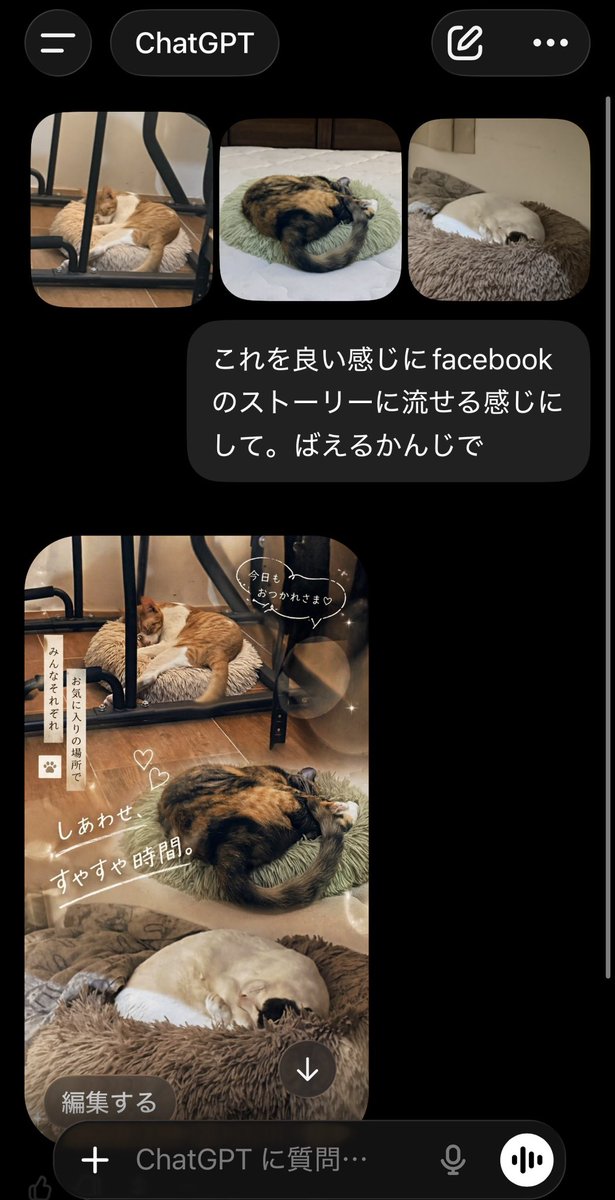
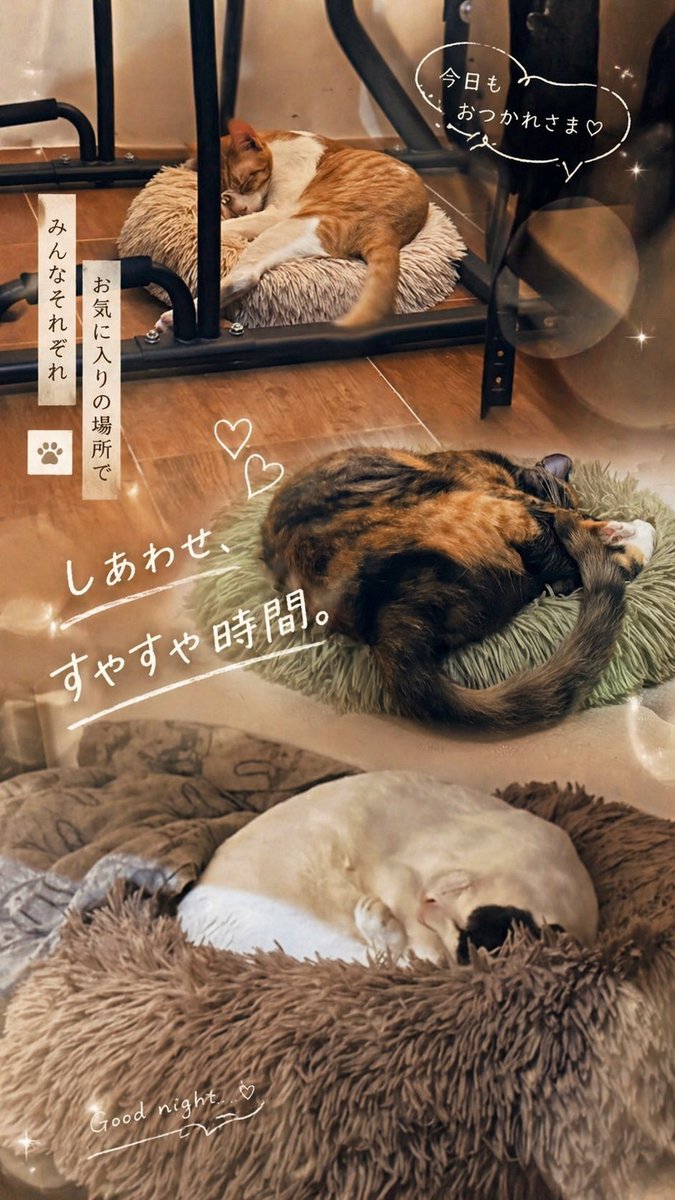
A realistic mobile app screenshot showing ChatGPT turning three cat photos into a cozy Japanese Facebook Story collage, useful for mockups, social media demos, and UI concept visuals.
ChatGPT App Cat Story Screenshot

Prompt

A realistic smartphone screenshot of the ChatGPT mobile app in dark mode, shown on a black background with iOS-style UI. At the top, display a header with a hamburger menu icon on the left, a rounded tab labeled "ChatGPT" in the center, and two icons on the right: a compose icon and a three-dot menu. Below that, show a row of exactly 3 rounded-corner photo thumbnails of sleeping cats: first, an orange-and-white cat sleeping on a fluffy cushion under a black metal chair frame on a wooden floor; second, a calico cat curled tightly on a pale green round cushion on a bed; third, a cream-colored cat curled up asleep in a brown plush pet bed. Under the thumbnails, place a dark gray chat bubble with white Japanese text that says: "これを良い感じにfacebookのストーリーに流せる感じにして。ばえるかんじで". Beneath the message, show the generated image as a tall vertical Facebook-story-style collage using the same 3 cat photos blended into one warm, cozy composition. The top section features the orange-and-white cat under the chair, the middle section features the curled calico cat, and the bottom section features the cream-colored cat in the fluffy bed. Apply soft beige and brown tones, dreamy lighting, light bokeh circles, subtle sparkles, and a gentle lifestyle aesthetic. Add cute handwritten-style Japanese overlay text and stickers across the collage: a speech bubble near the top saying "今日も おつかれさま♡", a vertical note on the left reading "みんなそれぞれ お気に入りの場所で", two small heart doodles near the center, and a large diagonal caption reading "しあわせ すやすや時間。". At the bottom-left of the generated image, overlay a rounded dark button labeled "編集する", and near the bottom-center place a circular download icon with a downward arrow. At the very bottom of the screen, include the ChatGPT input bar with a plus icon, placeholder text "ChatGPT に質問…", a microphone icon, and a circular voice button. Make the overall image look like an authentic captured app screen, vertically oriented, with a thin white scroll bar visible along the right edge.

Runs on 18 models

  • Flux
  • Flux 2
  • Flux Kontext
  • GPT-4o Image
  • GPT Image
  • GPT Image 2
  • GPT Image 2.5
  • Grok Imagine
  • Ideogram V3
  • Imagen 4
  • Midjourney
  • Nano Banana
  • +6 more

What this prompt produces

Realistic Group Selfie with Smartphone Flash Effect Not specified nano-banana-pro
Four Seasons Portrait Collage Not specified nano-banana-pro
Minimalist Dog Sketch Clipart Not specified nano-banana-pro
Mecha Girl figure concept generated by Nano Banana Pro Not specified nano-banana-pro
Candid Flash Photography: Chaotic Holiday Party (Duplicate) Not specified nano-banana-pro
Ethereal Floral Studio Portrait Not specified nano-banana-pro

Run this prompt with the API

The request below sends this prompt, with its default values filled in, to the first model it runs on. Swap the model name for any other model listed above.

Prompt API docs
/api/v1/gpt_image_2/text_to_image
curl -X POST https://runapi.ai/api/v1/gpt_image_2/text_to_image \
  -H "Authorization: Bearer $RUNAPI_API_KEY" \
  -H "Content-Type: application/json" \
  --data-binary @- <<'JSON'
{
  "model": "gpt-image-2",
  "prompt": "A realistic smartphone screenshot of the ChatGPT mobile app in dark mode, shown on a black background with iOS-style UI. At the top, display a header with a hamburger menu icon on the left, a rounded tab labeled \"ChatGPT\" in the center, and two icons on the right: a compose icon and a three-dot menu. Below that, show a row of exactly 3 rounded-corner photo thumbnails of sleeping cats: first, an orange-and-white cat sleeping on a fluffy cushion under a black metal chair frame on a wooden floor; second, a calico cat curled tightly on a pale green round cushion on a bed; third, a cream-colored cat curled up asleep in a brown plush pet bed. Under the thumbnails, place a dark gray chat bubble with white Japanese text that says: \"これを良い感じにfacebookのストーリーに流せる感じにして。ばえるかんじで\". Beneath the message, show the generated image as a tall vertical Facebook-story-style collage using the same 3 cat photos blended into one warm, cozy composition. The top section features the orange-and-white cat under the chair, the middle section features the curled calico cat, and the bottom section features the cream-colored cat in the fluffy bed. Apply soft beige and brown tones, dreamy lighting, light bokeh circles, subtle sparkles, and a gentle lifestyle aesthetic. Add cute handwritten-style Japanese overlay text and stickers across the collage: a speech bubble near the top saying \"今日も おつかれさま♡\", a vertical note on the left reading \"みんなそれぞれ お気に入りの場所で\", two small heart doodles near the center, and a large diagonal caption reading \"しあわせ すやすや時間。\". At the bottom-left of the generated image, overlay a rounded dark button labeled \"編集する\", and near the bottom-center place a circular download icon with a downward arrow. At the very bottom of the screen, include the ChatGPT input bar with a plus icon, placeholder text \"ChatGPT に質問…\", a microphone icon, and a circular voice button. Make the overall image look like an authentic captured app screen, vertically oriented, with a thin white scroll bar visible along the right edge."
}
JSON

Try a prompt

Estimated: $0.04 / image

Sign in to generate with RunAPI.

Sign in to generate

Sign in to start generating with your available language models.

















