Mecha Toy to Anime Gijinka

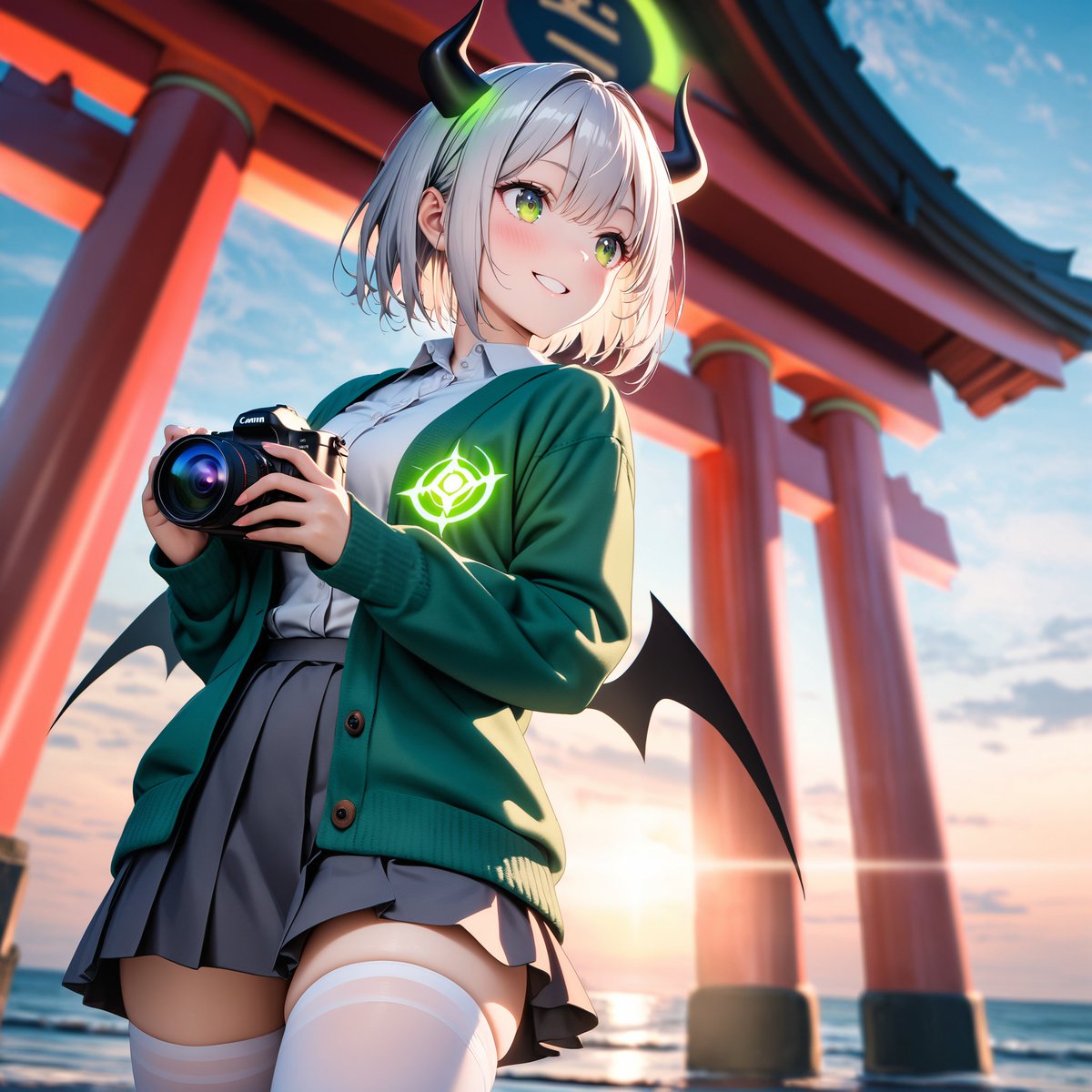
Transforms a robot model reference into a cinematic anime gijinka character with shrine scenery, camera prop, horns, wings, and a face censor block.
Mecha Toy to Anime Gijinka

Prompt

Using REFERENCE_0 as the design motif, transform the robot model into a cute anime-style gijinka girl while keeping only the recognizable color inspiration and mecha identity: deep green/brown outerwear, tan/gray uniform tones, claw/monster-like silhouette cues, and a glowing mono-eye-style emblem. Replace the toy/table setting with a dramatic outdoor scene at a seaside shrine during sunset, with large red torii gate pillars behind her and the ocean horizon visible. Add a handheld black Canon-style camera in her hands as if she is taking photos. Give the character exactly 2 black curved horns with neon green glow accents, exactly 2 small black bat-like wings, short white/silver hair, a green cardigan over a white shirt and gray pleated skirt, white thigh-high socks, and a glowing green emblem on the cardigan chest. Cover the character's face with a plain beige square censor block so facial features are hidden. Render as polished high-detail anime illustration with cinematic lighting, low-angle composition, vivid colors, shallow depth of field, and no visible toy/plastic texture. Optional customization: cute anime gijinka girl, seaside shrine with red torii gates at sunset, black Canon-style camera, neon green, plain beige square covering the face.

Runs on 18 models

  • Flux
  • Flux 2
  • Flux Kontext
  • GPT-4o Image
  • GPT Image
  • GPT Image 2
  • GPT Image 2.5
  • Grok Imagine
  • Ideogram V3
  • Imagen 4
  • Midjourney
  • Nano Banana
  • +6 more

What this prompt produces

咖啡馆旅行手账分栏页 Not specified gpt-image-2
日系 Chibi 互动小插画 Not specified gpt-image-2
动漫动作短片设定分镜板 Not specified gpt-image-2
Realistic Group Selfie with Smartphone Flash Effect Not specified nano-banana-pro
Four Seasons Portrait Collage Not specified nano-banana-pro
Minimalist Dog Sketch Clipart Not specified nano-banana-pro

Run this prompt with the API

The request below sends this prompt, with its default values filled in, to the first model it runs on. Swap the model name for any other model listed above.

Prompt API docs
/api/v1/gpt_image_2/text_to_image
curl -X POST https://runapi.ai/api/v1/gpt_image_2/text_to_image \
  -H "Authorization: Bearer $RUNAPI_API_KEY" \
  -H "Content-Type: application/json" \
  --data-binary @- <<'JSON'
{
  "model": "gpt-image-2",
  "prompt": "Using REFERENCE_0 as the design motif, transform the robot model into a cute anime-style gijinka girl while keeping only the recognizable color inspiration and mecha identity: deep green/brown outerwear, tan/gray uniform tones, claw/monster-like silhouette cues, and a glowing mono-eye-style emblem. Replace the toy/table setting with a dramatic outdoor scene at a seaside shrine during sunset, with large red torii gate pillars behind her and the ocean horizon visible. Add a handheld black Canon-style camera in her hands as if she is taking photos. Give the character exactly 2 black curved horns with neon green glow accents, exactly 2 small black bat-like wings, short white/silver hair, a green cardigan over a white shirt and gray pleated skirt, white thigh-high socks, and a glowing green emblem on the cardigan chest. Cover the character's face with a plain beige square censor block so facial features are hidden. Render as polished high-detail anime illustration with cinematic lighting, low-angle composition, vivid colors, shallow depth of field, and no visible toy/plastic texture. Optional customization: cute anime gijinka girl, seaside shrine with red torii gates at sunset, black Canon-style camera, neon green, plain beige square covering the face."
}
JSON

Try a prompt

Estimated: $0.04 / image

Sign in to generate with RunAPI.

Sign in to generate

Sign in to start generating with your available language models.