Sam Altman Transparent Background UI

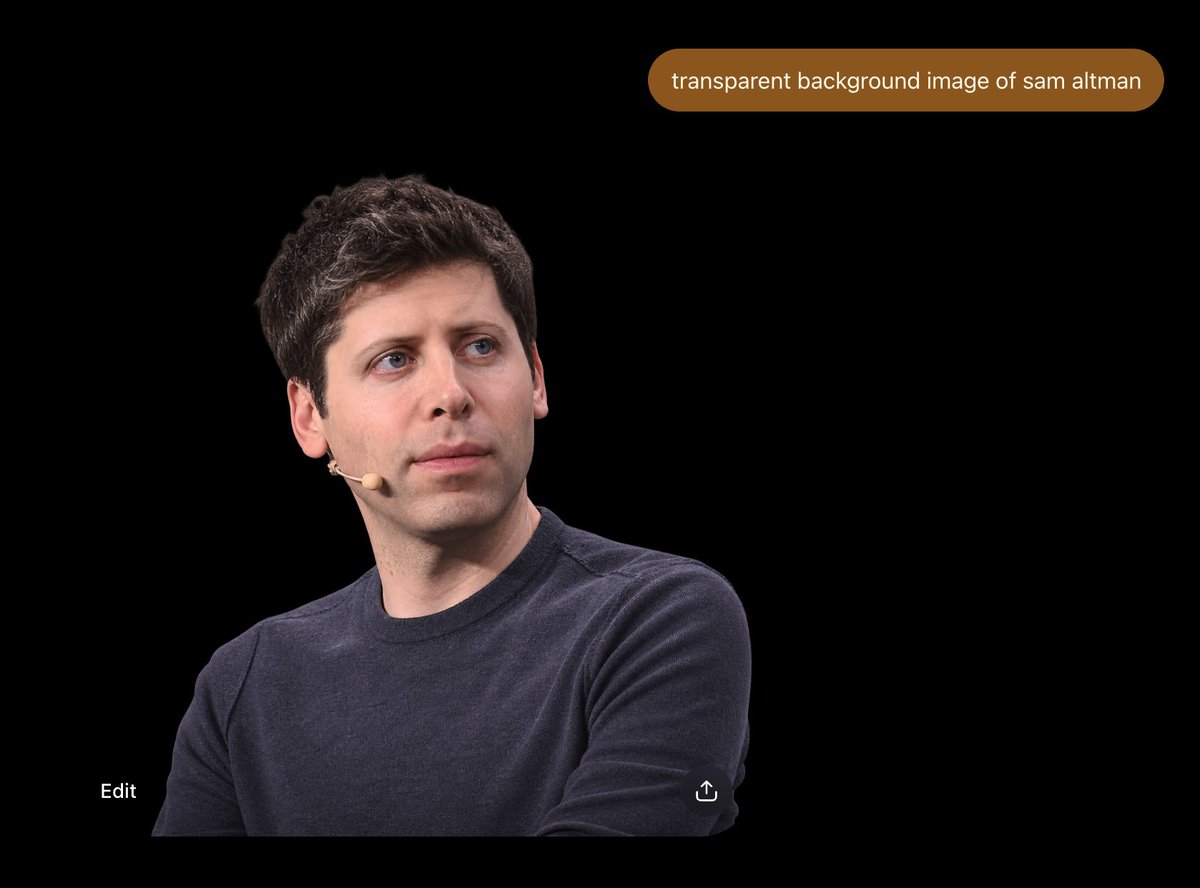
A dark ChatGPT-style interface mockup showing a photorealistic Sam Altman cutout and a prompt bubble about transparent background generation.
Sam Altman Transparent Background UI

Prompt

Create a 4:3 widescreen screenshot-style image on a pure black canvas, resembling a dark ChatGPT image result view. Place one photorealistic cutout portrait of Sam Altman in the lower-left quadrant, cropped from mid-torso upward, wearing a dark navy crewneck sweater and a small beige headset microphone on his left cheek, with short dark wavy hair, pale skin, blue eyes, and a neutral thoughtful expression while looking slightly up and to the right. The subject should occupy roughly the lower-left half of the frame, with clean edges as if isolated from a transparent-background image but displayed over black. Near the top-right, add one rounded pill-shaped brown chat prompt bubble containing exactly the white lowercase text “transparent background image of sam altman”. Include exactly two small UI elements near the bottom: the word “Edit” in white at bottom-left, and a small white share/upload icon near the bottom-center-right. Keep the composition sparse, with no other people, no extra text, no watermark, and a realistic photo cutout aesthetic against the empty black interface.

Runs on 18 models

  • Flux
  • Flux 2
  • Flux Kontext
  • GPT-4o Image
  • GPT Image
  • GPT Image 2
  • GPT Image 2.5
  • Grok Imagine
  • Ideogram V3
  • Imagen 4
  • Midjourney
  • Nano Banana
  • +6 more

What this prompt produces

Realistic Group Selfie with Smartphone Flash Effect Not specified nano-banana-pro
Four Seasons Portrait Collage Not specified nano-banana-pro
Minimalist Dog Sketch Clipart Not specified nano-banana-pro
Mecha Girl figure concept generated by Nano Banana Pro Not specified nano-banana-pro
Candid Flash Photography: Chaotic Holiday Party (Duplicate) Not specified nano-banana-pro
Ethereal Floral Studio Portrait Not specified nano-banana-pro

Run this prompt with the API

The request below sends this prompt, with its default values filled in, to the first model it runs on. Swap the model name for any other model listed above.

Prompt API docs
/api/v1/gpt_image_2/text_to_image
curl -X POST https://runapi.ai/api/v1/gpt_image_2/text_to_image \
  -H "Authorization: Bearer $RUNAPI_API_KEY" \
  -H "Content-Type: application/json" \
  --data-binary @- <<'JSON'
{
  "model": "gpt-image-2",
  "prompt": "Create a 4:3 widescreen screenshot-style image on a pure black canvas, resembling a dark ChatGPT image result view. Place one photorealistic cutout portrait of Sam Altman in the lower-left quadrant, cropped from mid-torso upward, wearing a dark navy crewneck sweater and a small beige headset microphone on his left cheek, with short dark wavy hair, pale skin, blue eyes, and a neutral thoughtful expression while looking slightly up and to the right. The subject should occupy roughly the lower-left half of the frame, with clean edges as if isolated from a transparent-background image but displayed over black. Near the top-right, add one rounded pill-shaped brown chat prompt bubble containing exactly the white lowercase text “transparent background image of sam altman”. Include exactly two small UI elements near the bottom: the word “Edit” in white at bottom-left, and a small white share/upload icon near the bottom-center-right. Keep the composition sparse, with no other people, no extra text, no watermark, and a realistic photo cutout aesthetic against the empty black interface."
}
JSON

Try a prompt

Estimated: $0.04 / image

Sign in to generate with RunAPI.

Sign in to generate

Sign in to start generating with your available language models.

















