Claude Code Japanese Hero Ad

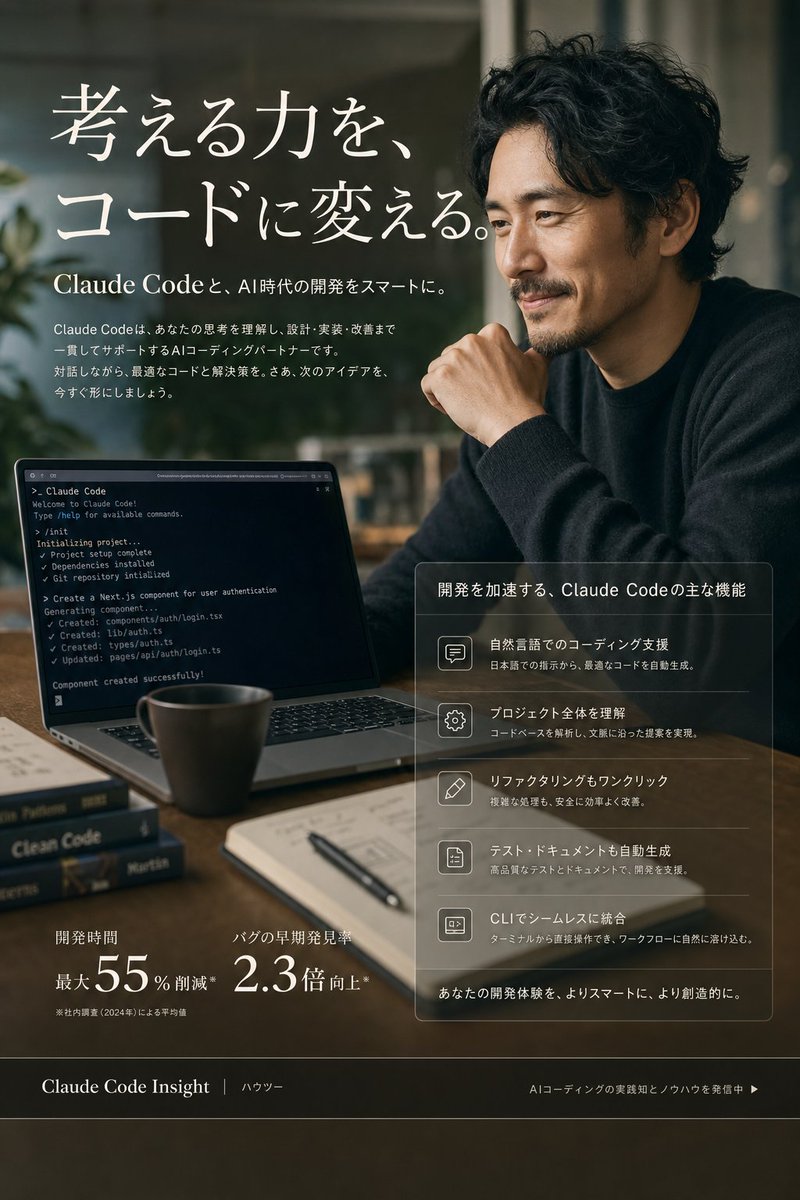
A polished Japanese marketing hero image for Claude Code with a cinematic developer workspace, feature panel, and performance metrics.
Claude Code Japanese Hero Ad

Prompt

Goal: Create a premium vertical Japanese landing-page hero visual for Claude Code, presenting AI coding support as smart, calm, and professional. Canvas: Portrait 3:4 composition, approximately 768×1152. Photorealistic editorial advertising style with subtle UI overlay elements, cinematic shallow depth of field, warm dark green and brown tones, soft window light, elegant contrast, no cartoon look. Main scene: A modern work desk in a dim cafe or studio office. On the right, show one Japanese or East Asian adult man in a dark knit sweater, seated in a thoughtful pose with one hand near his chin; his face is covered by a flat square anonymizing blur block. On the left foreground, show an open laptop angled toward the viewer displaying a dark terminal screen with Claude Code-style command output. Include exactly 5 visible desk objects: 1 ceramic coffee mug, 1 open notebook, 1 black pen, and 2 stacked programming books. The background should be softly blurred with plants and window reflections. Hero text: Large elegant white Japanese serif headline in the upper left: 「考える力を、コードに変える。」 Beneath it, add a smaller subheadline: 「Claude Codeと、AI時代の開発をスマートに。」 Add a short Japanese paragraph below explaining that Claude Code understands thinking and supports design, implementation, and improvement as an AI coding partner. Laptop detail: The terminal should show small readable English command-line lines suggesting project creation, dependency installation, git repository initialization, and generated components, ending with “Component created successfully!” Keep it realistic but not overly dominant. Right feature panel: Place a translucent glassmorphism rectangular panel in the lower right with thin white borders. Title: 「開発を加速する、Claude Codeの主な機能」 Include exactly 5 feature rows, each with a simple outlined icon on the left and Japanese text on the right: 1) speech bubble icon, 「自然言語でのコーディング支援」 with a note about generating optimal code from Japanese instructions; 2) gear icon, 「プロジェクト全体を理解」 with a note about analyzing codebases and proposing context-aware changes; 3) pencil icon, 「リファクタリングもワンクリック」 with a note about safely improving complex processes; 4) document icon, 「テスト・ドキュメントも自動生成」 with a note about supporting development through high-quality tests and documentation; 5) terminal icon, 「CLIでシームレスに統合」 with a note about integrating naturally into terminal workflows. At the bottom of the panel add: 「あなたの開発体験を、よりスマートに、より創造的に。」 Lower metrics: In the lower left, show exactly 2 statistic blocks in white: 1) 「開発時間」 with large “最大55%削減” and a tiny footnote; 2) 「バグの早期発見率」 with large “2.3倍向上*”. Footer bar: Add a dark translucent horizontal footer across the bottom. Left text: 「Claude Code Insight」 followed by 「ハウツー」. Right text: 「AIコーディングの実践知とノウハウを発信中 ▶」. Visual constraints: Use refined Japanese typography, large white headline, thin dividers, glass panels, and realistic reflections. Keep all visible text clean and aligned. Avoid extra logos, watermarks, random UI clutter, or additional feature rows.

Runs on 18 models

  • Flux
  • Flux 2
  • Flux Kontext
  • GPT-4o Image
  • GPT Image
  • GPT Image 2
  • GPT Image 2.5
  • Grok Imagine
  • Ideogram V3
  • Imagen 4
  • Midjourney
  • Nano Banana
  • +6 more

What this prompt produces

Realistic Group Selfie with Smartphone Flash Effect Not specified nano-banana-pro
Four Seasons Portrait Collage Not specified nano-banana-pro
Minimalist Dog Sketch Clipart Not specified nano-banana-pro
Mecha Girl figure concept generated by Nano Banana Pro Not specified nano-banana-pro
Candid Flash Photography: Chaotic Holiday Party (Duplicate) Not specified nano-banana-pro
Ethereal Floral Studio Portrait Not specified nano-banana-pro

Run this prompt with the API

The request below sends this prompt, with its default values filled in, to the first model it runs on. Swap the model name for any other model listed above.

Prompt API docs
/api/v1/gpt_image_2/text_to_image
curl -X POST https://runapi.ai/api/v1/gpt_image_2/text_to_image \
  -H "Authorization: Bearer $RUNAPI_API_KEY" \
  -H "Content-Type: application/json" \
  --data-binary @- <<'JSON'
{
  "model": "gpt-image-2",
  "prompt": "Goal: Create a premium vertical Japanese landing-page hero visual for Claude Code, presenting AI coding support as smart, calm, and professional.\n\nCanvas: Portrait 3:4 composition, approximately 768×1152. Photorealistic editorial advertising style with subtle UI overlay elements, cinematic shallow depth of field, warm dark green and brown tones, soft window light, elegant contrast, no cartoon look.\n\nMain scene: A modern work desk in a dim cafe or studio office. On the right, show one Japanese or East Asian adult man in a dark knit sweater, seated in a thoughtful pose with one hand near his chin; his face is covered by a flat square anonymizing blur block. On the left foreground, show an open laptop angled toward the viewer displaying a dark terminal screen with Claude Code-style command output. Include exactly 5 visible desk objects: 1 ceramic coffee mug, 1 open notebook, 1 black pen, and 2 stacked programming books. The background should be softly blurred with plants and window reflections.\n\nHero text: Large elegant white Japanese serif headline in the upper left: 「考える力を、コードに変える。」 Beneath it, add a smaller subheadline: 「Claude Codeと、AI時代の開発をスマートに。」 Add a short Japanese paragraph below explaining that Claude Code understands thinking and supports design, implementation, and improvement as an AI coding partner.\n\nLaptop detail: The terminal should show small readable English command-line lines suggesting project creation, dependency installation, git repository initialization, and generated components, ending with “Component created successfully!” Keep it realistic but not overly dominant.\n\nRight feature panel: Place a translucent glassmorphism rectangular panel in the lower right with thin white borders. Title: 「開発を加速する、Claude Codeの主な機能」 Include exactly 5 feature rows, each with a simple outlined icon on the left and Japanese text on the right: 1) speech bubble icon, 「自然言語でのコーディング支援」 with a note about generating optimal code from Japanese instructions; 2) gear icon, 「プロジェクト全体を理解」 with a note about analyzing codebases and proposing context-aware changes; 3) pencil icon, 「リファクタリングもワンクリック」 with a note about safely improving complex processes; 4) document icon, 「テスト・ドキュメントも自動生成」 with a note about supporting development through high-quality tests and documentation; 5) terminal icon, 「CLIでシームレスに統合」 with a note about integrating naturally into terminal workflows. At the bottom of the panel add: 「あなたの開発体験を、よりスマートに、より創造的に。」\n\nLower metrics: In the lower left, show exactly 2 statistic blocks in white: 1) 「開発時間」 with large “最大55%削減” and a tiny footnote; 2) 「バグの早期発見率」 with large “2.3倍向上*”.\n\nFooter bar: Add a dark translucent horizontal footer across the bottom. Left text: 「Claude Code Insight」 followed by 「ハウツー」. Right text: 「AIコーディングの実践知とノウハウを発信中 ▶」.\n\nVisual constraints: Use refined Japanese typography, large white headline, thin dividers, glass panels, and realistic reflections. Keep all visible text clean and aligned. Avoid extra logos, watermarks, random UI clutter, or additional feature rows."
}
JSON

Try a prompt

Estimated: $0.04 / image

Sign in to generate with RunAPI.

Sign in to generate

Sign in to start generating with your available language models.

















