Studio Fashion Portrait Character Swap

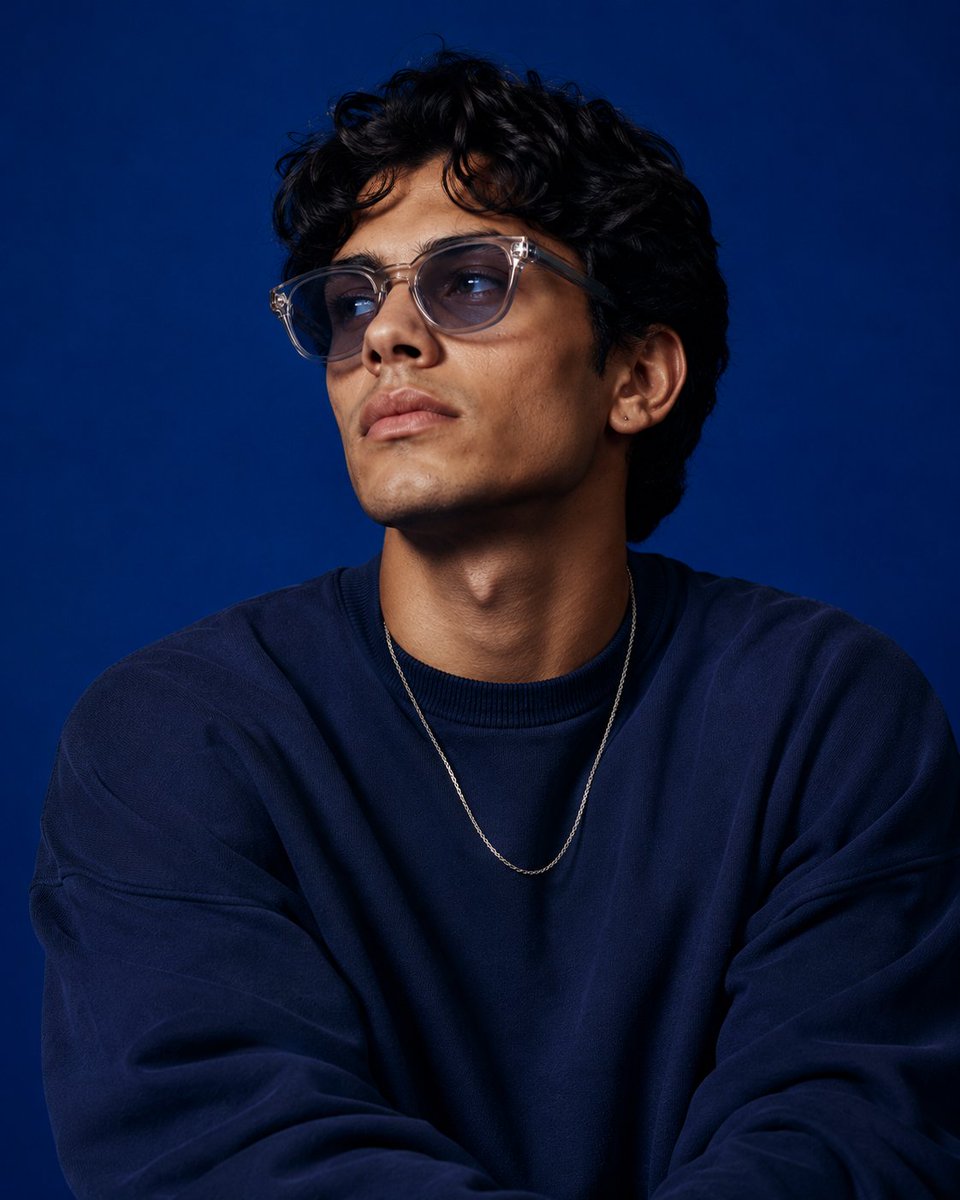
A sophisticated prompt for recreating a professional studio photoshoot, swapping a reference model with a specific character while preserving identity and lighting.
Studio Fashion Portrait Character Swap

Prompt

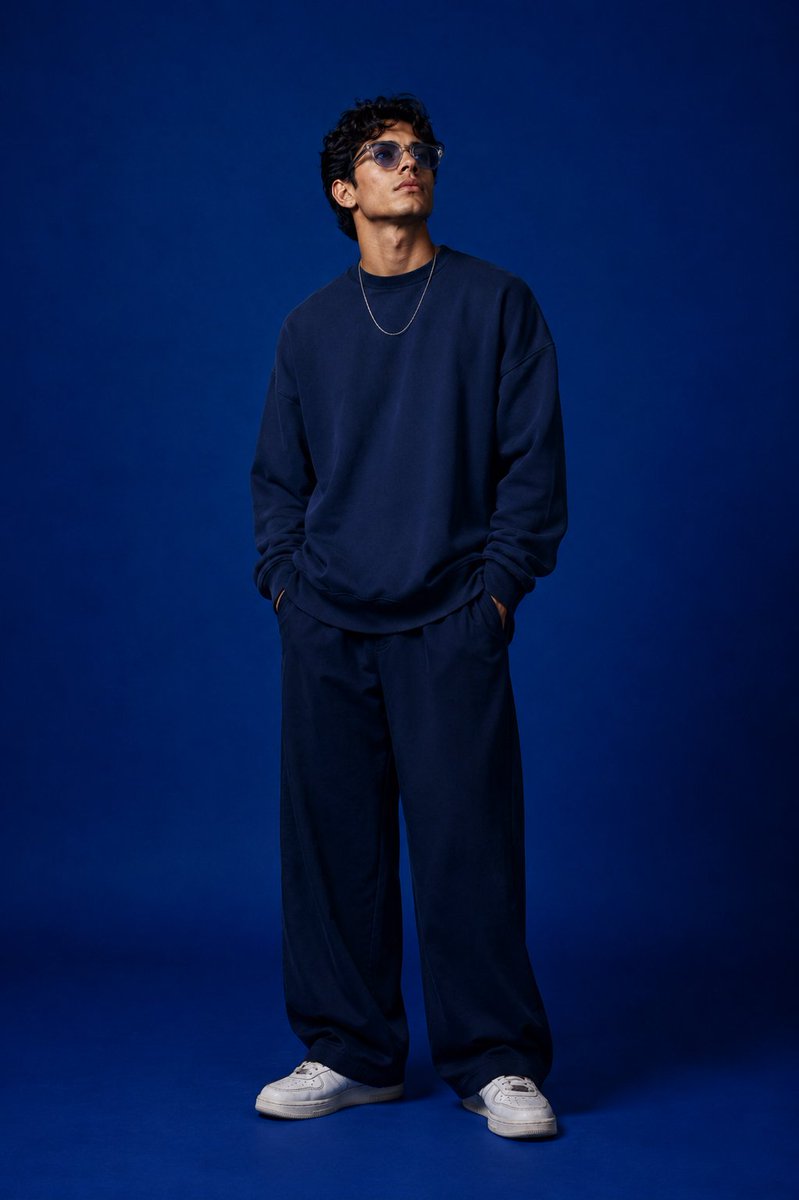
Create a high-end studio fashion portrait inspired by the uploaded blue-background reference photograph. Recreate the original composition with matching framing, focal length feel, camera position, subject scale, perspective, and overall visual balance while maintaining a realistic photographic appearance. Replace the reference model with the character from the supplied character image. Preserve the character's authentic facial identity, bone structure, skin tone, eye shape, hairstyle, proportions, and recognizable features. Avoid beautification that alters identity. The face should remain naturally expressive and true to the source character. Match the original body language closely: upper torso visible, shoulders relaxed, chin slightly elevated, eyes directed upward beyond the camera, conveying quiet confidence and contemplation. Maintain the same sense of presence and spatial positioning within the frame. Retain the rich cobalt-blue studio backdrop and the refined editorial atmosphere. Reproduce the original lighting setup with soft directional illumination, subtle facial highlights, realistic reflections on eyewear and jewelry, and smooth shadow transitions around the jawline, neck, and clothing folds. Preserve depth, dimensionality, and studio realism. Style the character in contemporary oversized street-fashion apparel. Use a premium relaxed-fit knit sweater or sweatshirt with natural fabric draping, layered with a minimalist chain necklace and lightly tinted translucent eyewear. The wardrobe may be customized to suit the character, but should maintain the same luxurious oversized silhouette and fashion-campaign aesthetic. Keep the image tightly composed with the same portrait crop and subject placement. Ensure identical camera-to-subject distance and visual weight in the frame. The final result should feel indistinguishable from a genuine professional photoshoot captured in this exact studio environment. Photorealistic editorial photography, luxury fashion campaign, cinematic studio portrait, premium streetwear styling, deep monochromatic blue backdrop, realistic skin texture, subtle film-grade contrast, detailed fabric rendering, natural lighting falloff, commercial advertising quality, shallow depth of field, magazine-cover aesthetics. Negative Prompt: Do not alter the background color or studio environment. Do not change the pose, framing, crop, perspective, subject distance, lighting direction, or gaze. Do not modify facial identity, facial proportions, skin tone, or hairstyle. Avoid excessive retouching, artificial skin smoothing, stylized illustration effects, exaggerated sharpening, extra accessories, text overlays, logos, watermarks, duplicate subjects, or unrealistic clothing physics.

Runs on 18 models

  • Flux
  • Flux 2
  • Flux Kontext
  • GPT-4o Image
  • GPT Image
  • GPT Image 2
  • GPT Image 2.5
  • Grok Imagine
  • Ideogram V3
  • Imagen 4
  • Midjourney
  • Nano Banana
  • +6 more

What this prompt produces

咖啡馆旅行手账分栏页 Not specified gpt-image-2
日系 Chibi 互动小插画 Not specified gpt-image-2
动漫动作短片设定分镜板 Not specified gpt-image-2
Realistic Group Selfie with Smartphone Flash Effect Not specified nano-banana-pro
Four Seasons Portrait Collage Not specified nano-banana-pro
Minimalist Dog Sketch Clipart Not specified nano-banana-pro

Run this prompt with the API

The request below sends this prompt, with its default values filled in, to the first model it runs on. Swap the model name for any other model listed above.

Prompt API docs
/api/v1/gpt_image_2/text_to_image
curl -X POST https://runapi.ai/api/v1/gpt_image_2/text_to_image \
  -H "Authorization: Bearer $RUNAPI_API_KEY" \
  -H "Content-Type: application/json" \
  --data-binary @- <<'JSON'
{
  "model": "gpt-image-2",
  "prompt": "Create a high-end studio fashion portrait inspired by the uploaded blue-background reference photograph. Recreate the original composition with matching framing, focal length feel, camera position, subject scale, perspective, and overall visual balance while maintaining a realistic photographic appearance.\n\nReplace the reference model with the character from the supplied character image. Preserve the character's authentic facial identity, bone structure, skin tone, eye shape, hairstyle, proportions, and recognizable features. Avoid beautification that alters identity. The face should remain naturally expressive and true to the source character.\n\nMatch the original body language closely: upper torso visible, shoulders relaxed, chin slightly elevated, eyes directed upward beyond the camera, conveying quiet confidence and contemplation. Maintain the same sense of presence and spatial positioning within the frame.\n\nRetain the rich cobalt-blue studio backdrop and the refined editorial atmosphere. Reproduce the original lighting setup with soft directional illumination, subtle facial highlights, realistic reflections on eyewear and jewelry, and smooth shadow transitions around the jawline, neck, and clothing folds. Preserve depth, dimensionality, and studio realism.\n\nStyle the character in contemporary oversized street-fashion apparel. Use a premium relaxed-fit knit sweater or sweatshirt with natural fabric draping, layered with a minimalist chain necklace and lightly tinted translucent eyewear. The wardrobe may be customized to suit the character, but should maintain the same luxurious oversized silhouette and fashion-campaign aesthetic.\n\nKeep the image tightly composed with the same portrait crop and subject placement. Ensure identical camera-to-subject distance and visual weight in the frame. The final result should feel indistinguishable from a genuine professional photoshoot captured in this exact studio environment.\n\nPhotorealistic editorial photography, luxury fashion campaign, cinematic studio portrait, premium streetwear styling, deep monochromatic blue backdrop, realistic skin texture, subtle film-grade contrast, detailed fabric rendering, natural lighting falloff, commercial advertising quality, shallow depth of field, magazine-cover aesthetics.\n\nNegative Prompt:\n\nDo not alter the background color or studio environment. Do not change the pose, framing, crop, perspective, subject distance, lighting direction, or gaze. Do not modify facial identity, facial proportions, skin tone, or hairstyle. Avoid excessive retouching, artificial skin smoothing, stylized illustration effects, exaggerated sharpening, extra accessories, text overlays, logos, watermarks, duplicate subjects, or unrealistic clothing physics."
}
JSON

Try a prompt

Estimated: $0.04 / image

Sign in to generate with RunAPI.

Sign in to generate

Sign in to start generating with your available language models.