Bear Mascot Editing UI Screenshot

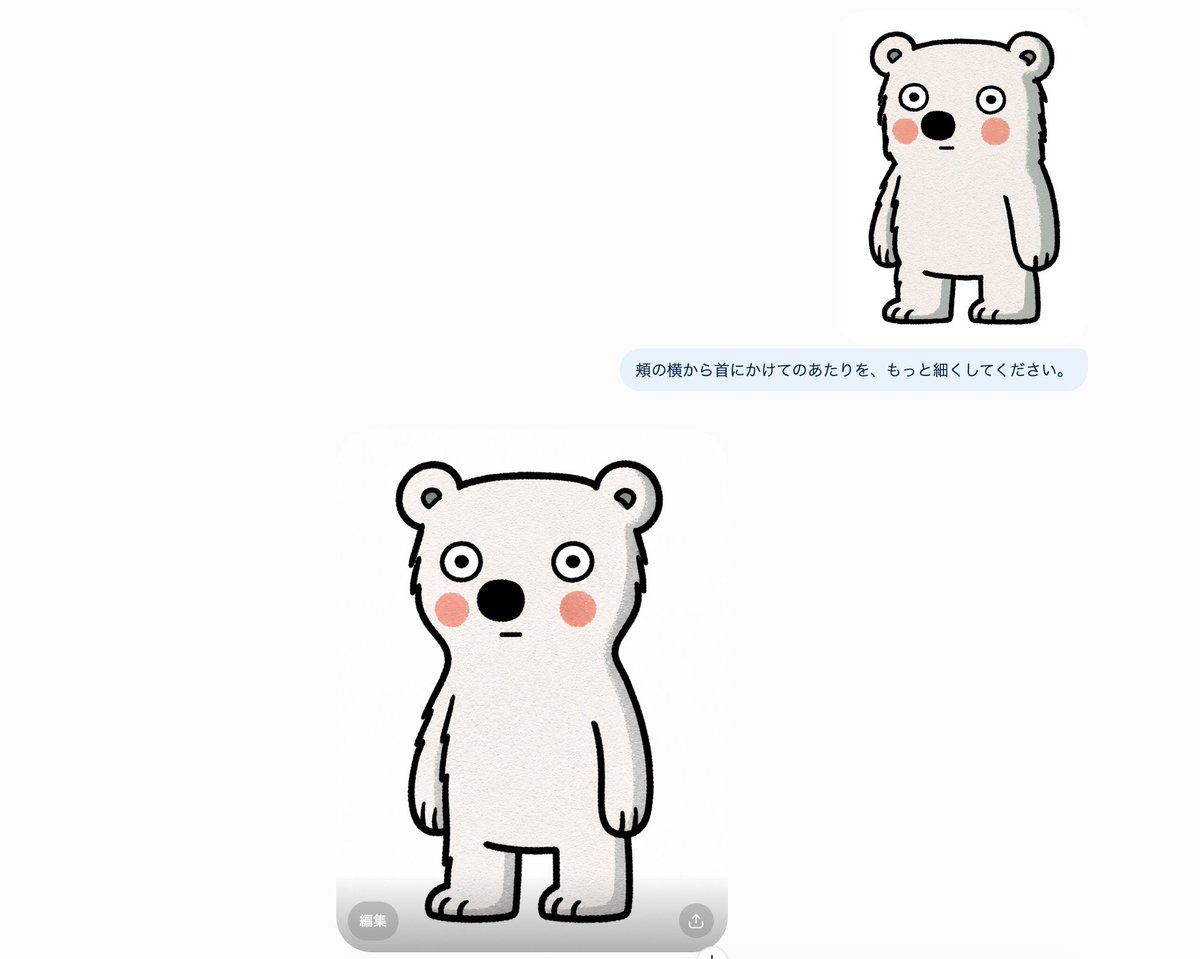
Generates a sparse Japanese AI-editing interface screenshot with two versions of a hand-drawn white bear mascot and one refinement instruction bubble.
Bear Mascot Editing UI Screenshot

Prompt

Goal: Create a clean screenshot-style composition showing an AI image-editing conversation about refining a simple mascot bear drawing. Canvas: Wide horizontal canvas, about 1200×960 px, with a very pale gray-white background and lots of empty space. The layout should feel like a cropped social-media or image-generation interface screenshot, not a polished poster. Layout: Include exactly 2 white rounded image cards containing the same minimalist bear character: 1 smaller card in the upper-right area and 1 larger card in the lower-left/center area. Place exactly 1 light-blue rounded chat bubble beneath the small upper-right card, horizontally centered under it. Add exactly 2 semi-transparent circular interface buttons over the bottom of the large card: 1 gray button at bottom-left labeled in Japanese and 1 small gray share/upload icon button at bottom-right. Text content: The single chat bubble should read 頬の横から首にかけてのあたりを、もっと細くしてください。. The bottom-left overlay button should read 「編集」. Do not add any other text. Subject details: The bear is a cute, simple, hand-drawn white bear mascot with a slightly awkward neutral expression. It stands upright facing forward with a thick black sketchy outline, rounded ears, small inner-ear marks, wide circular eyes with black pupils, a large black oval nose, a tiny straight mouth, pink circular blush cheeks, short arms hanging down, stubby legs, and small toe lines. The fur should be off-white with subtle paper-like texture and light gray shading along the right side. The larger lower bear should have a narrower neck and upper torso from cheek level down toward the shoulders, while still looking a little chunky and handmade. The smaller upper-right bear should appear as a prior version, slightly more compact and with a narrower body. Visual style: Minimal Japanese UI screenshot aesthetic, soft rounded corners, flat light-gray background, simple black marker line art, warm off-white paper texture inside the bear cards, no strong shadows except very subtle card separation. Keep the image sparse and asymmetrical, with the upper card far to the right and the larger card lower and more central-left. Constraints: Use exactly 2 bear drawings, exactly 1 chat bubble, and exactly 2 overlay buttons. Preserve the Japanese text exactly where specified. Avoid extra icons, watermarks, browser chrome, usernames, timestamps, or decorative elements.

Runs on 18 models

  • Flux
  • Flux 2
  • Flux Kontext
  • GPT-4o Image
  • GPT Image
  • GPT Image 2
  • GPT Image 2.5
  • Grok Imagine
  • Ideogram V3
  • Imagen 4
  • Midjourney
  • Nano Banana
  • +6 more

What this prompt produces

Realistic Group Selfie with Smartphone Flash Effect Not specified nano-banana-pro
Four Seasons Portrait Collage Not specified nano-banana-pro
Minimalist Dog Sketch Clipart Not specified nano-banana-pro
Mecha Girl figure concept generated by Nano Banana Pro Not specified nano-banana-pro
Candid Flash Photography: Chaotic Holiday Party (Duplicate) Not specified nano-banana-pro
Ethereal Floral Studio Portrait Not specified nano-banana-pro

Run this prompt with the API

The request below sends this prompt, with its default values filled in, to the first model it runs on. Swap the model name for any other model listed above.

Prompt API docs
/api/v1/gpt_image_2/text_to_image
curl -X POST https://runapi.ai/api/v1/gpt_image_2/text_to_image \
  -H "Authorization: Bearer $RUNAPI_API_KEY" \
  -H "Content-Type: application/json" \
  --data-binary @- <<'JSON'
{
  "model": "gpt-image-2",
  "prompt": "Goal: Create a clean screenshot-style composition showing an AI image-editing conversation about refining a simple mascot bear drawing.\n\nCanvas: Wide horizontal canvas, about 1200×960 px, with a very pale gray-white background and lots of empty space. The layout should feel like a cropped social-media or image-generation interface screenshot, not a polished poster.\n\nLayout: Include exactly 2 white rounded image cards containing the same minimalist bear character: 1 smaller card in the upper-right area and 1 larger card in the lower-left/center area. Place exactly 1 light-blue rounded chat bubble beneath the small upper-right card, horizontally centered under it. Add exactly 2 semi-transparent circular interface buttons over the bottom of the large card: 1 gray button at bottom-left labeled in Japanese and 1 small gray share/upload icon button at bottom-right.\n\nText content: The single chat bubble should read 頬の横から首にかけてのあたりを、もっと細くしてください。. The bottom-left overlay button should read 「編集」. Do not add any other text.\n\nSubject details: The bear is a cute, simple, hand-drawn white bear mascot with a slightly awkward neutral expression. It stands upright facing forward with a thick black sketchy outline, rounded ears, small inner-ear marks, wide circular eyes with black pupils, a large black oval nose, a tiny straight mouth, pink circular blush cheeks, short arms hanging down, stubby legs, and small toe lines. The fur should be off-white with subtle paper-like texture and light gray shading along the right side. The larger lower bear should have a narrower neck and upper torso from cheek level down toward the shoulders, while still looking a little chunky and handmade. The smaller upper-right bear should appear as a prior version, slightly more compact and with a narrower body.\n\nVisual style: Minimal Japanese UI screenshot aesthetic, soft rounded corners, flat light-gray background, simple black marker line art, warm off-white paper texture inside the bear cards, no strong shadows except very subtle card separation. Keep the image sparse and asymmetrical, with the upper card far to the right and the larger card lower and more central-left.\n\nConstraints: Use exactly 2 bear drawings, exactly 1 chat bubble, and exactly 2 overlay buttons. Preserve the Japanese text exactly where specified. Avoid extra icons, watermarks, browser chrome, usernames, timestamps, or decorative elements."
}
JSON

Try a prompt

Estimated: $0.04 / image

Sign in to generate with RunAPI.

Sign in to generate

Sign in to start generating with your available language models.

















