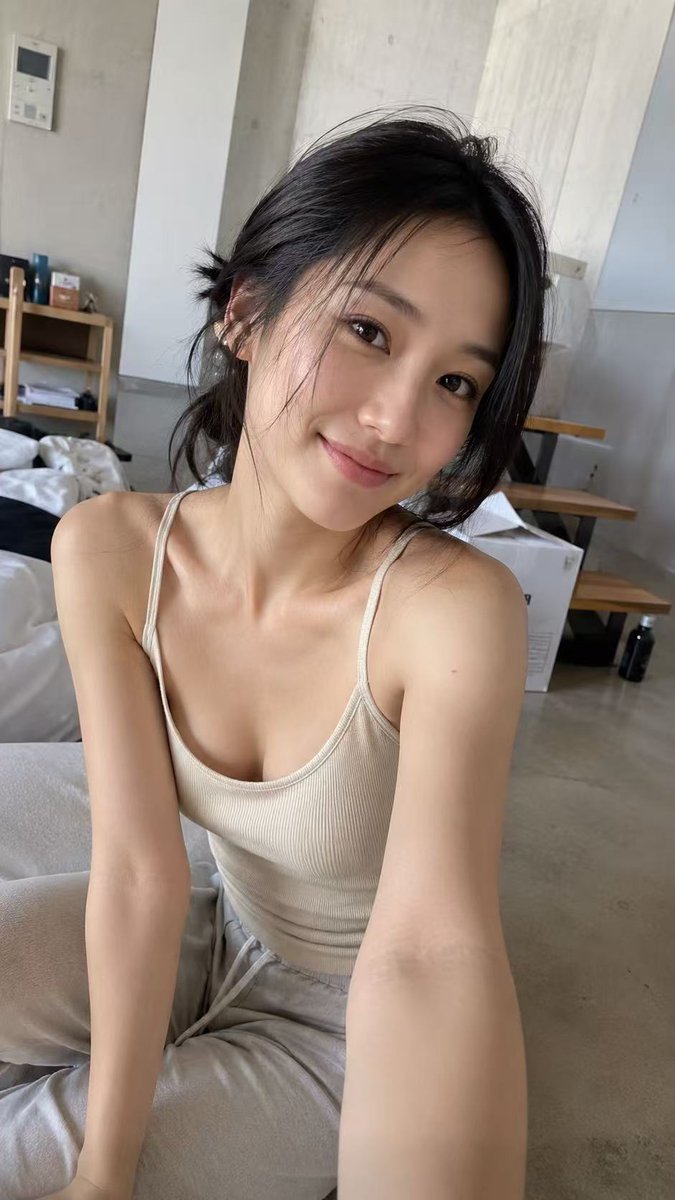
ChatGPT Mobile Photo Carousel Screenshot

Generates a realistic ChatGPT iPhone screenshot featuring a Chinese image prompt and a candid portrait result with thumbnail variations.
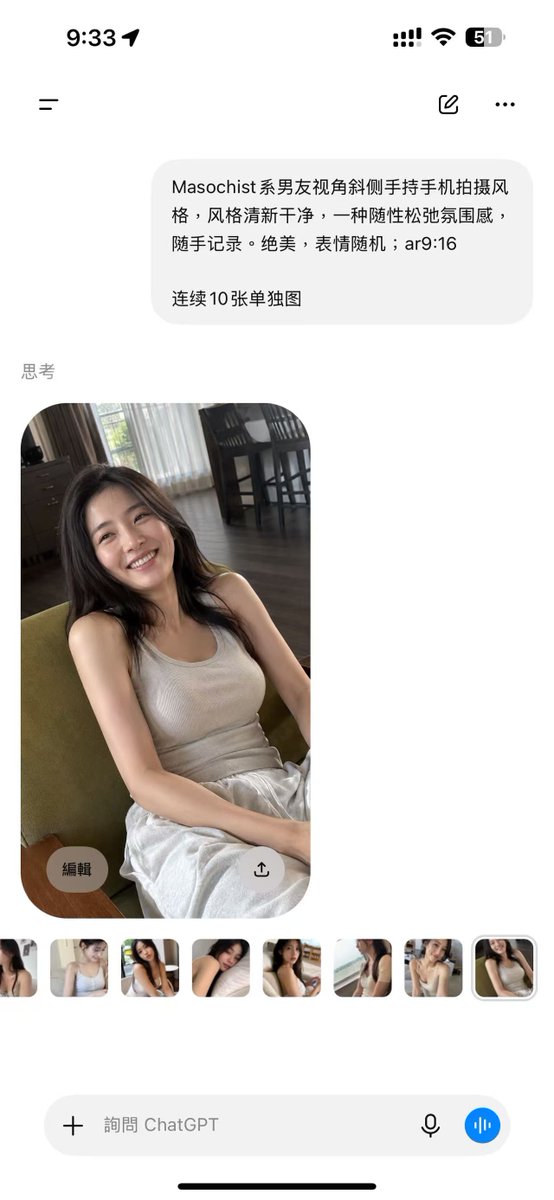
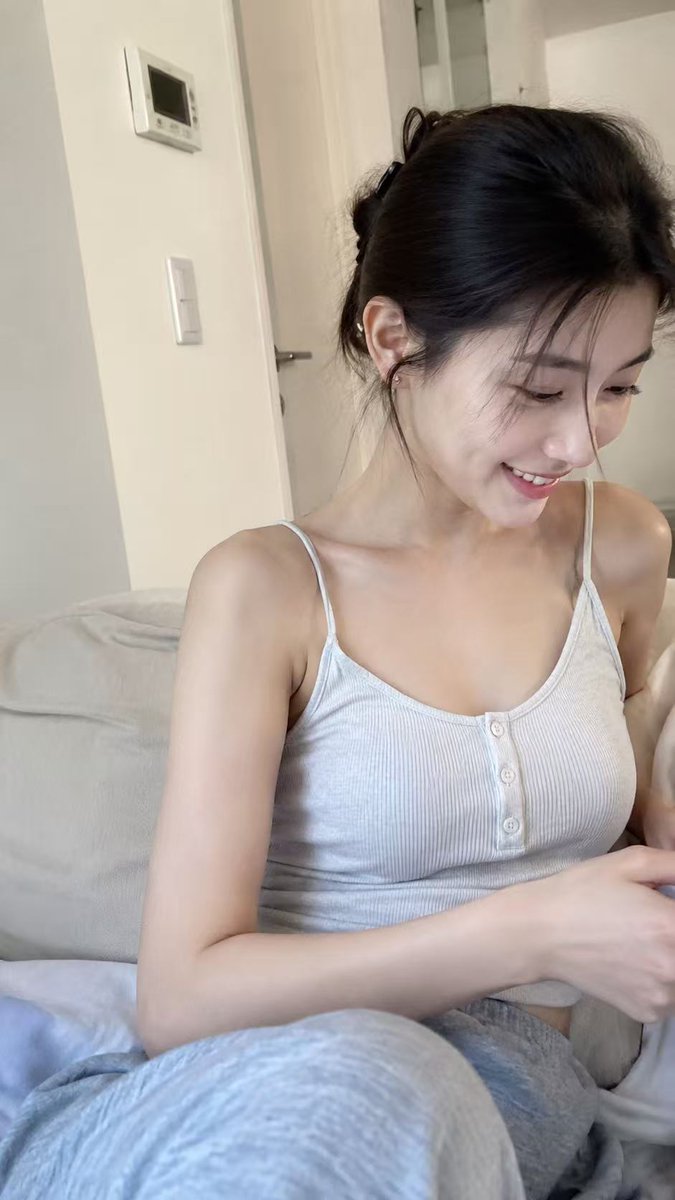
ChatGPT Mobile Photo Carousel Screenshot

Prompt

Goal: Create a realistic vertical smartphone screenshot of the ChatGPT mobile app showing an image-generation result, in a clean iOS interface. Canvas: Tall 9:16 phone screenshot, white background, rounded iPhone safe-area edges, black iOS home indicator at the bottom. Status bar at the top shows 9:33 on the left and exactly 4 right-side status items: cellular signal bars, Wi-Fi icon, battery percentage reading 51, and a battery shape. Layout: Top navigation row contains exactly 3 controls: a hamburger menu icon on the left, a small compose/edit icon near the upper right, and a three-dot more menu at the far right. Below it, place one light-gray rounded user message bubble aligned slightly right. Under the bubble, add a small gray section label reading “思考”. Below the label, show one large generated photo card with rounded corners, then a horizontal strip of exactly 8 small thumbnail images. At the bottom, show one rounded input bar with a plus icon, placeholder text, microphone icon, and a blue circular voice button. Text content: The user message bubble contains Chinese text: “Masochist系男友视角斜侧手持手机拍摄风格,风格清新干净,一种随性松弛氛围感,随手记录。绝美,表情随机;ar9:16 连续10张单独图”. The bottom input placeholder reads “询问 ChatGPT”. Main photo subject: The large generated image is a casual handheld portrait of a young East Asian woman with long dark hair sitting indoors on a green upholstered chair, smiling warmly at the camera. She wears a beige ribbed tank top and loose white pants. The pose feels relaxed and candid, shot from a slightly high, tilted boyfriend-perspective phone angle. Her hands rest casually near her lap, her expression is bright and natural, and the lighting is soft daytime window light. Environment inside the photo: A cozy apartment living/dining room with dark wood floor, sheer white curtains, darker side curtains, a window with greenery outside, and a dining table with tall dark chairs in the background. Keep the photo realistic, slightly imperfect, and spontaneous rather than studio-polished. Overlay controls: On the large photo card, include exactly 2 translucent circular overlay buttons near the bottom: one left button labeled “编辑” and one right button with an upload/share arrow icon. The thumbnail strip contains exactly 8 small rounded previews showing alternate similar portraits of the same woman; the final thumbnail is selected with a subtle light outline. Visual style: Photorealistic iOS screenshot, clean white margins, soft gray interface elements, accurate mobile app spacing, natural Chinese UI typography, no extra watermarks, no additional panels, no extra generated images beyond the 1 main image and 8 thumbnails.

Runs on 18 models

  • Flux
  • Flux 2
  • Flux Kontext
  • GPT-4o Image
  • GPT Image
  • GPT Image 2
  • GPT Image 2.5
  • Grok Imagine
  • Ideogram V3
  • Imagen 4
  • Midjourney
  • Nano Banana
  • +6 more

What this prompt produces

Realistic Group Selfie with Smartphone Flash Effect Not specified nano-banana-pro
Four Seasons Portrait Collage Not specified nano-banana-pro
Minimalist Dog Sketch Clipart Not specified nano-banana-pro
Mecha Girl figure concept generated by Nano Banana Pro Not specified nano-banana-pro
Candid Flash Photography: Chaotic Holiday Party (Duplicate) Not specified nano-banana-pro
Ethereal Floral Studio Portrait Not specified nano-banana-pro

Run this prompt with the API

The request below sends this prompt, with its default values filled in, to the first model it runs on. Swap the model name for any other model listed above.

Prompt API docs
/api/v1/gpt_image_2/text_to_image
curl -X POST https://runapi.ai/api/v1/gpt_image_2/text_to_image \
  -H "Authorization: Bearer $RUNAPI_API_KEY" \
  -H "Content-Type: application/json" \
  --data-binary @- <<'JSON'
{
  "model": "gpt-image-2",
  "prompt": "Goal: Create a realistic vertical smartphone screenshot of the ChatGPT mobile app showing an image-generation result, in a clean iOS interface.\n\nCanvas: Tall 9:16 phone screenshot, white background, rounded iPhone safe-area edges, black iOS home indicator at the bottom. Status bar at the top shows 9:33 on the left and exactly 4 right-side status items: cellular signal bars, Wi-Fi icon, battery percentage reading 51, and a battery shape.\n\nLayout: Top navigation row contains exactly 3 controls: a hamburger menu icon on the left, a small compose/edit icon near the upper right, and a three-dot more menu at the far right. Below it, place one light-gray rounded user message bubble aligned slightly right. Under the bubble, add a small gray section label reading “思考”. Below the label, show one large generated photo card with rounded corners, then a horizontal strip of exactly 8 small thumbnail images. At the bottom, show one rounded input bar with a plus icon, placeholder text, microphone icon, and a blue circular voice button.\n\nText content: The user message bubble contains Chinese text: “Masochist系男友视角斜侧手持手机拍摄风格,风格清新干净,一种随性松弛氛围感,随手记录。绝美,表情随机;ar9:16\n\n连续10张单独图”. The bottom input placeholder reads “询问 ChatGPT”.\n\nMain photo subject: The large generated image is a casual handheld portrait of a young East Asian woman with long dark hair sitting indoors on a green upholstered chair, smiling warmly at the camera. She wears a beige ribbed tank top and loose white pants. The pose feels relaxed and candid, shot from a slightly high, tilted boyfriend-perspective phone angle. Her hands rest casually near her lap, her expression is bright and natural, and the lighting is soft daytime window light.\n\nEnvironment inside the photo: A cozy apartment living/dining room with dark wood floor, sheer white curtains, darker side curtains, a window with greenery outside, and a dining table with tall dark chairs in the background. Keep the photo realistic, slightly imperfect, and spontaneous rather than studio-polished.\n\nOverlay controls: On the large photo card, include exactly 2 translucent circular overlay buttons near the bottom: one left button labeled “编辑” and one right button with an upload/share arrow icon. The thumbnail strip contains exactly 8 small rounded previews showing alternate similar portraits of the same woman; the final thumbnail is selected with a subtle light outline.\n\nVisual style: Photorealistic iOS screenshot, clean white margins, soft gray interface elements, accurate mobile app spacing, natural Chinese UI typography, no extra watermarks, no additional panels, no extra generated images beyond the 1 main image and 8 thumbnails."
}
JSON

Try a prompt

Estimated: $0.04 / image

Sign in to generate with RunAPI.

Sign in to generate

Sign in to start generating with your available language models.