JSON-Style Business Card in VS Code
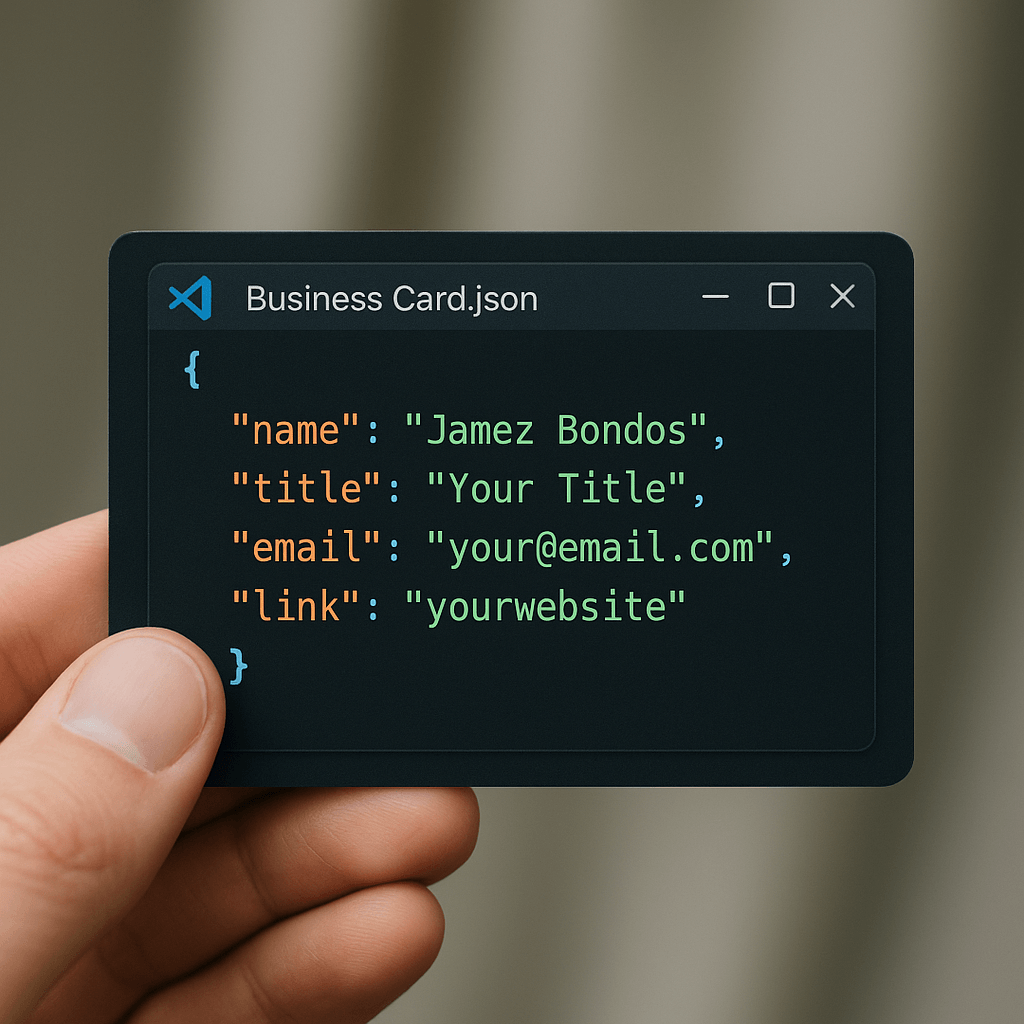
代码风格名片

翻译: Prompt

Close-up shot: a hand holding a business card designed to look like a JSON file in VS Code. The code on the card is displayed with real JSON syntax highlighting. The window interface includes typical toolbar icons and a title bar showing "Business Card.json", with the overall style fully consistent with the VS Code interface. The background is slightly blurred, highlighting the business card content. The JSON code on the card is as follows: { "name": "Jamez Bondos", "title": "Your Title", "email": "[email protected]", "link": "yourwebsite" }

翻译: Runs on 21 models

  • Flux
  • Flux 2
  • Flux Kontext
  • GPT-4o Image
  • GPT Image
  • GPT Image 2
  • GPT Image 2.5
  • GPT Image 2.6
  • Grok Imagine
  • Ideogram V3
  • Imagen 4
  • Kling
  • 翻译: +9 more

此 prompt 的输出

Hunyuan  prompt: Aikido 未指定 hunyuan-3
Seedream 5 prompt: f smiling middle aged woman in nice home wrapped i... 未指定 v2
Create an extreme close-up underwater portrait, ca... 未指定 未指定
Using the face from the attached photograph, recre... 未指定 未指定
Using the face from the attached photo, recreate a... 未指定 未指定
Seedream 5 prompt: cosplay 未指定 v2

翻译: Run this prompt with the API

翻译: The request below sends this prompt, with its default values filled in, to the first model it runs on. Swap the model name for any other model listed above.

翻译: Prompt API docs
/api/v1/gpt_image_2/text_to_image
curl -X POST https://runapi.ai/api/v1/gpt_image_2/text_to_image \
  -H "Authorization: Bearer $RUNAPI_API_KEY" \
  -H "Content-Type: application/json" \
  --data-binary @- <<'JSON'
{
  "model": "gpt-image-2",
  "prompt": "Close-up shot: a hand holding a business card designed to look like a JSON file in VS Code. The code on the card is displayed with real JSON syntax highlighting. The window interface includes typical toolbar icons and a title bar showing \"Business Card.json\", with the overall style fully consistent with the VS Code interface. The background is slightly blurred, highlighting the business card content.\nThe JSON code on the card is as follows:\n{\n  \"name\": \"Jamez Bondos\",\n  \"title\": \"Your Title\",\n  \"email\": \"[email protected]\",\n  \"link\": \"yourwebsite\"\n}"
}
JSON

翻译: Try a prompt